

Your Music
Your Music is where Medley opens to start with. It shows your library at a glance:
- the playlist at the heart of your library, the one that shares songs with most of the others
- how many songs, playlists and artists you have, how long your music runs end to end, and how many plays so far
- How your playlists connect: a map where thicker lines share more songs
- Playlist health: merges and folds, songs twice, songs gone from Apple Music and songs in no playlist, with Open Review
- Playlists You Could Make: the best of your Ideas
- Heavy rotation, your sound over time by release decade, what you add each year, and your genres
- Forgotten Favourites, and suggestions for your playlists


Artists
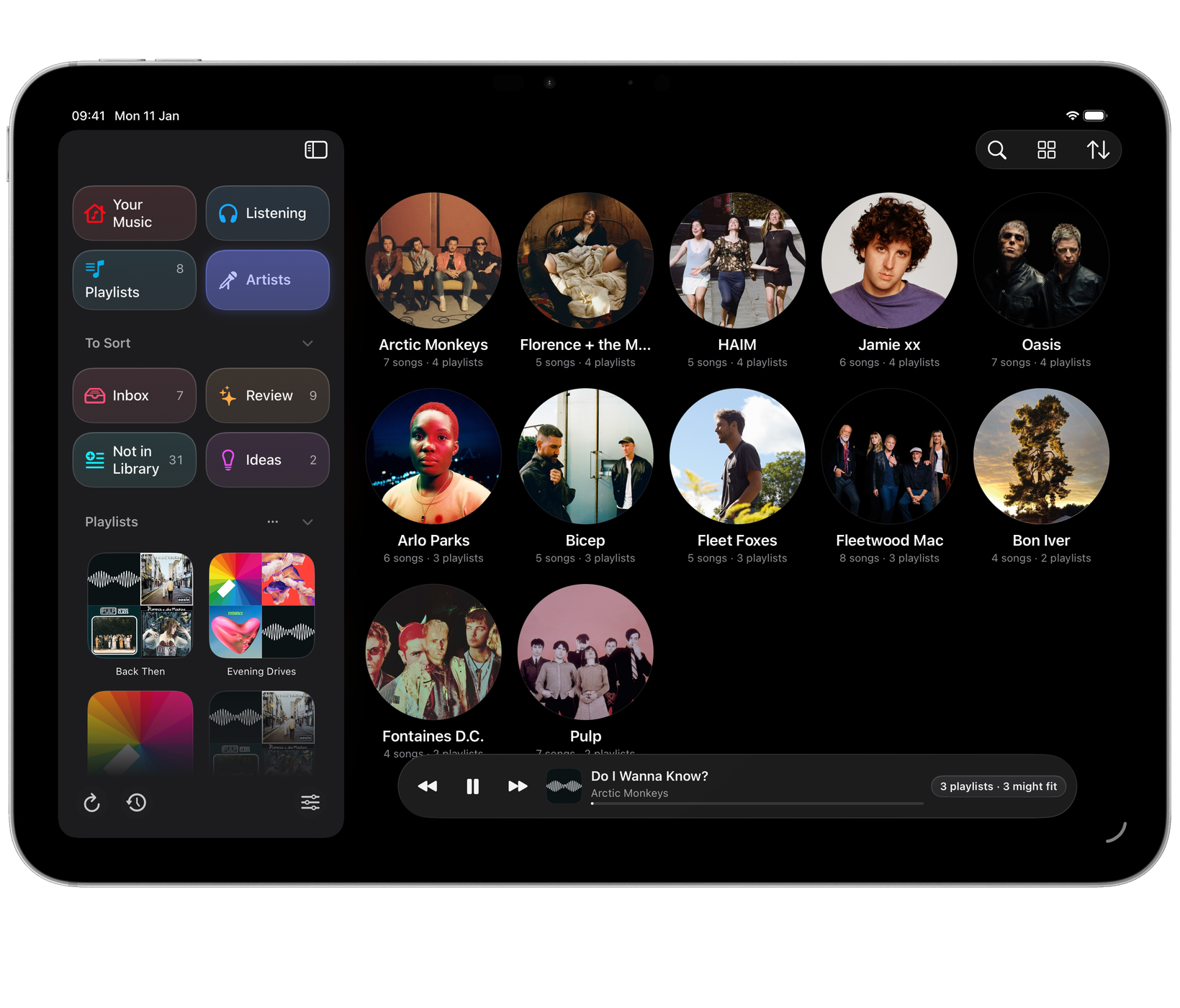
Artists ranks every artist by how widely their songs spread across your playlists.
- View As: Grid, List, or Table on a Mac.
- Sort By: Most Playlists, Most Songs, Most Played or Name.
- Show: All, In 5 or More playlists, or In One Playlist.

An artist’s page
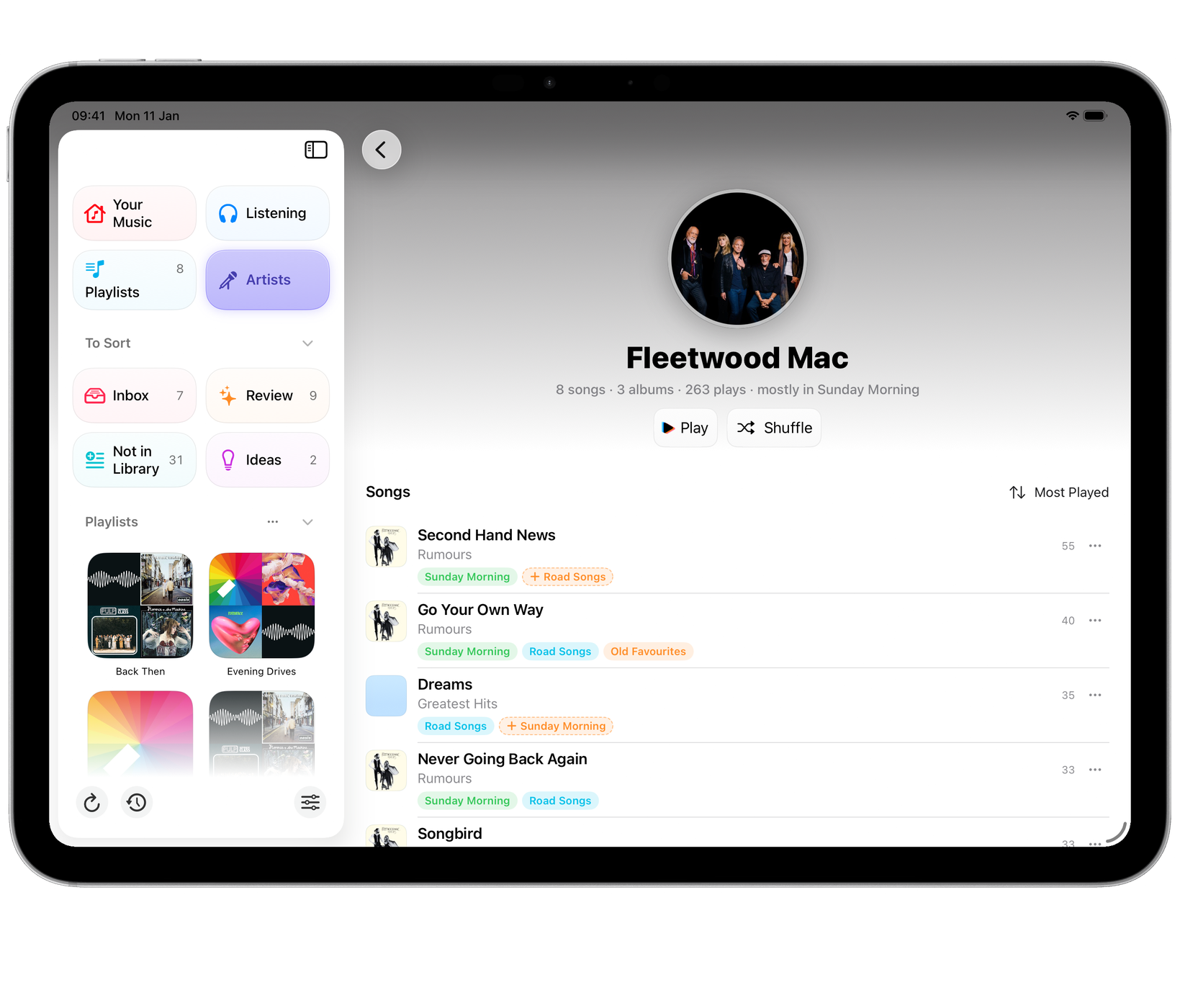
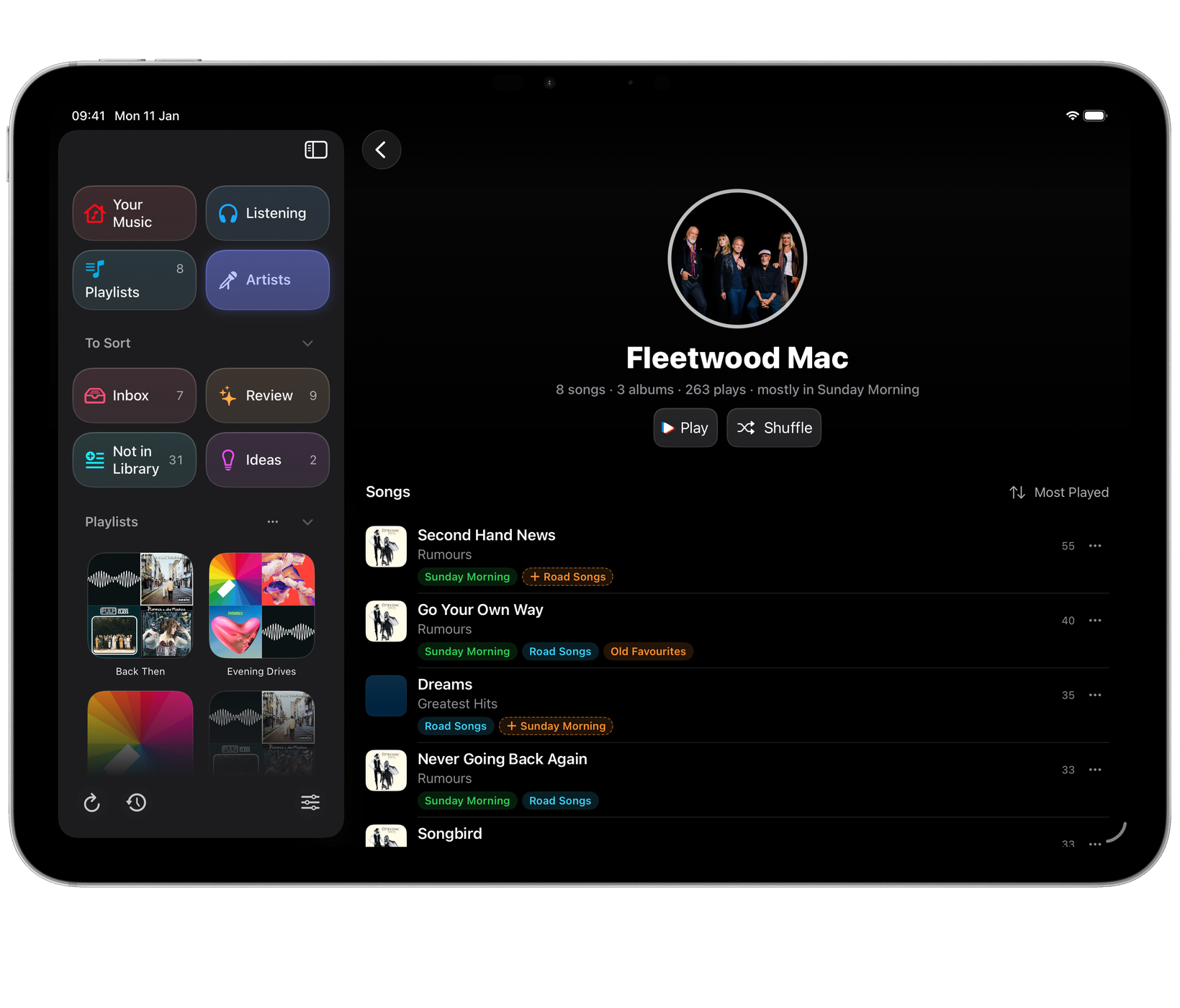
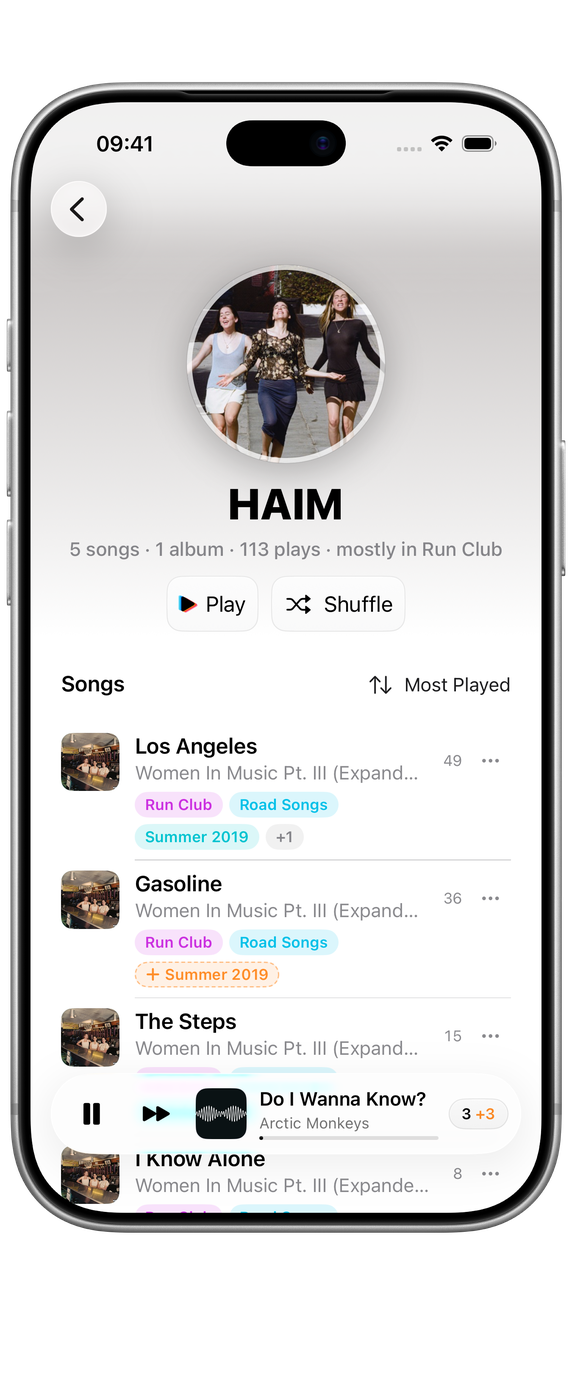
Open an artist to see everything of theirs you have, under their photo:
- Play their songs, most played first, or Shuffle.
- Songs, each with chips for the playlists it’s in. Choose the chips to tick the song into or out of your playlists: the list shows the playlists it’s in, the ones it might fit, and all the rest. Sort By Most Played, Album, Title or Recently Added.
- Where they live: the playlists that hold their songs, most first. In a wide window, show the songs as a grid against those playlists, to see the gaps at a glance.
- Might belong: songs of theirs that most of their other songs’ playlists don’t have yet, with + to add each one.
- Albums: choose one to show only its songs, and All Songs to go back.
- More by the artist: their best-known songs that you don’t have, from Apple Music. Tap a cover to hear 30 seconds, and + to add it to your library and a playlist.
- In your library, like them: similar artists you already have.
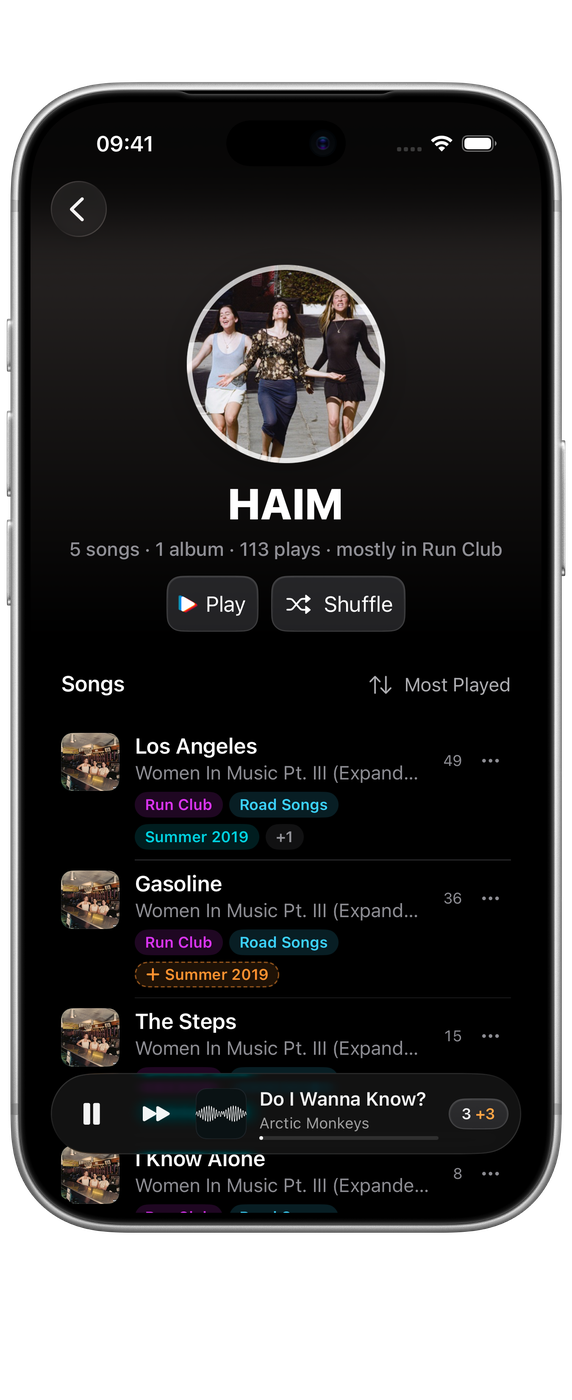
Every change is saved to History first, with Undo on the line that follows. Taking a song out of a playlist needs Medley on your Mac. See What Medley can change.
More by and similar artists need an internet connection, and adding a song from Apple Music needs a subscription.
Playlists
Playlists shows every playlist of yours as a grid, a list, or a table on a Mac.
- Sort By: Name, Most Songs, Longest or Most Not in Library.
- Show: All, Overlapping, or With Doubles.
Open a playlist for its report, its songs, Play, Shuffle and Grow. In a wide window, each song’s Dolby Atmos or Hi-Res Lossless badge, its length and its Favourite star line up in columns. See Finding a song for what the report shows.


Choosing on a Mac
On a Mac, the Artists and Playlists pages select as Finder does: click to select, ⌘-click or ⇧-click to add more, drag across empty space to draw round several, and double-click to open. On iPhone and iPad, tap to open.
The sidebar
Your playlists are listed in the sidebar below Medley’s places. Its options sort them in Music’s Order, by Name or by Most Songs.
Settings ▸ Layout ▸ Sidebar Style chooses how Your Music, Review, Inbox and Medley’s other places appear at the top of the sidebar.
Layouts and sort orders are remembered, and sync between your devices when iCloud Sync is on.