
All apps

Made for iPhone, iPad and Mac

Tasks and plans, in plain words

Orbit

Plan your days and weeks. Type a task the way you would say it, then see the week as a Timeline, a board or a calendar.
Quick Entry

Type it like you’d say it.

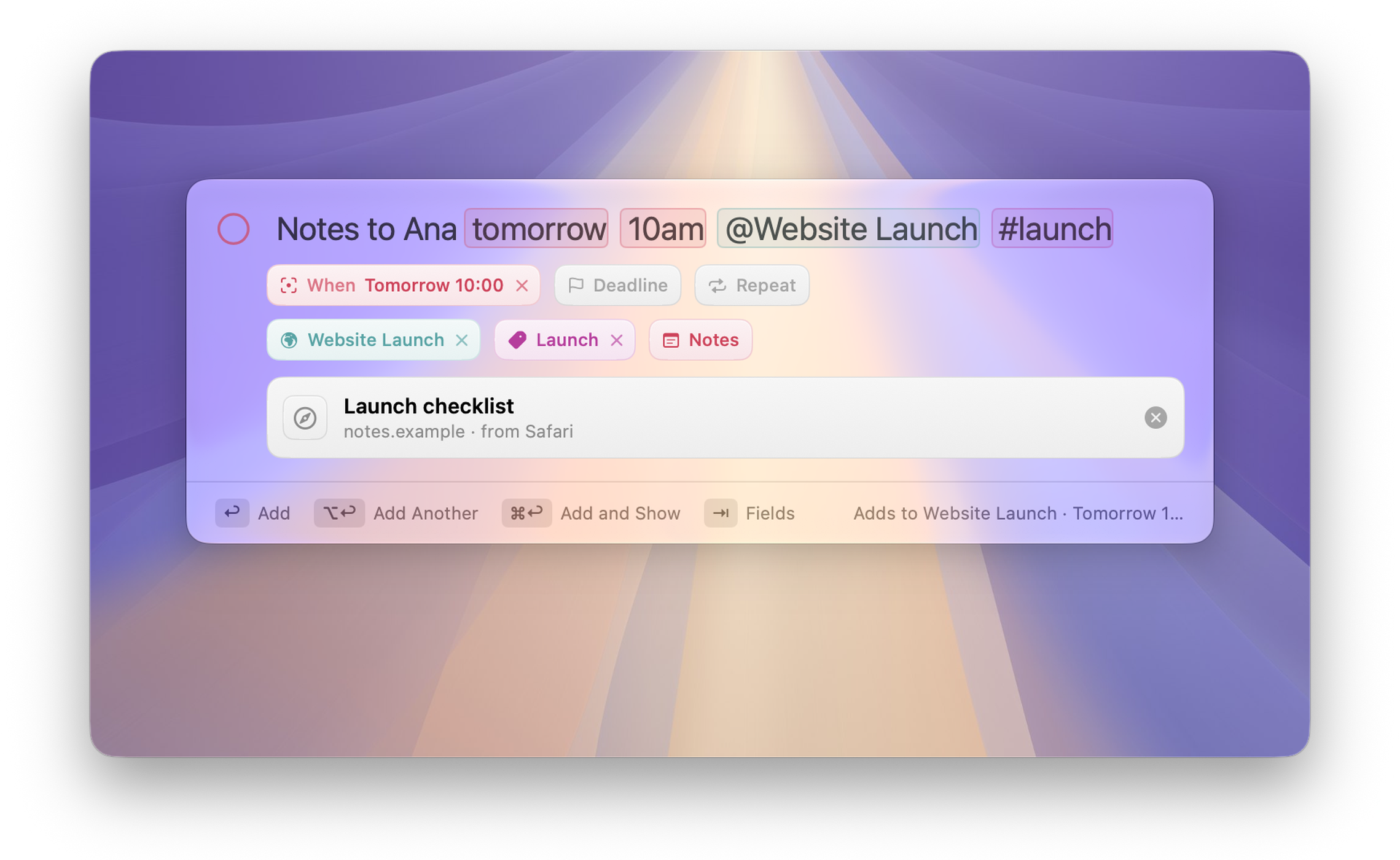
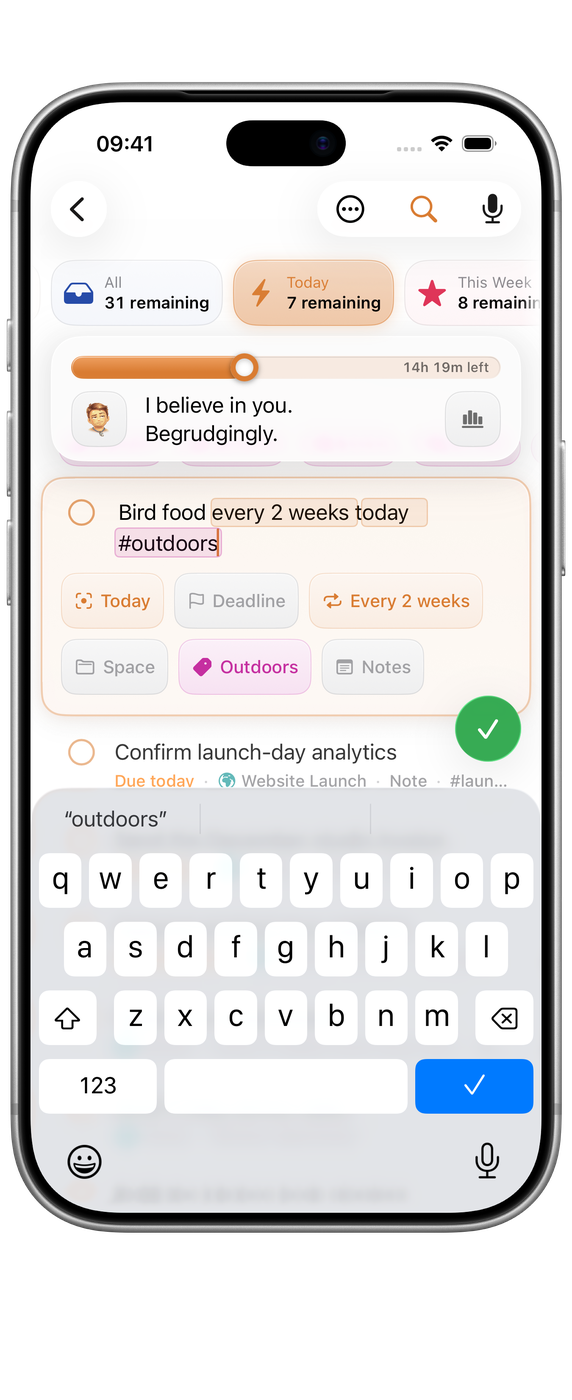
Write “pay invoice Friday 9am #work every month” and Orbit picks out the day, the time, the tag and the repeat as you type. On a Mac, Quick Entry opens over whatever you are doing, from the menu bar or a hotkey, and can bring the Safari page you are reading along as a link.

  • Dates, times, tags, repeats and @Spaces in plain words.
  • Brain Dump turns a spoken or typed list into tasks.
  • Check what was recognised before you save.

Timeline and board

Your week, two ways.

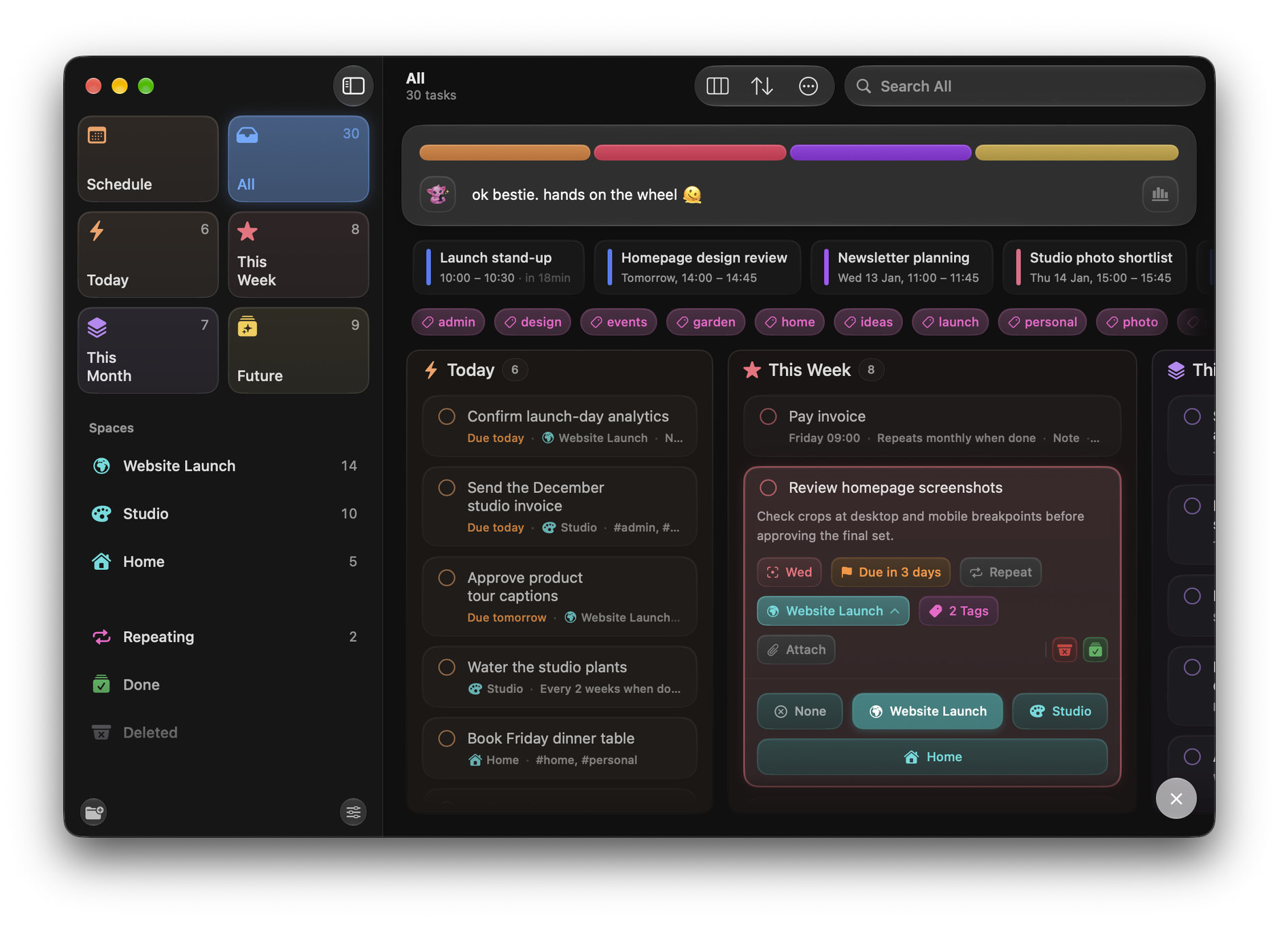
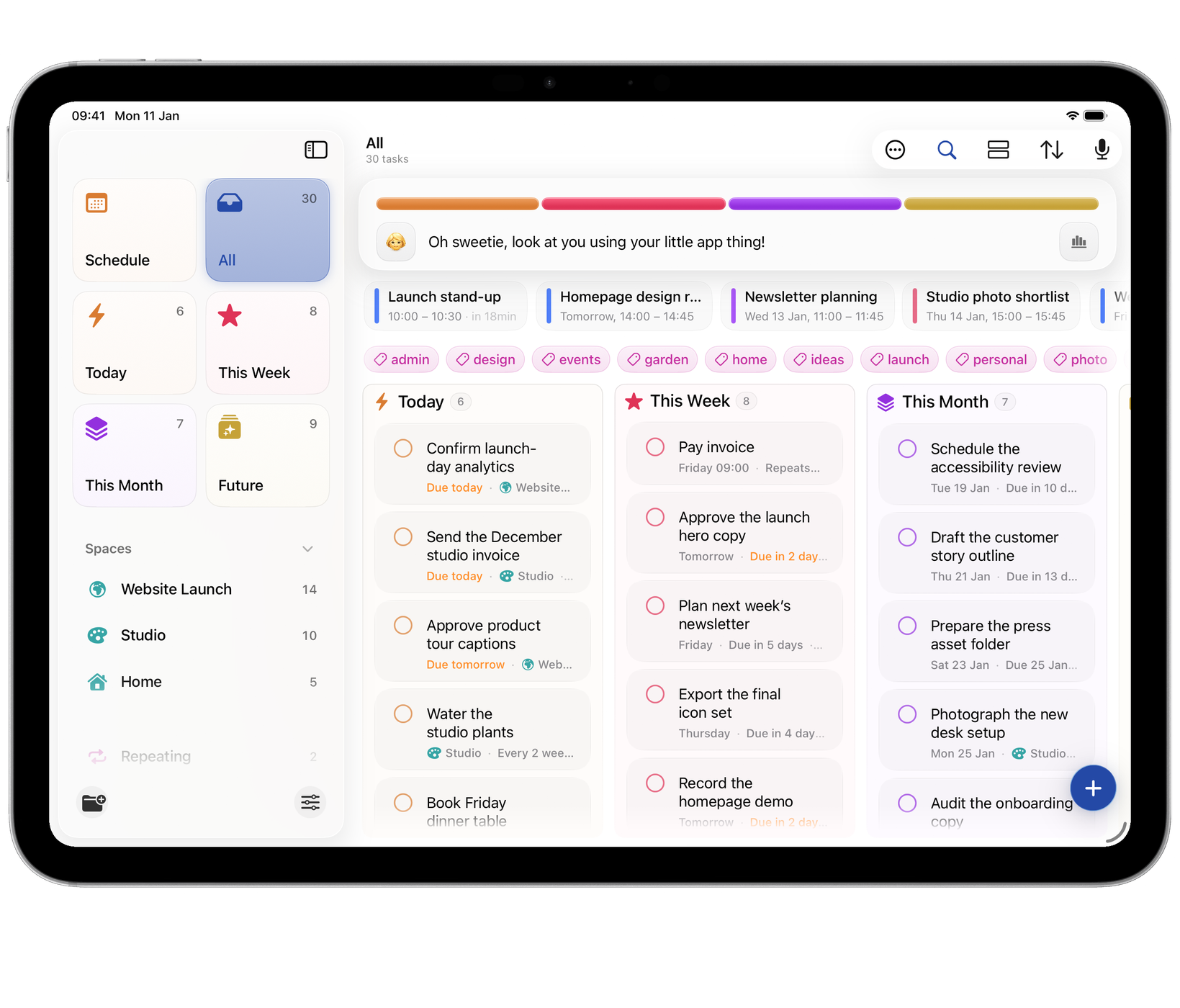
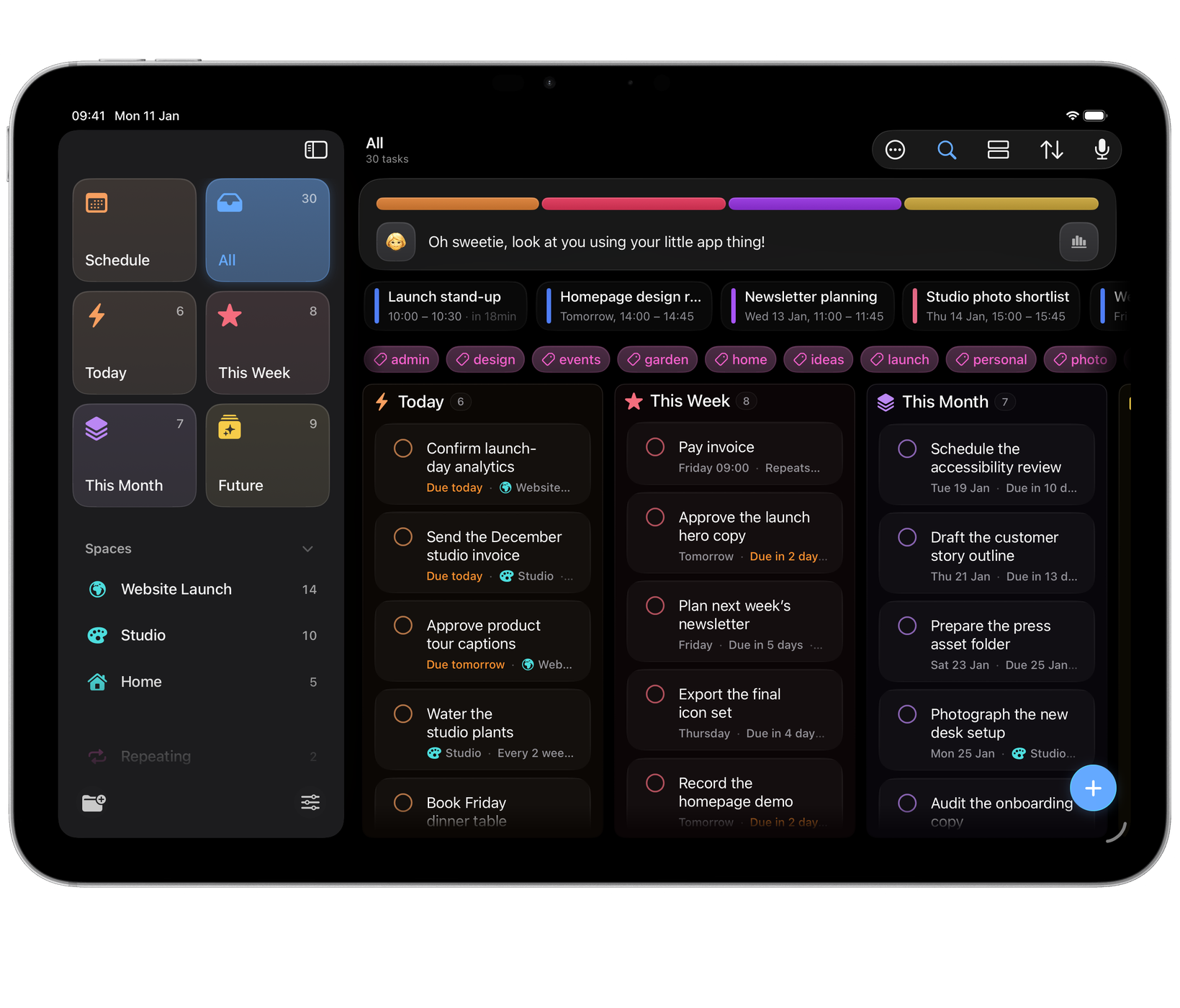
See the same tasks as a Timeline, in your own order or day by day, or as a board of Today, This Week, This Month and Future. When plans change, drag a task to another column.

  • The same tasks in either view.
  • Calendar events in place when you arrange by day.
  • Deadlines that show what is due and what can wait.

Insights

See how the week is going.

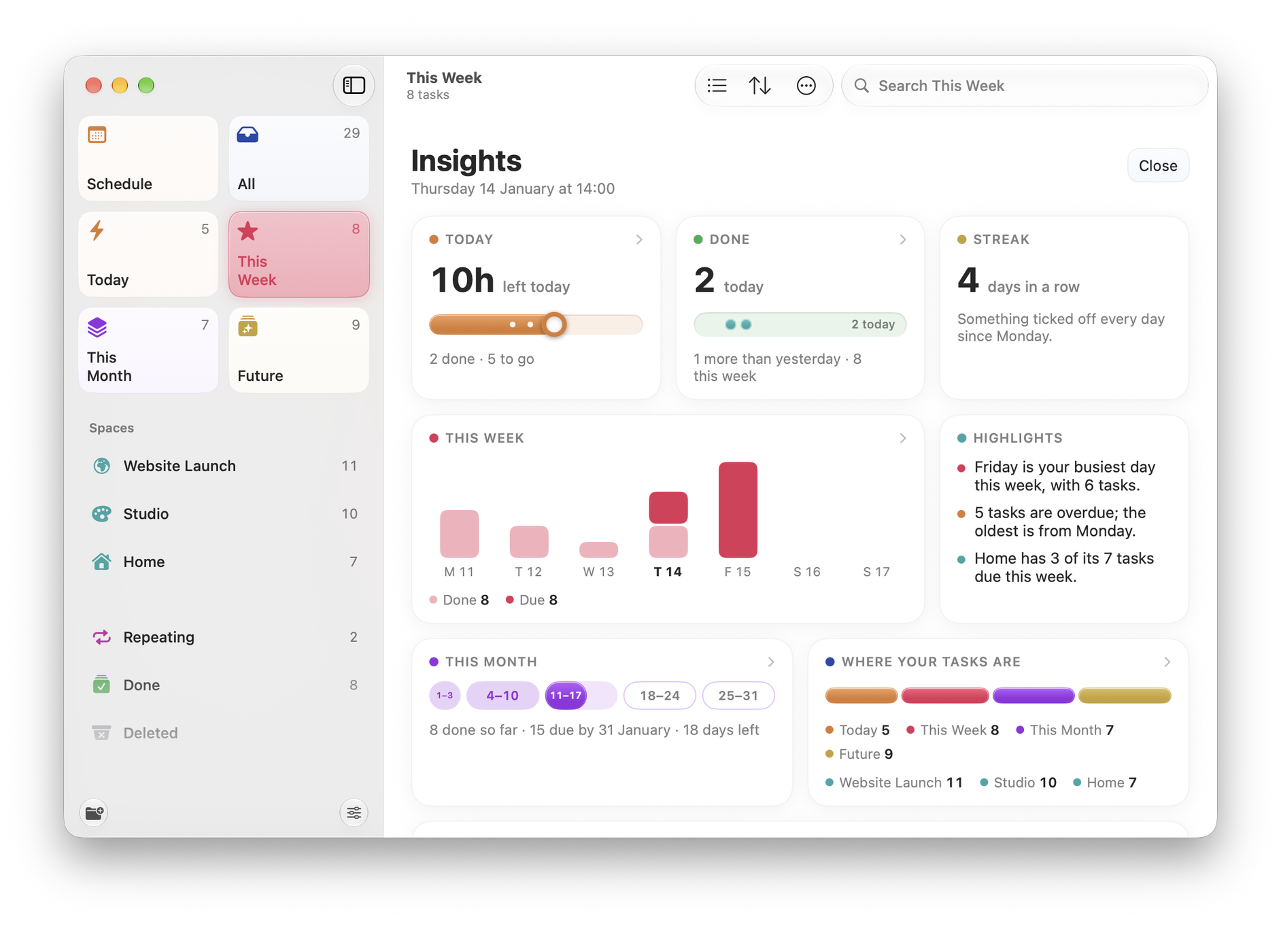
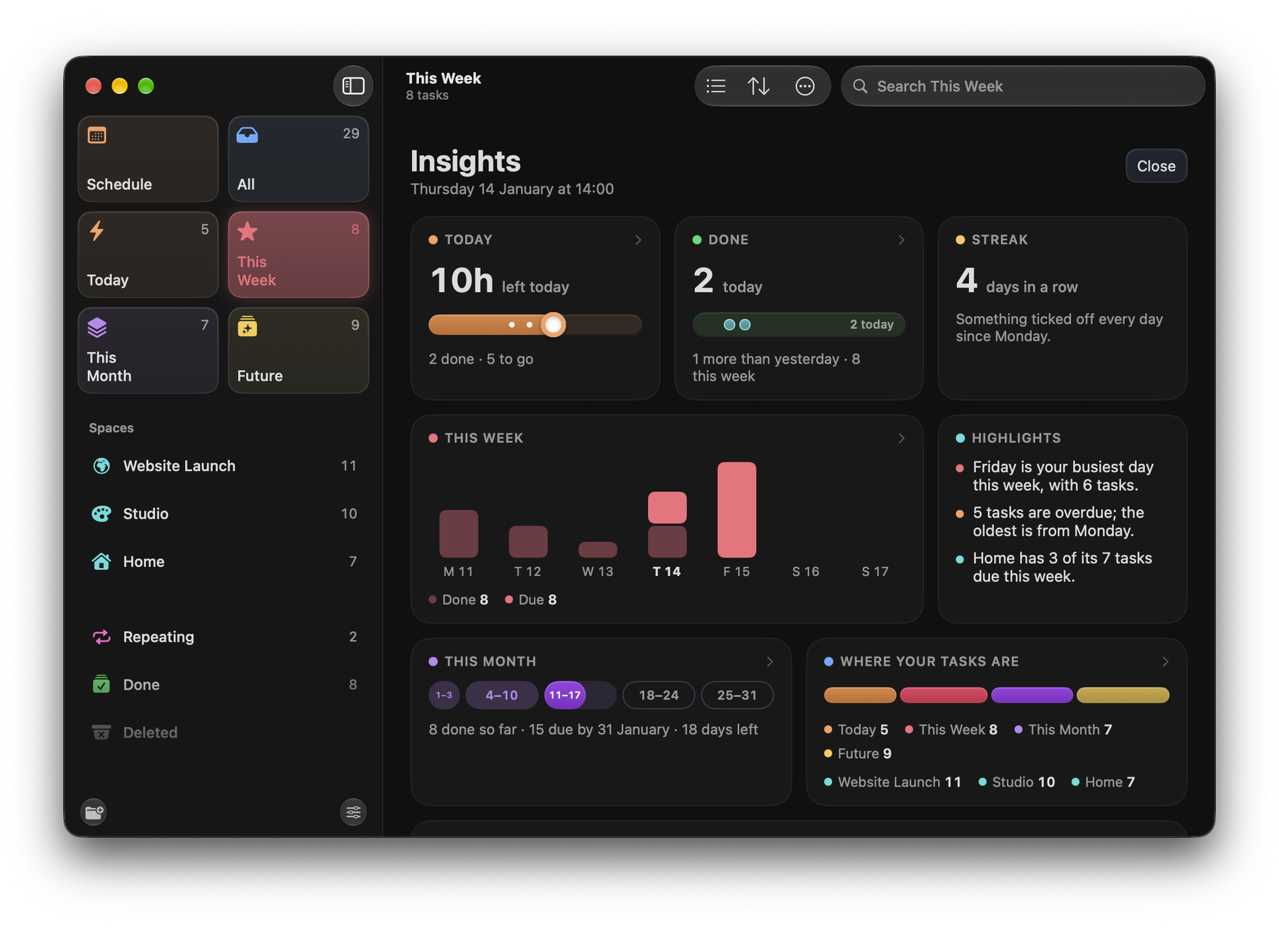
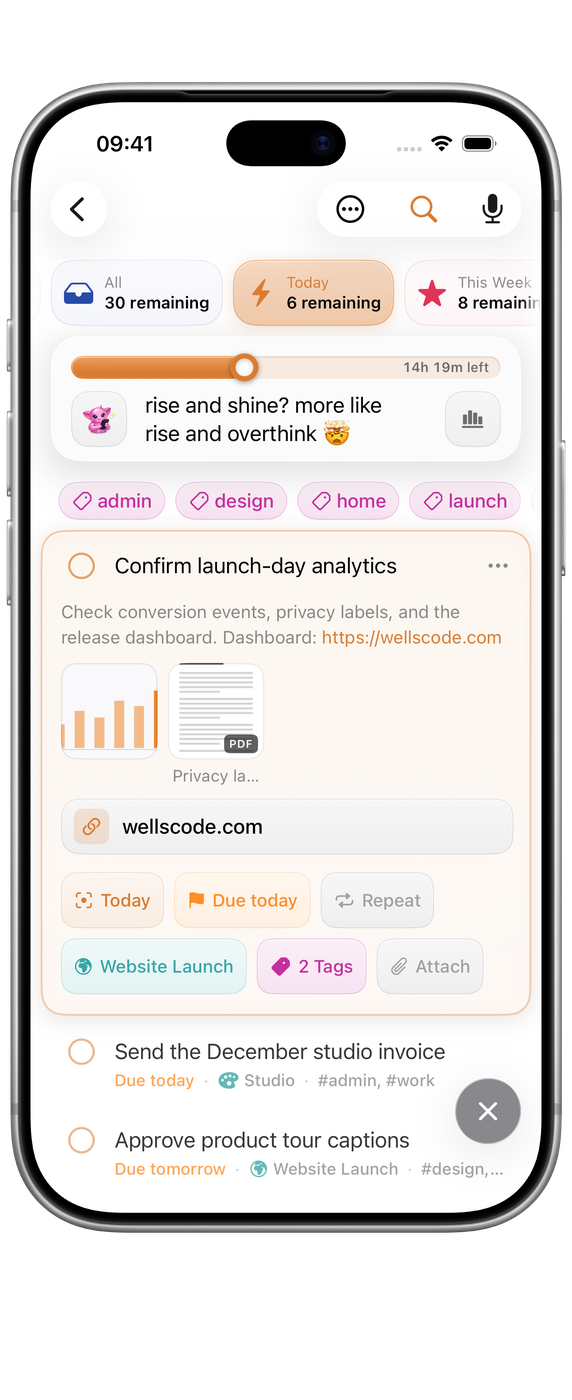
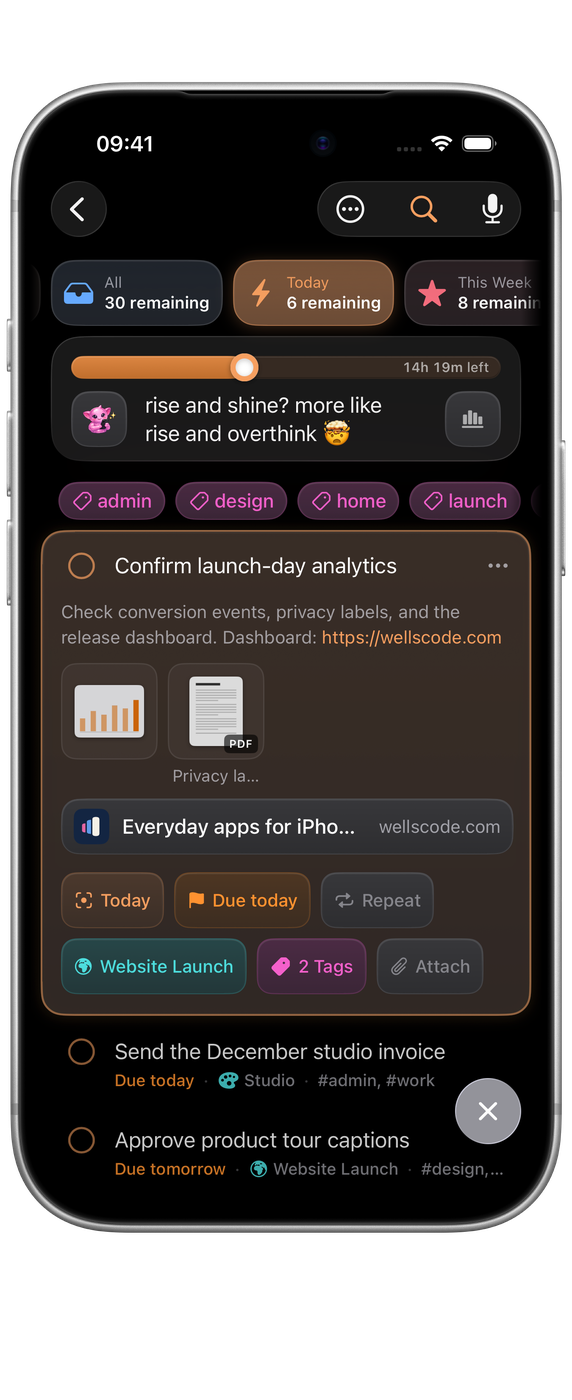
The island above your tasks shows what is left today and how each day of the week is filling up. Open Insights for the fuller picture: what you have done, your streak, the busiest day ahead and where your tasks sit.

  • A pill for each day of the week, filled as it is done.
  • Tap a day to see only its tasks.
  • Highlights in plain words, like your busiest day.

Attachments

Everything the task needs.

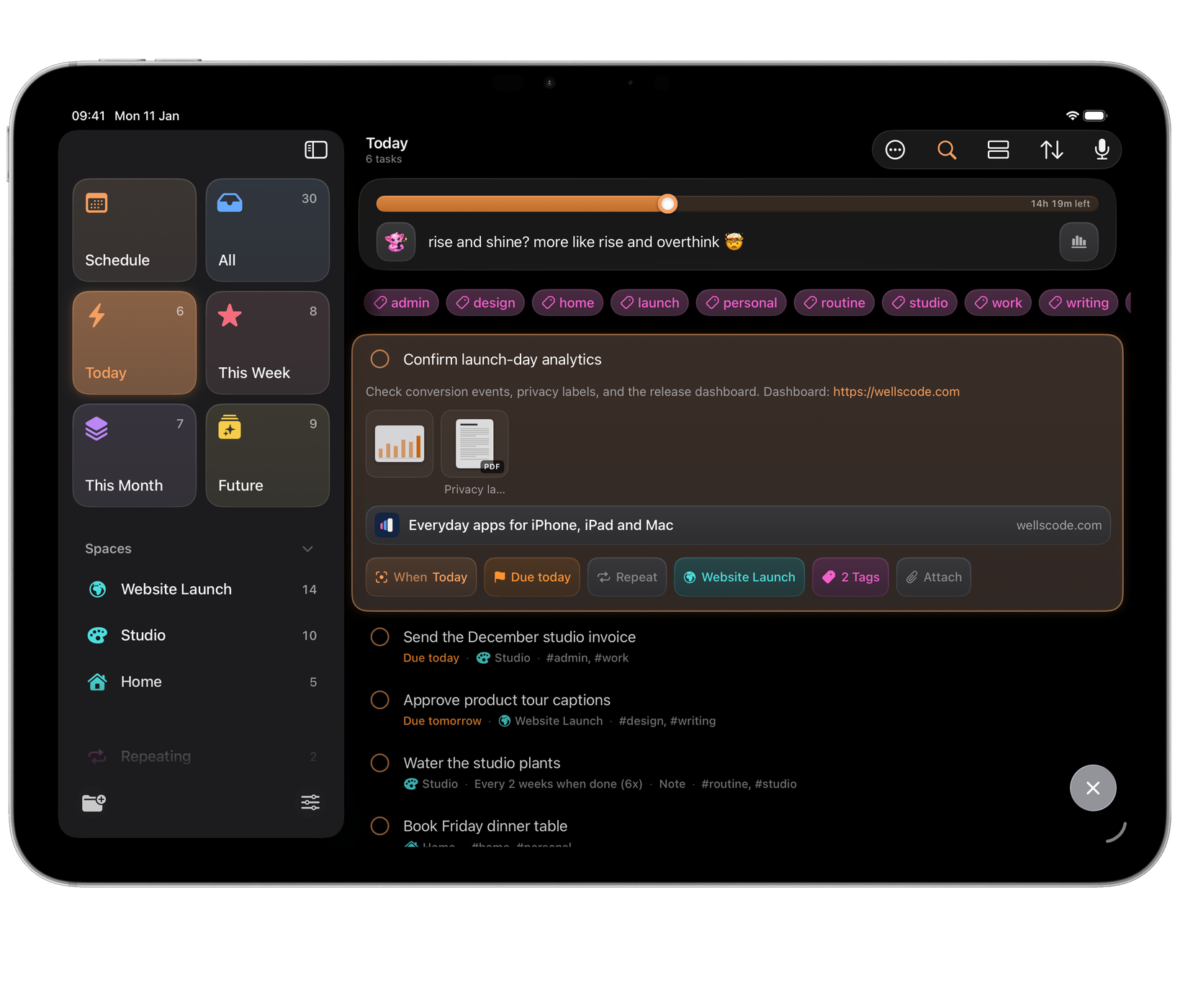
Add photos, scans, PDFs and other files to a task, and links in its notes become cards you can open. They sync through iCloud with the rest of your tasks.

  • Scan a document straight into a task.
  • Drop a file onto a task on Mac or iPad.
  • Links in notes shown as cards.

Schedule

Your tasks and calendar, together.

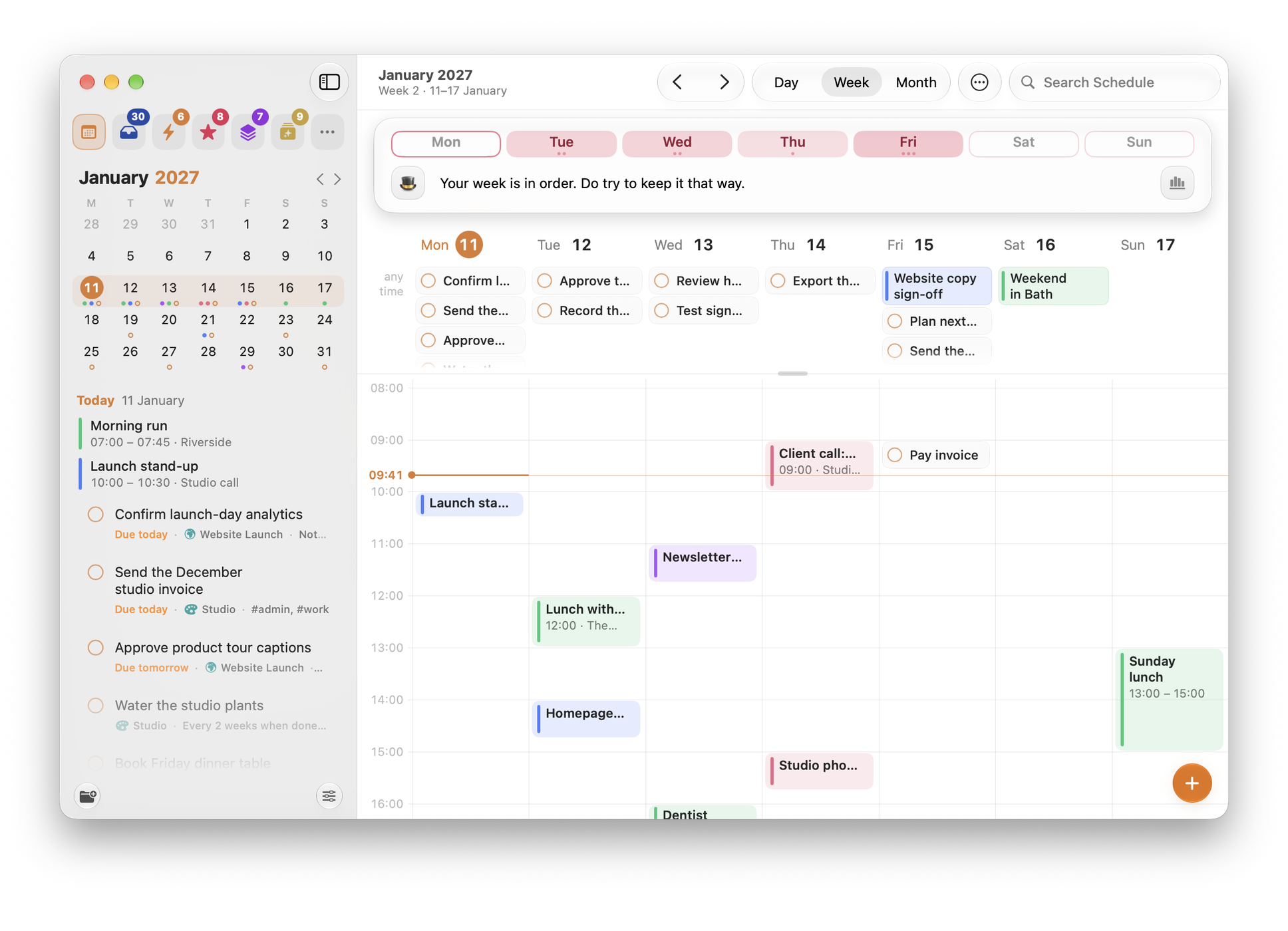
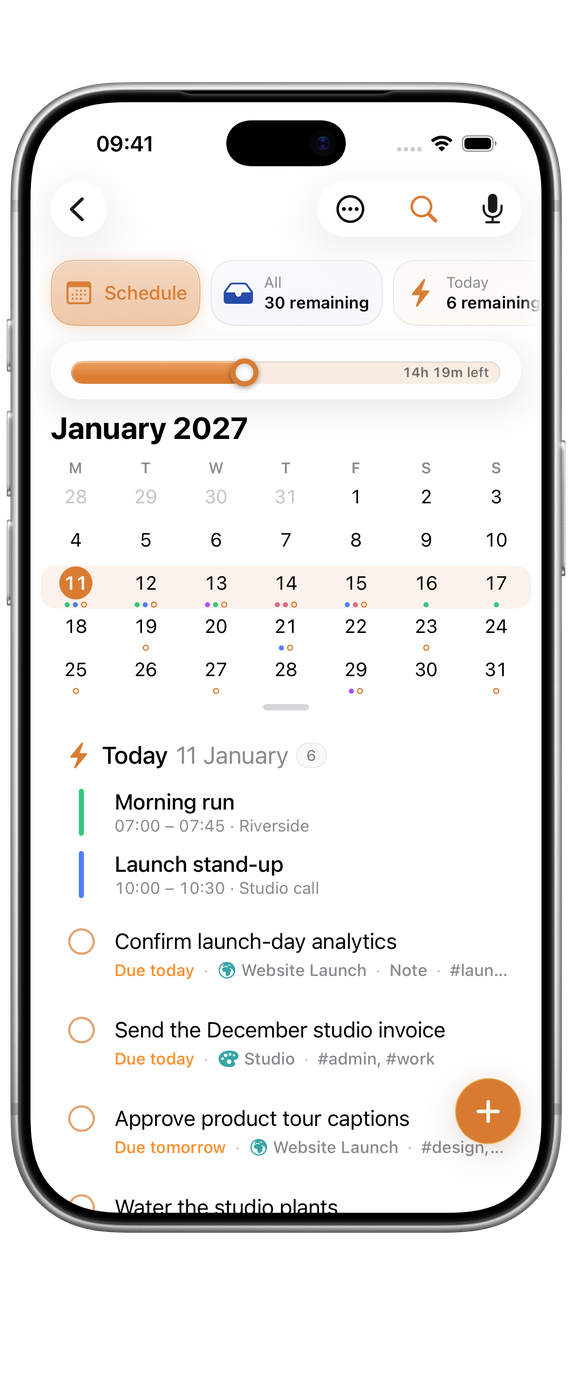
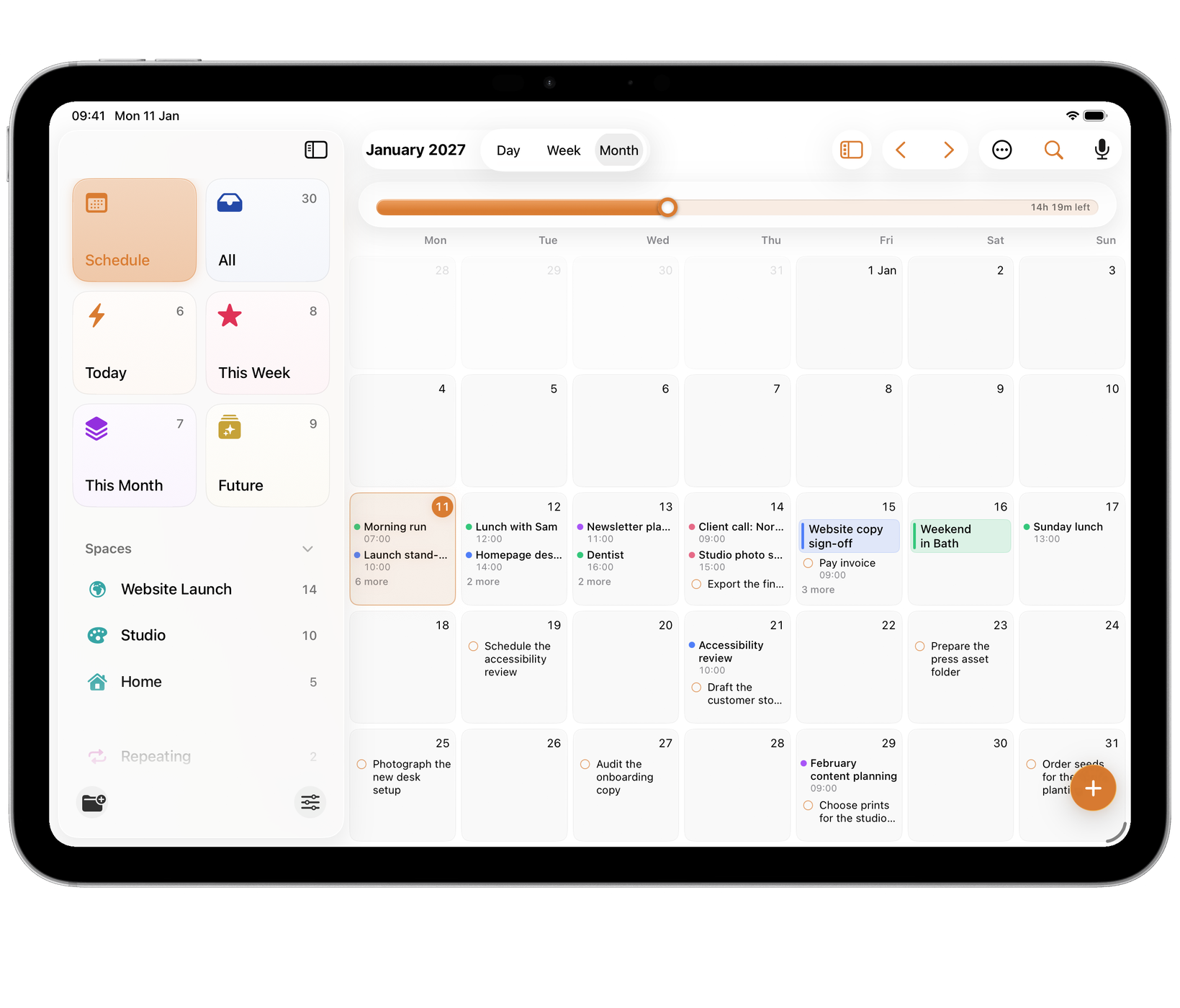
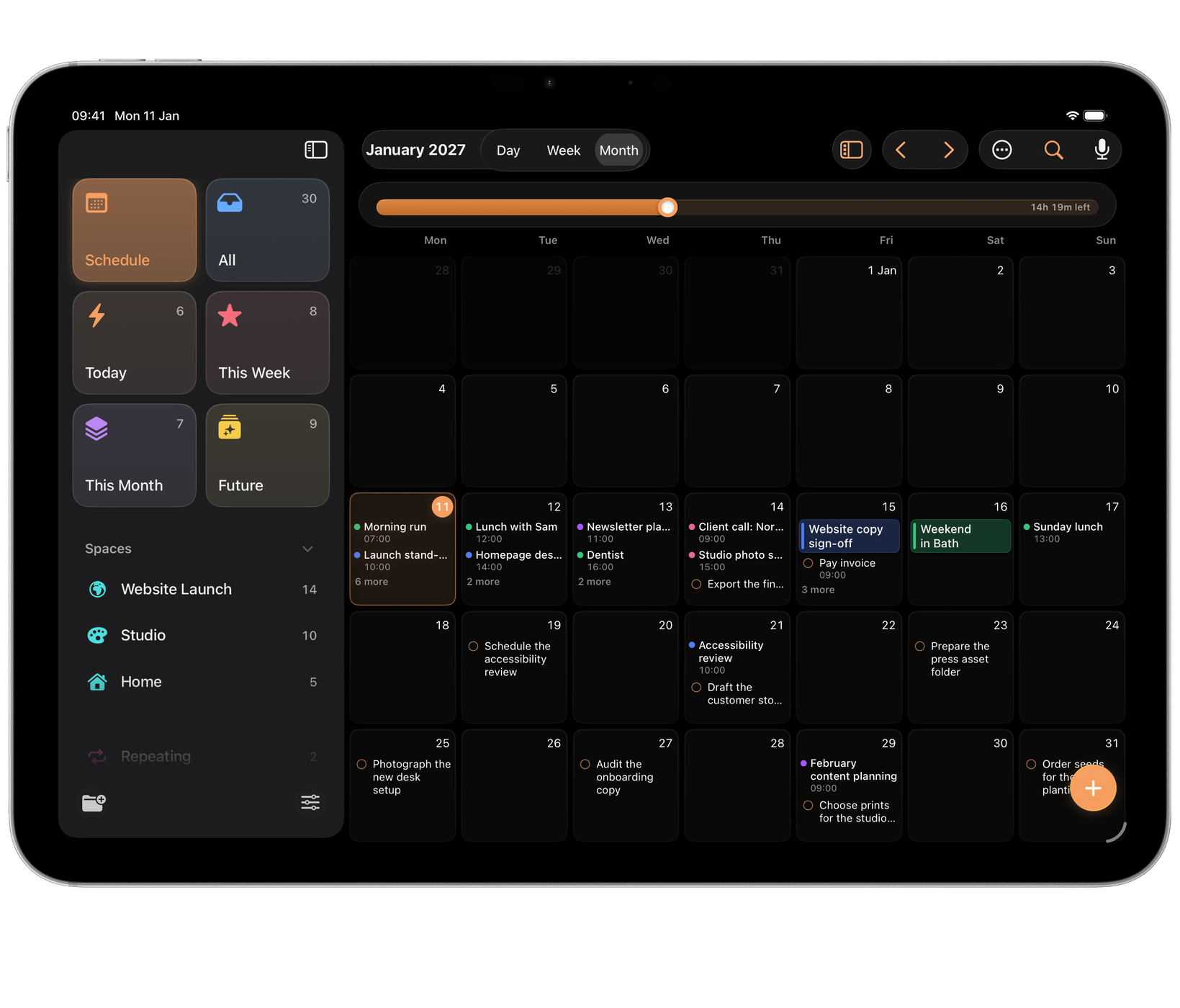
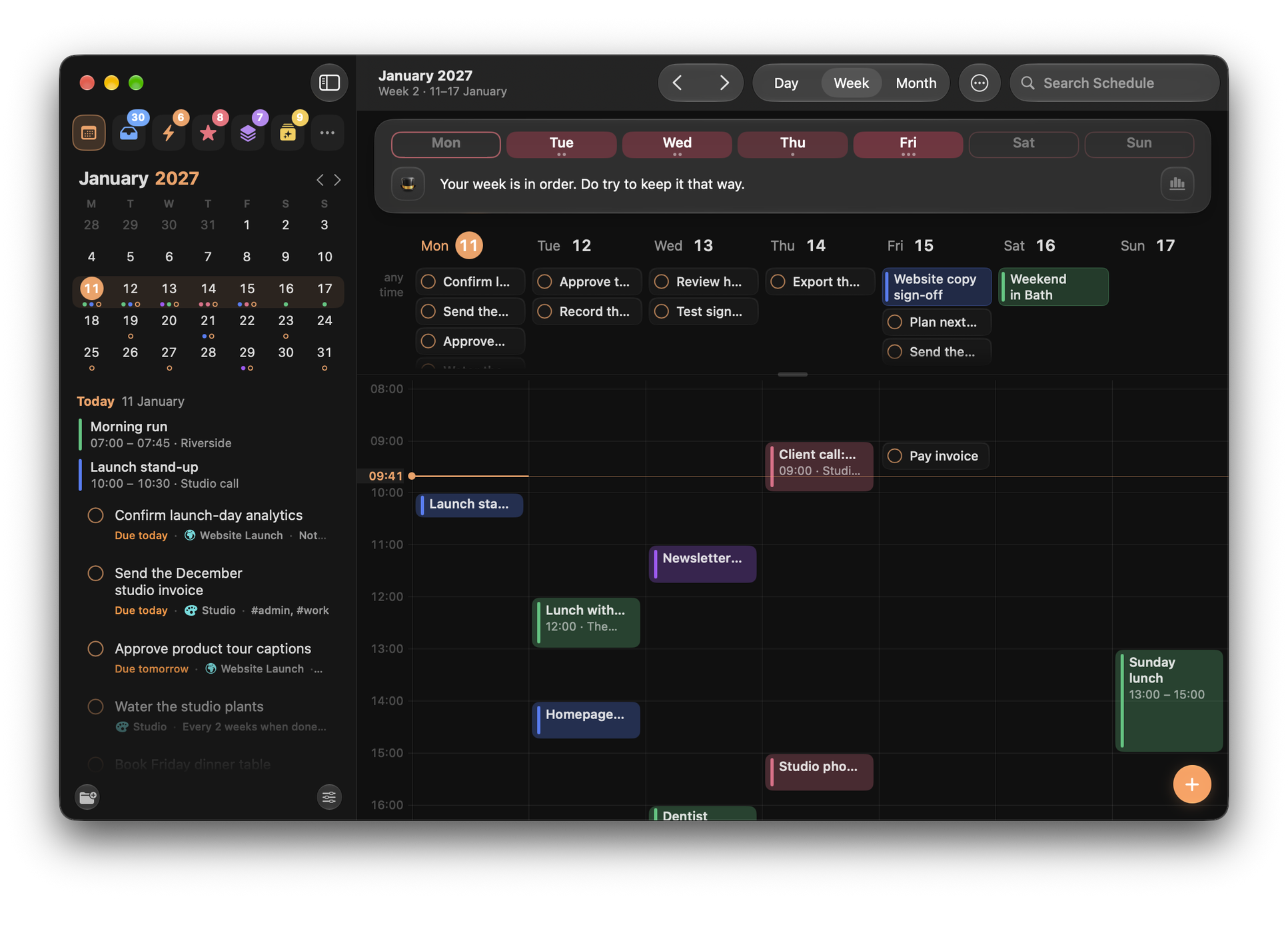
See your tasks beside the events in your calendars, by day, week or month. Create and edit events without leaving Orbit, and drag a task onto a day, or onto an hour on iPad and Mac.

Spaces and repeats

A place for every part of life.

Keep work, side projects and home apart, each in a Space of its own. Repeats can count from when you finished rather than when the task was due.

  • Spaces for projects and areas of life.
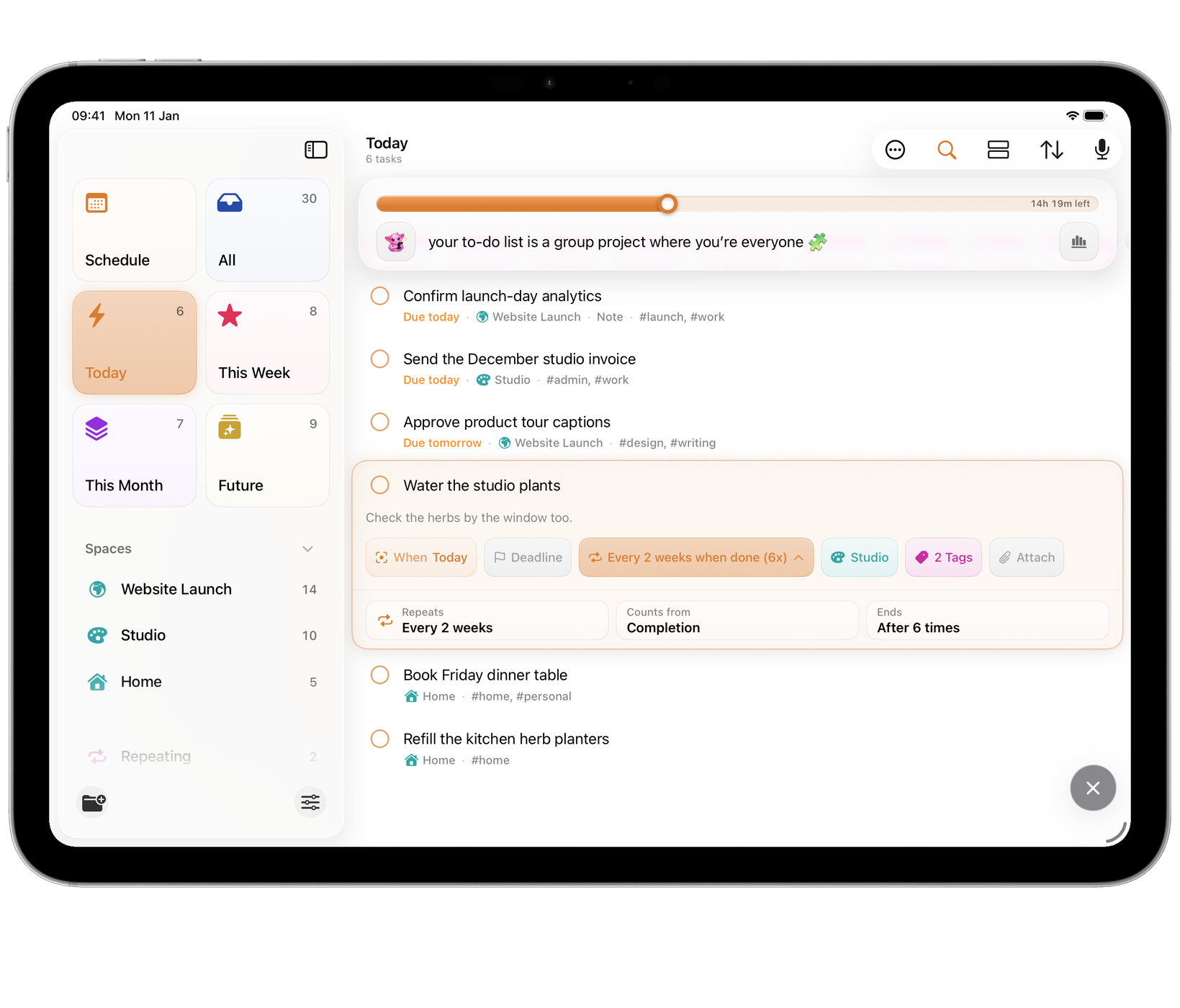
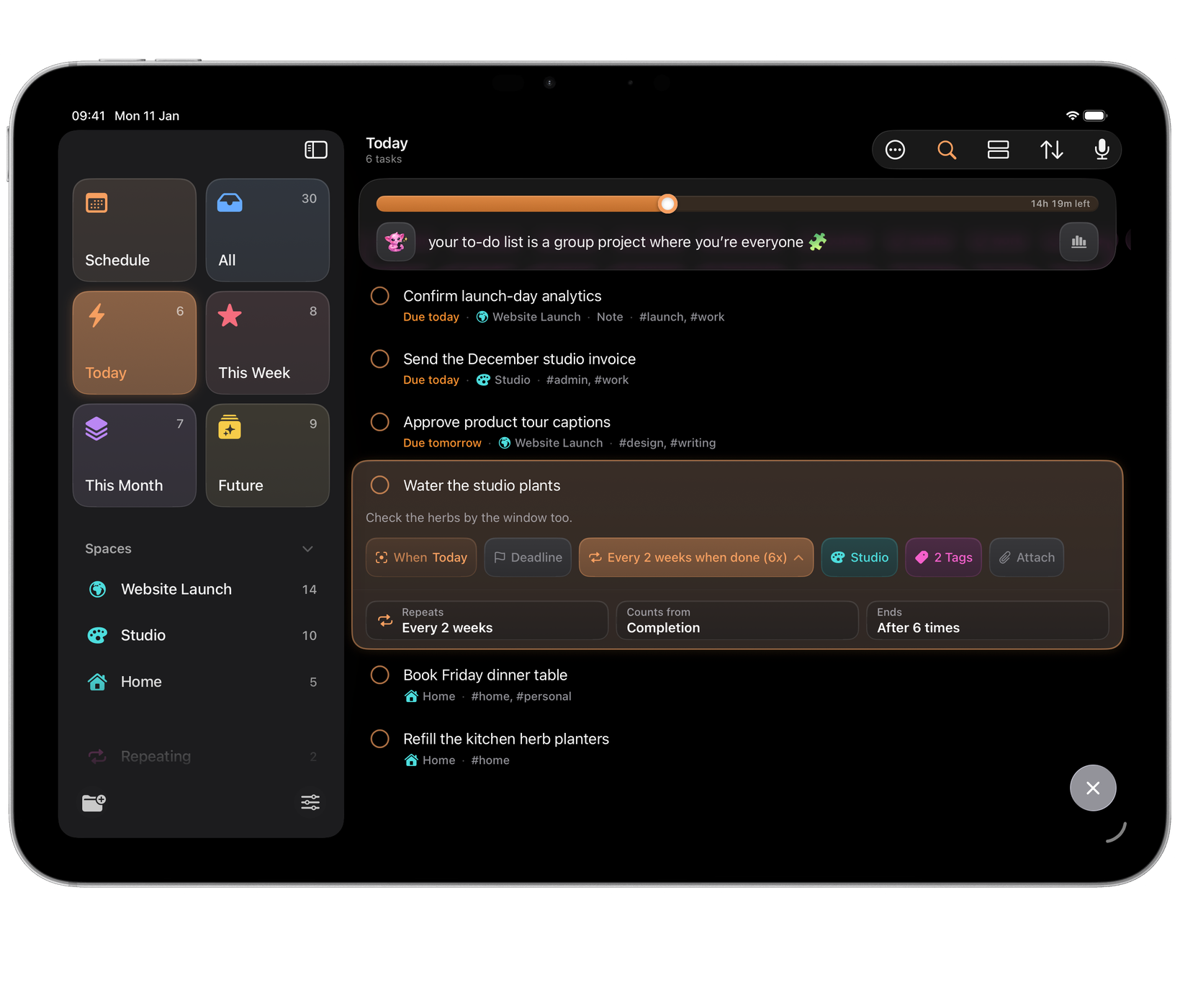
  • Repeats from completion, every few days or weeks.
  • A companion that cheers you on, in one of sixteen voices, or none.

Optional AI access

Useful to AI. Private until you switch it on.

Orbit is a private iCloud app by default: no Wells Code account, no hosted connection, nothing shared with an AI service. Connect a client on Mac only if you want to.

  • Claude
  • ChatGPT
  • Any MCP client
  • Its own credential. Every client gets one, revocable in Settings.
  • Only the profiles you choose. Each connection is scoped to them.
  • No network of its own. The Local MCP helper makes no request.

Native AI Access for Siri, Apple Intelligence and Shortcuts is separate, and off by default too. Orbit Connect, for remote and web-based clients, is planned for later and is not active today.

What an AI client can and cannot do →

A look inside

Orbit in use.

Mac
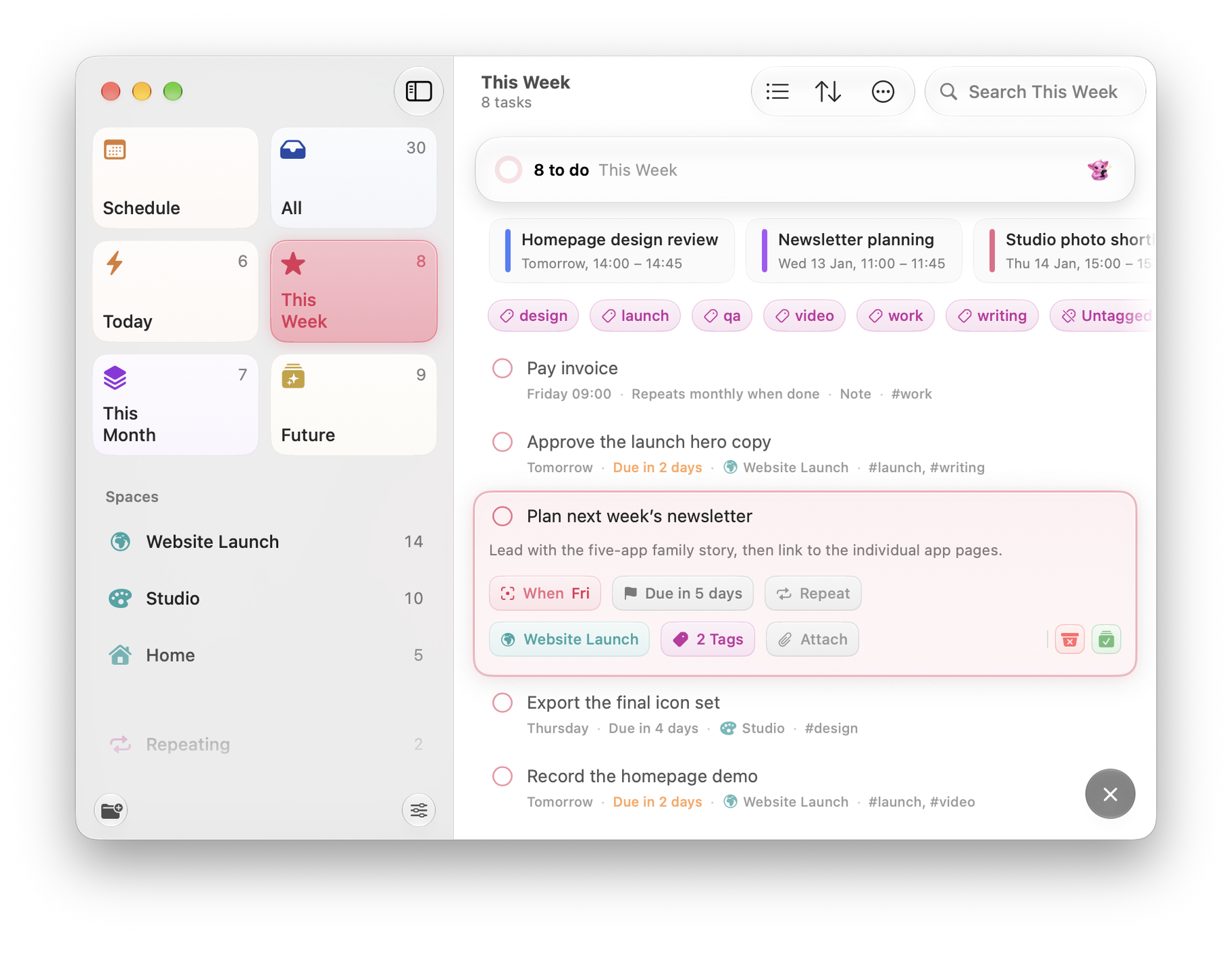
Orbit on Mac: This Week with its day pills on the island and a task open in placeOrbit on Mac: This Week with its day pills on the island and a task open in place
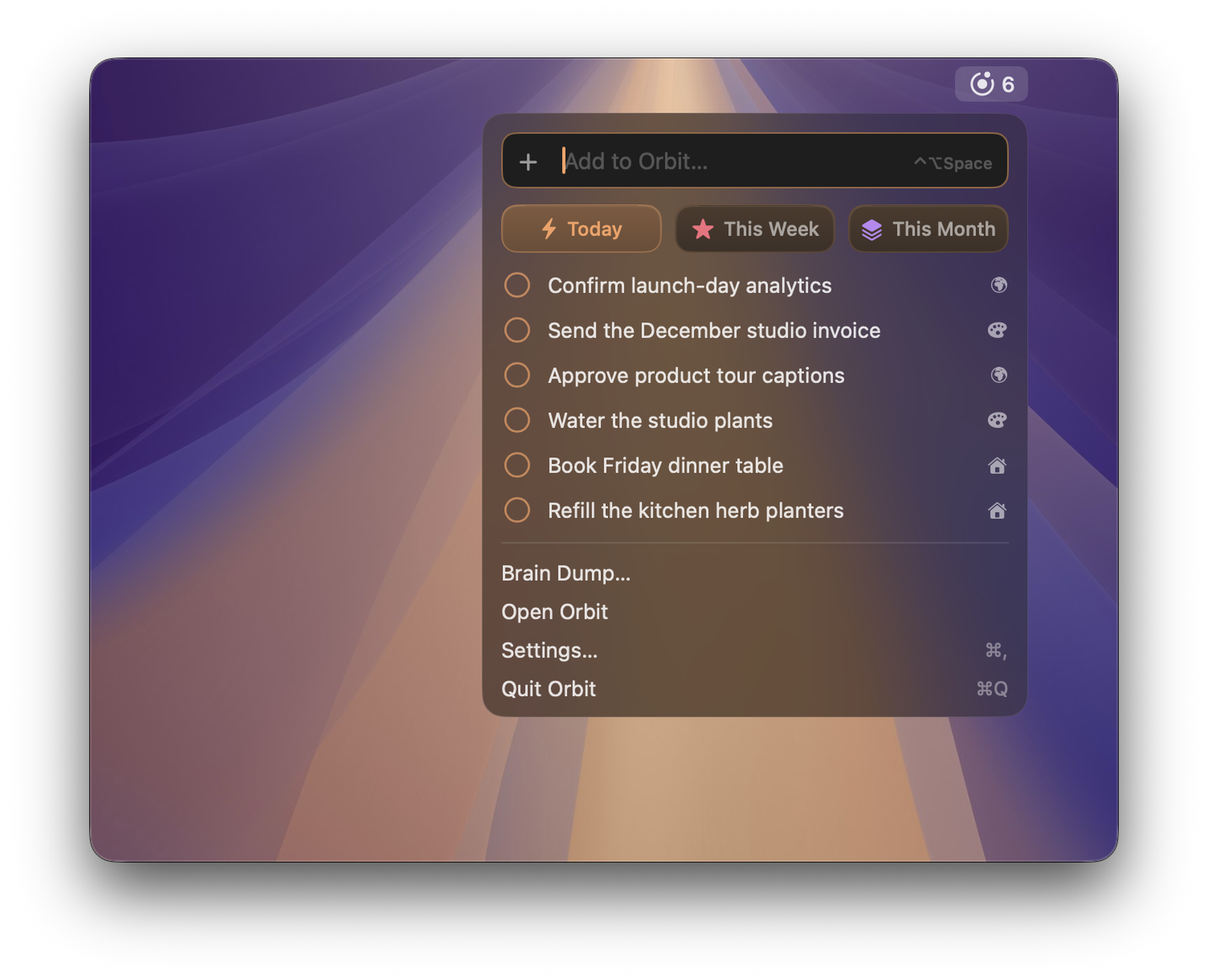
Orbit on Mac: Quick Entry over the desktop, with the date, time, Space and tag recognised as you type and a Safari page attached as a linkOrbit on Mac: Quick Entry over the desktop, with the date, time, Space and tag recognised as you type and a Safari page attached as a link
Orbit on Mac: the board, with Today, This Week, This Month and Future side by side and a task open in its columnOrbit on Mac: the board, with Today, This Week, This Month and Future side by side and a task open in its column
Orbit on Mac: Schedule’s week, with tasks and calendar events together in the hours, and the month and what is coming up in the sidebarOrbit on Mac: Schedule’s week, with tasks and calendar events together in the hours, and the month and what is coming up in the sidebar
Orbit on Mac: Insights, with the time left today, what is done, a streak, the week’s chart and highlightsOrbit on Mac: Insights, with the time left today, what is done, a streak, the week’s chart and highlights
Orbit on Mac: the menu bar panel open from Orbit’s item, with Quick Entry, today’s tasks and the way into OrbitOrbit on Mac: the menu bar panel open from Orbit’s item, with Quick Entry, today’s tasks and the way into Orbit

iOS

Orbit on iPhone: a task typed in plain words, with its date, repeat and tag recognisedOrbit on iPhone: a task typed in plain words, with its date, repeat and tag recognised
Orbit on iPad: the board, with a card being dragged to another columnOrbit on iPad: the board, with a card being dragged to another column
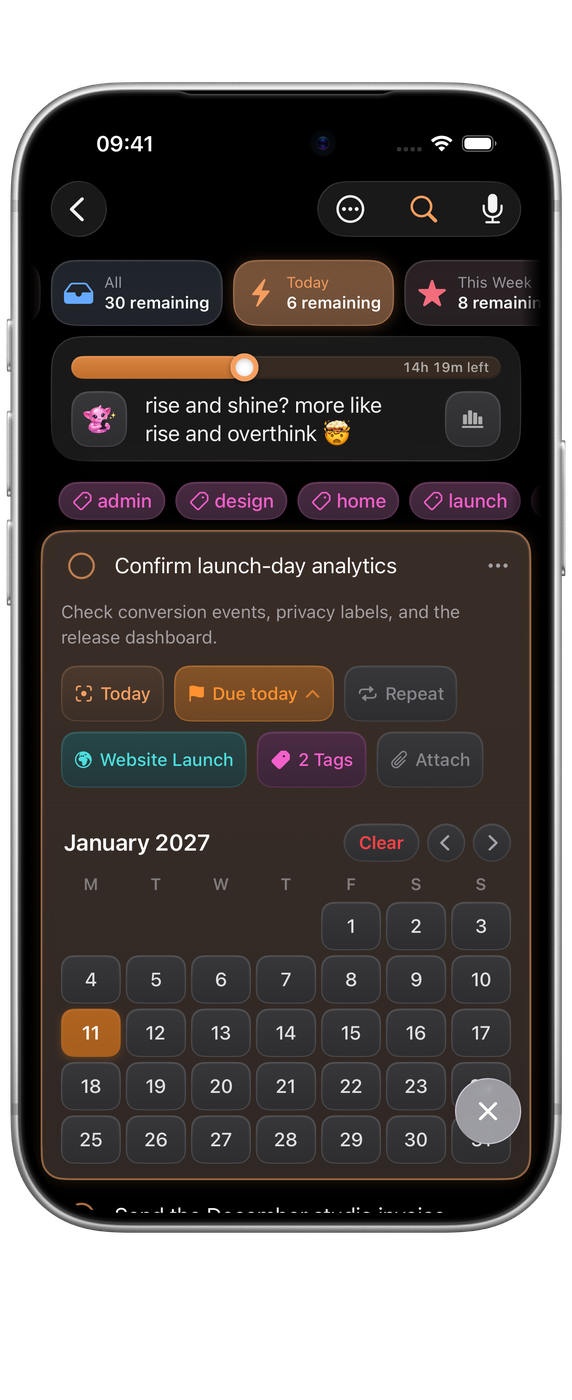
Orbit on iPhone: Today, with a task open at its deadlineOrbit on iPhone: Today, with a task open at its deadline
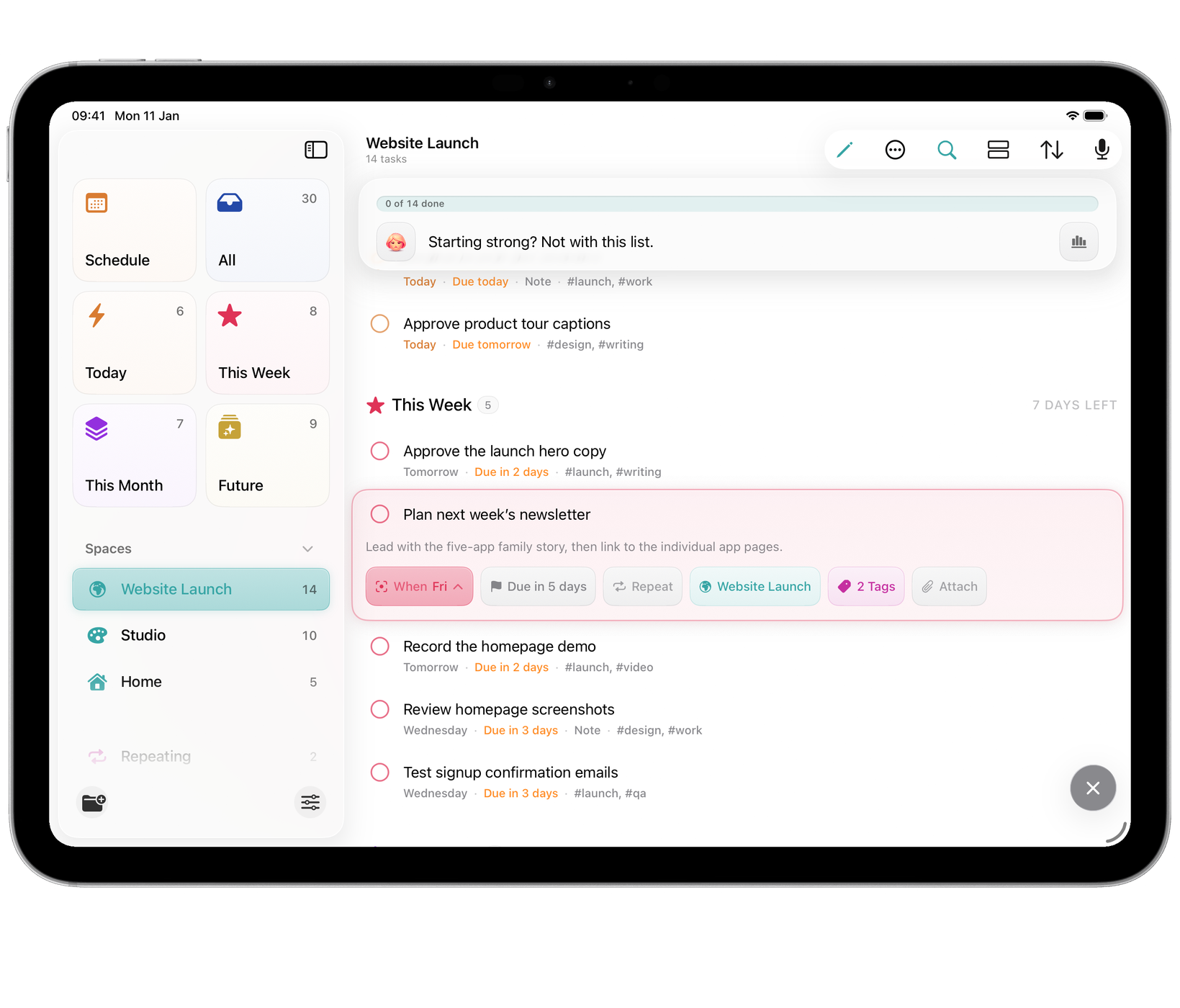
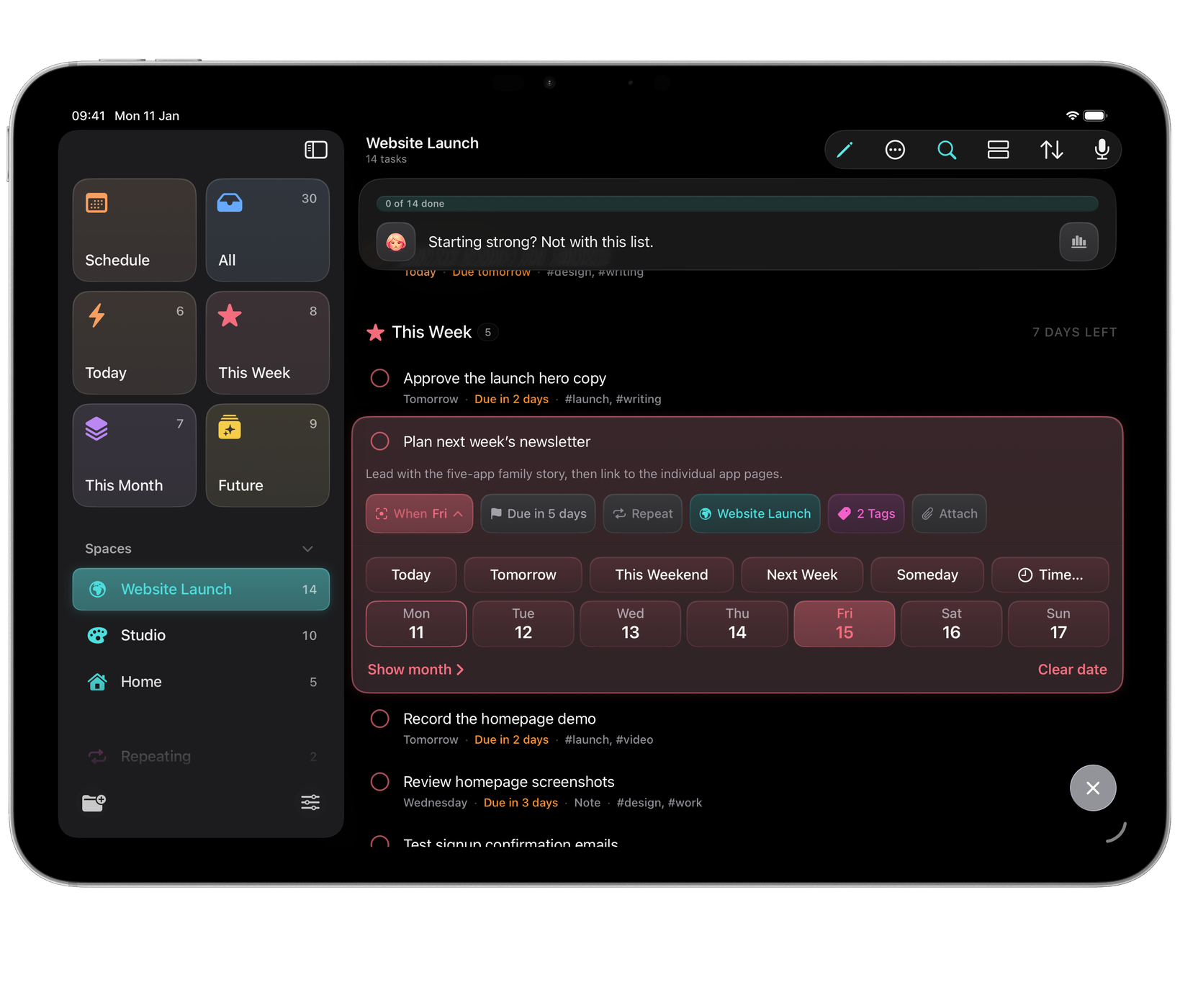
Orbit on iPad: the Website Launch Space, with a task open in placeOrbit on iPad: the Website Launch Space, with a task open in place
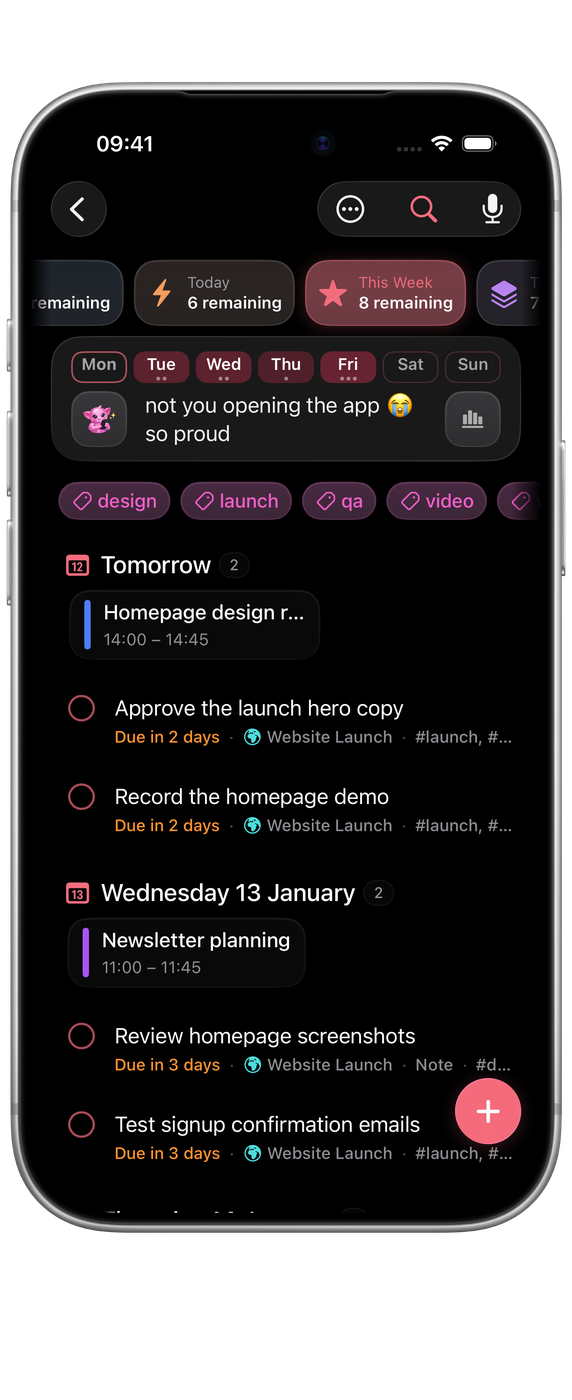
Orbit on iPhone: This Week arranged by day, with calendar events in placeOrbit on iPhone: This Week arranged by day, with calendar events in place
Orbit on iPad: a task open with its attachments: a photo, a PDF and a link cardOrbit on iPad: a task open with its attachments: a photo, a PDF and a link card
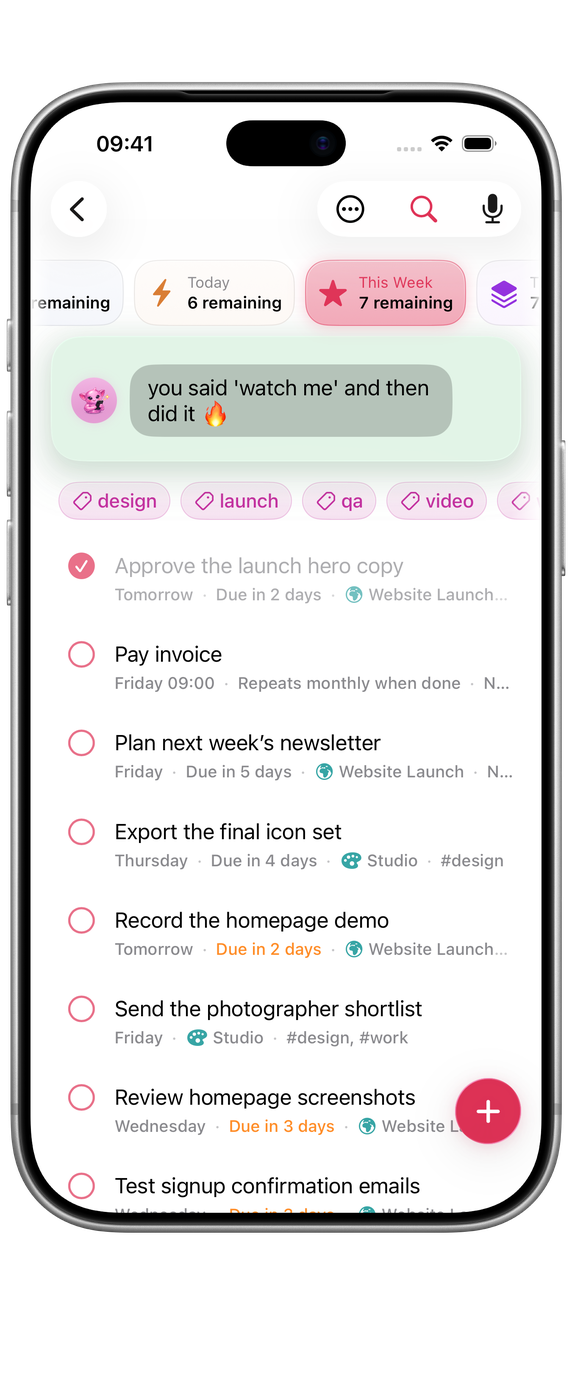
Orbit on iPhone: a task ticked off in This Week, with the companion’s reactionOrbit on iPhone: a task ticked off in This Week, with the companion’s reaction
Orbit on iPad: a task that repeats every two weeks, counted from when it is doneOrbit on iPad: a task that repeats every two weeks, counted from when it is done
Orbit on iPhone: Schedule’s month, with a dot for each day’s tasks and events, and today’s list belowOrbit on iPhone: Schedule’s month, with a dot for each day’s tasks and events, and today’s list below
Orbit on iPad: Schedule’s month, with each day’s events and tasks on the calendarOrbit on iPad: Schedule’s month, with each day’s events and tasks on the calendar

iPhone Duo

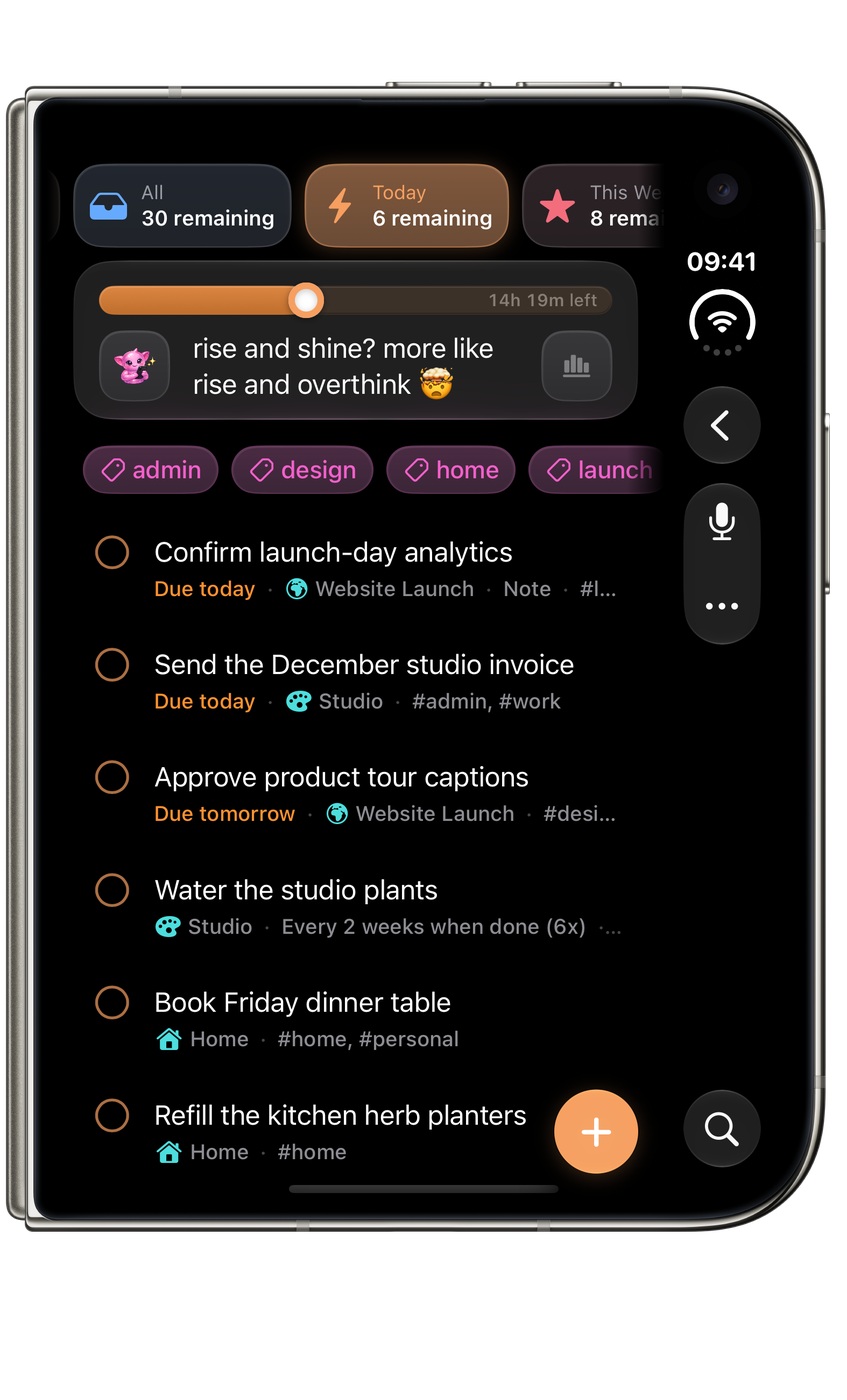
Ready for the outer display, the open canvas and the space in between.

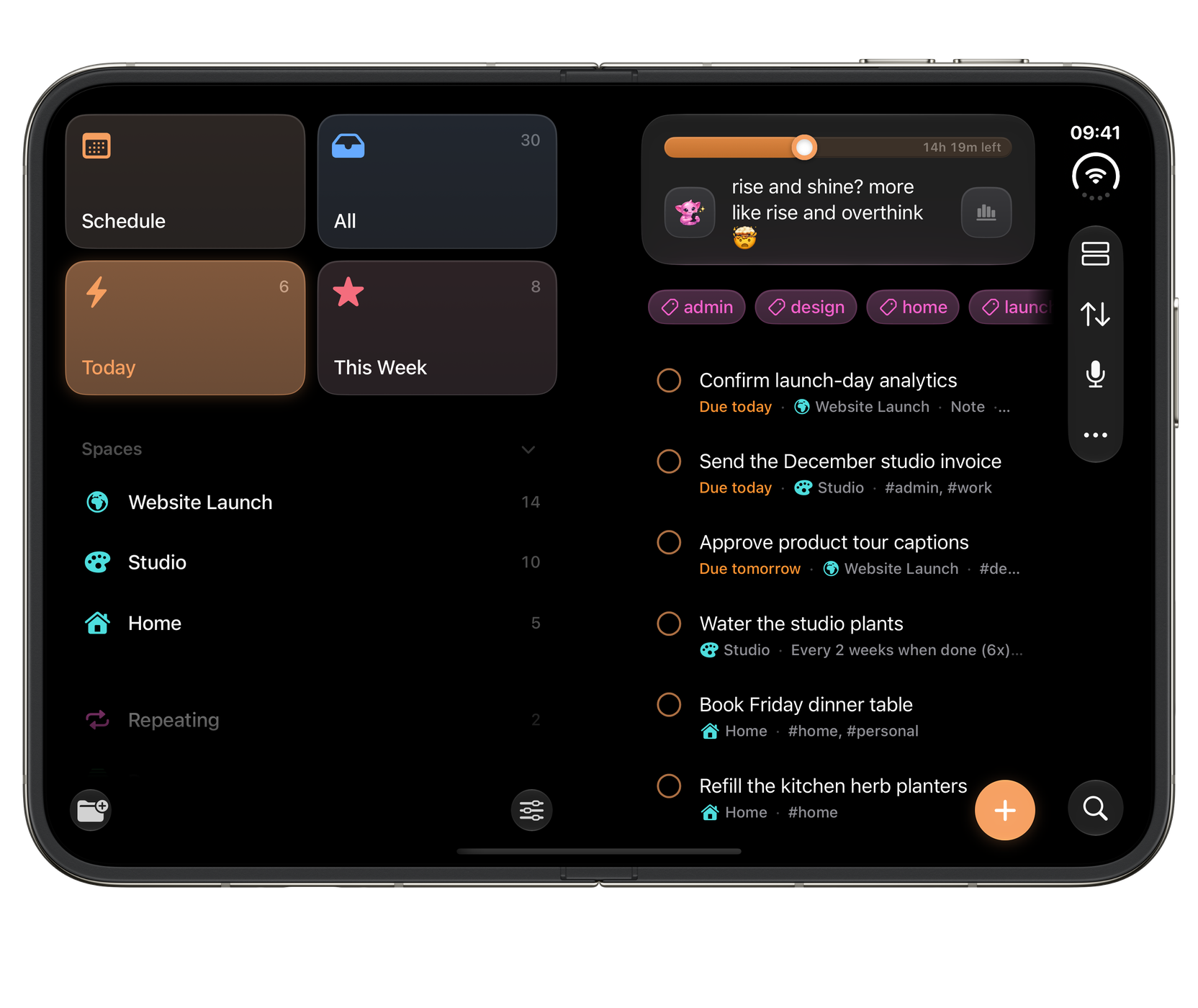
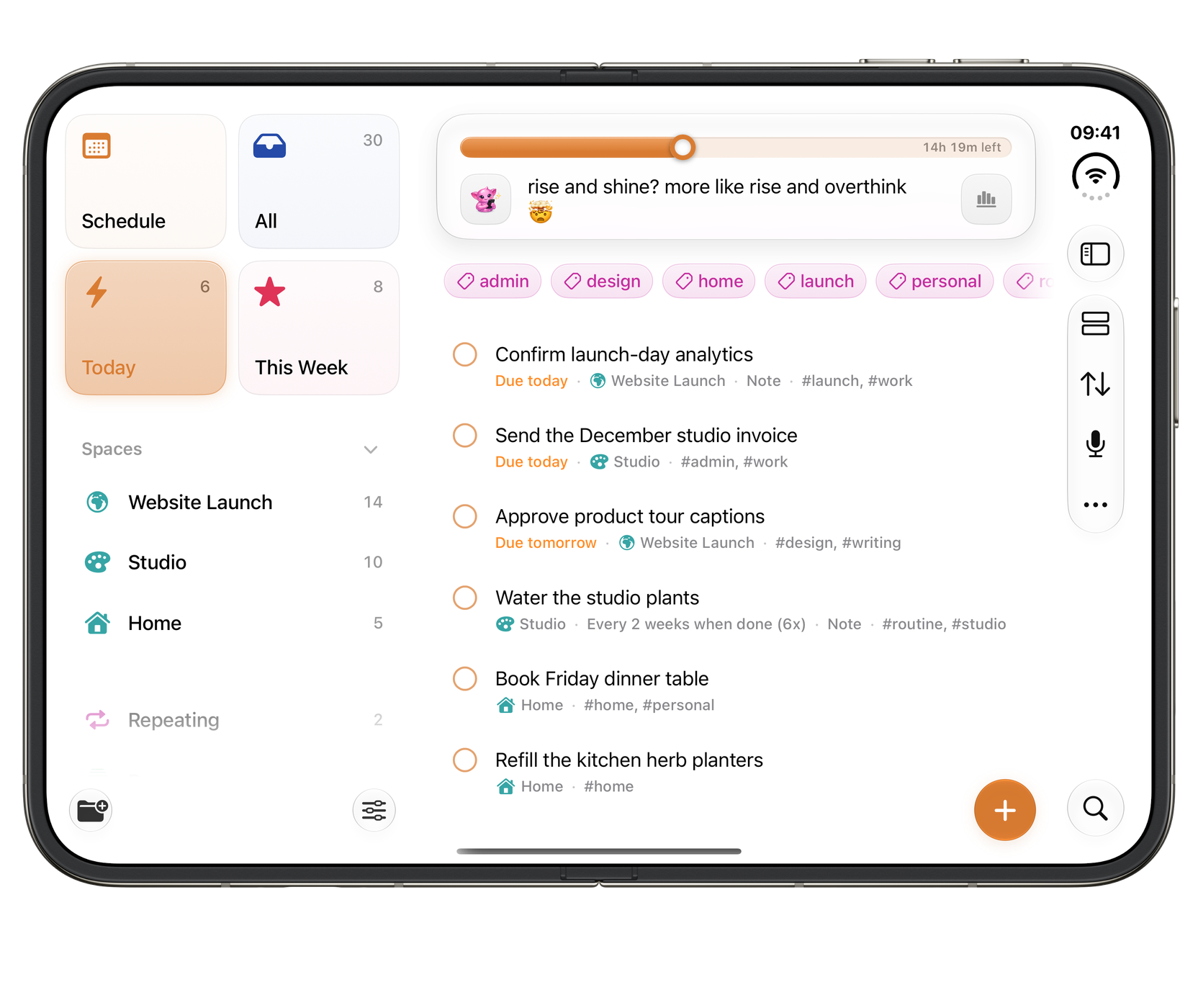
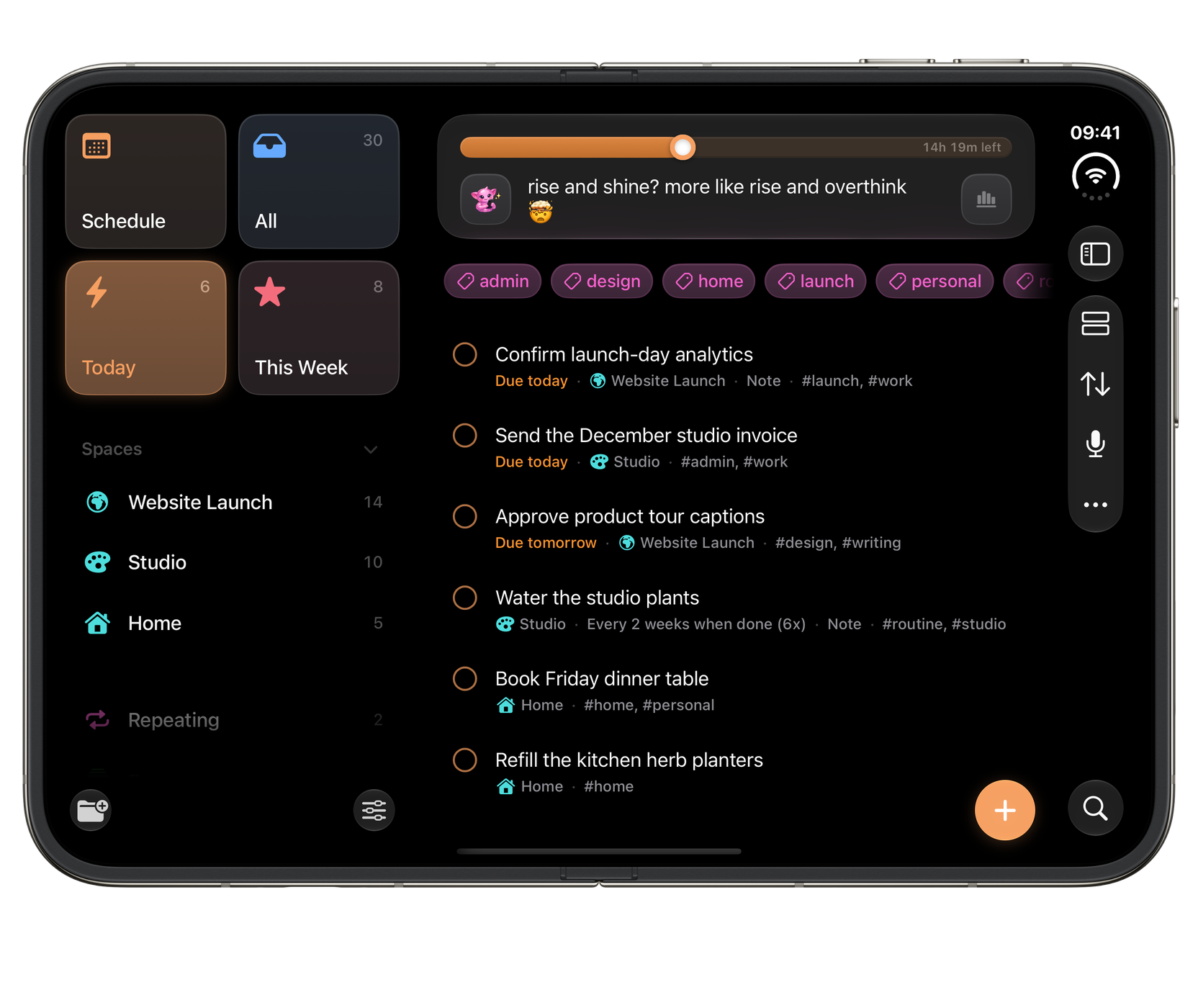
Orbit on iPhone Duo, closed: Your day, ready to act on.Orbit on iPhone Duo, closed: Your day, ready to act on.
ClosedYour day, ready to act on.
Partly foldedCollections on one side. Tasks on the other.
Orbit on iPhone Duo, fully open: More room for your plans.Orbit on iPhone Duo, fully open: More room for your plans.
Fully openMore room for your plans.

Widgets

Your day, already in view. Tasks, planning buckets and a word from your companion, built for a glance, with a tick right where you need it.

Orbit medium Today widget with four tasks, a progress ring and their times Orbit medium Today widget with four tasks, a progress ring and their times in dark mode
TodayMedium widget · tick tasks off without opening Orbit.
Orbit small Today widget listing the next four tasks Orbit small Today widget listing the next four tasks in dark mode
Next upSmall widget · your next four tasks, each one tickable.
Orbit large Today widget listing six tasks with their Spaces and times, and one done Orbit large Today widget listing six tasks with their Spaces and times, and one done in dark mode
The whole dayLarge widget · every task with its Space and time.
Orbit medium Overview widget with Today, This Week, Next Month and Future Orbit medium Overview widget with Today, This Week, Next Month and Future in dark mode
OverviewMedium widget · every time bucket and how far along it is.
Orbit small Overview widget showing six of eight tasks left today Orbit small Overview widget showing six of eight tasks left today in dark mode
What’s left todaySmall widget · today’s count, with the week and month below.
Orbit large Overview widget with the time buckets and four Spaces Orbit large Overview widget with the time buckets and four Spaces in dark mode
The planning mapLarge widget · every bucket, with your Spaces underneath.
Orbit medium Companion widget with a message from the British Butler Orbit medium Companion widget with a message from the British Butler in dark mode
CompanionMedium widget · a word from your companion and what’s left today.
Orbit small Companion widget with the British Butler’s message Orbit small Companion widget with the British Butler’s message in dark mode
A word to startSmall widget · your companion’s line for the moment.

What it does

Built around the way plans actually go.

Type it like you'd say it

pay invoice friday 9am #work every month

  • Friday
  • 9am
  • #work
  • Monthly

Orbit reads dates, times, tags and repeats as you type. Review the recognised details, or use Brain Dump to turn a spoken or typed list into tasks. On Mac, Quick Entry opens over your other apps.

One list, two shapes

Today6

Confirm launch-day analytics Today
Send the July studio invoice Today
Approve product tour captions Tomorrow

This Week6

Pay invoice Tomorrow
Review homepage screenshots 3d
Approve the launch hero copy 2d
Circle Circle

The people you meant to call

Circle keeps track of who you are due to catch up with. Each person due becomes a task in your Orbit list.

Explore Circle
Echo Echo

The day you meant to write down

Set a rhythm for writing in Echo, and each reminder becomes a task in your Orbit list.

Explore Echo

Separate lives, one app

Website Launch14
Studio10
Home5

16 voices

The sixteen Orbit companions, from Zen Monk to British Butler

From Zen monk to British butler, or silence if you prefer.

Repeats that follow real life

Every 2 weeks · from completion

Repeats that count from when you actually finished, not when they were due.

It narrates your day

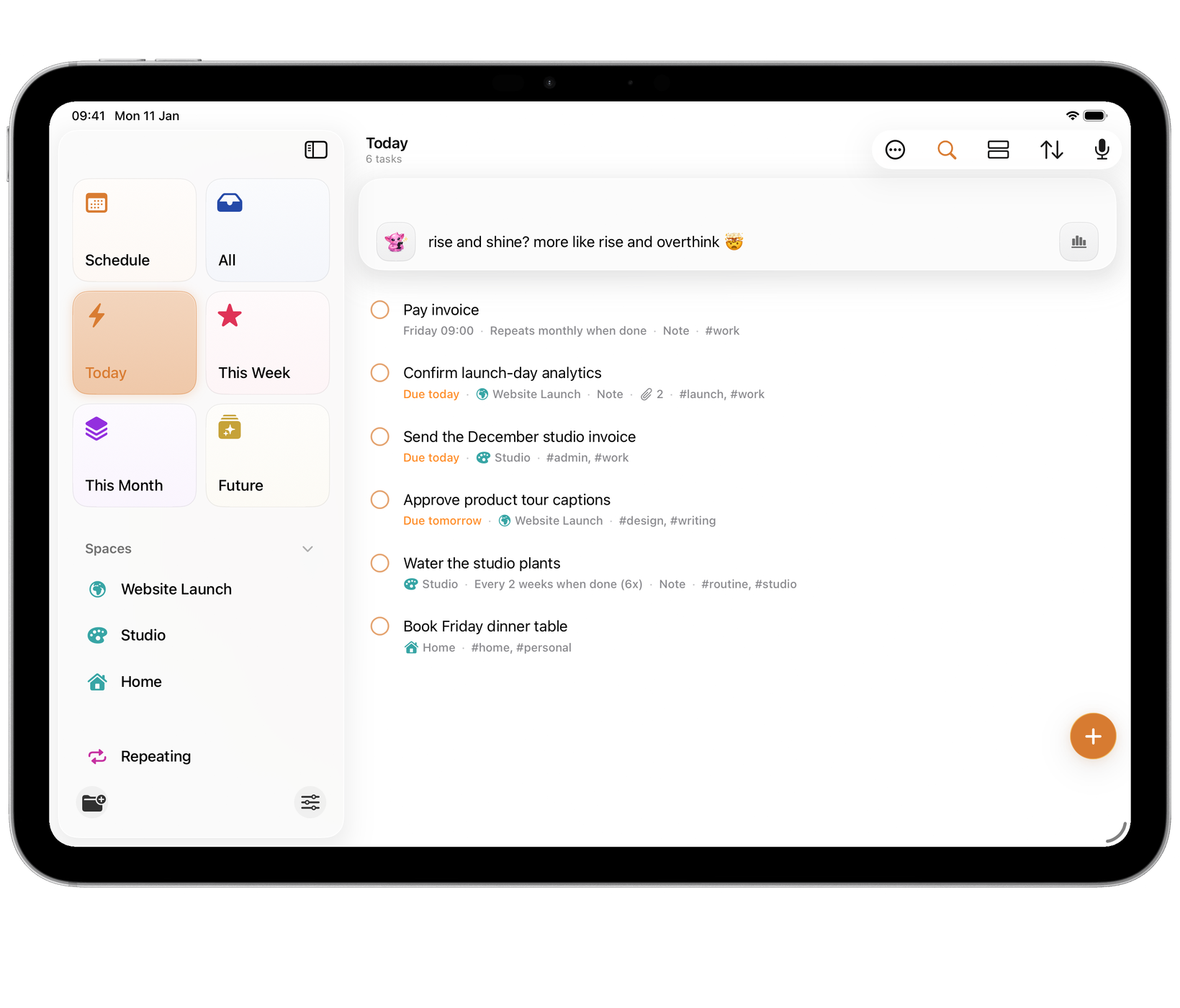
rise and shine? more like rise and overthink 🤯

Siri, Shortcuts and thirty-plus App Intents

Siri Siri Shortcuts Shortcuts

On the Home Screen

Orbit medium Today widget showing two tasks and their deadlines Orbit medium Today widget showing two tasks and their deadlines in dark mode Orbit small Today widget focused on the next task Orbit small Today widget focused on the next task

Private iCloud

Mac, iPad and iPhone agree about what's next. No account, no server of ours.

Bring everything with you

A whole task list in from a CSV archive, and a full backup out again whenever you like.

Drivable from the keyboard

Quick Entry⌃⌥Space
New task⌘N
Board⌥⌘2

…and many more, on Mac and on iPad with a keyboard.

Useful to AI. Private until you switch it on.

Connect an AI client on Mac and it gets its own revocable credential, limited to the profiles you choose. Native AI Access for Siri, Apple Intelligence and Shortcuts is separate, and off by default too. The Local MCP helper makes no network request of its own.

Why it exists

Made for the way plans really change.

Plans move. Friday’s task turns up on Monday, a project stalls, a week fills up. Orbit makes moving things quick: retype a date in plain words, drag a card to another column, or let a repeat start again from the day you finished.

It is made for people who plan for a living, and for people who just need the week to hold together.

Support and contact · Version history · Privacy

Apply to test OrbitIn private preview

Questions

A few useful answers.

Can I speak a list of tasks?

Use Brain Dump to dictate or type a rough list, edit the suggestions and confirm what becomes a task. You can also use the transcript without AI organisation.

Can I see appointments beside my tasks?

Grant Calendar access and choose your visible calendars. Events appear beside the matching planning horizons; All includes today and the week and month ahead.

Where are View and Sort on iPhone?

Open More in the toolbar. Orbit also moves these controls into More in a narrow Mac window. List, board and Auto-Kanban use the same tasks.

Browse all Orbit help

The rest of the family

More from Wells Code.