All apps

Made for iPhone, iPad and Mac

RSS and Mastodon, in one reader

Beacon

Bring RSS feeds and Mastodon accounts into one reader. Read it as a timeline that keeps your place, or work through what is unread.

Feeds and Mastodon

Follow sites and people in one place.

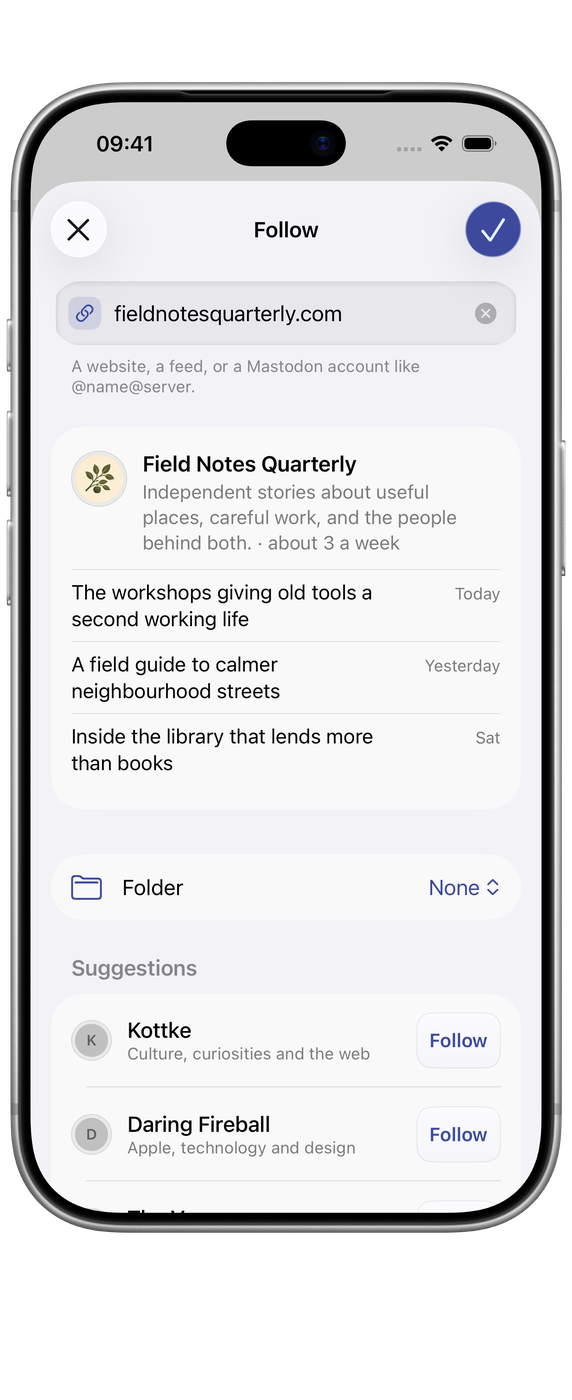
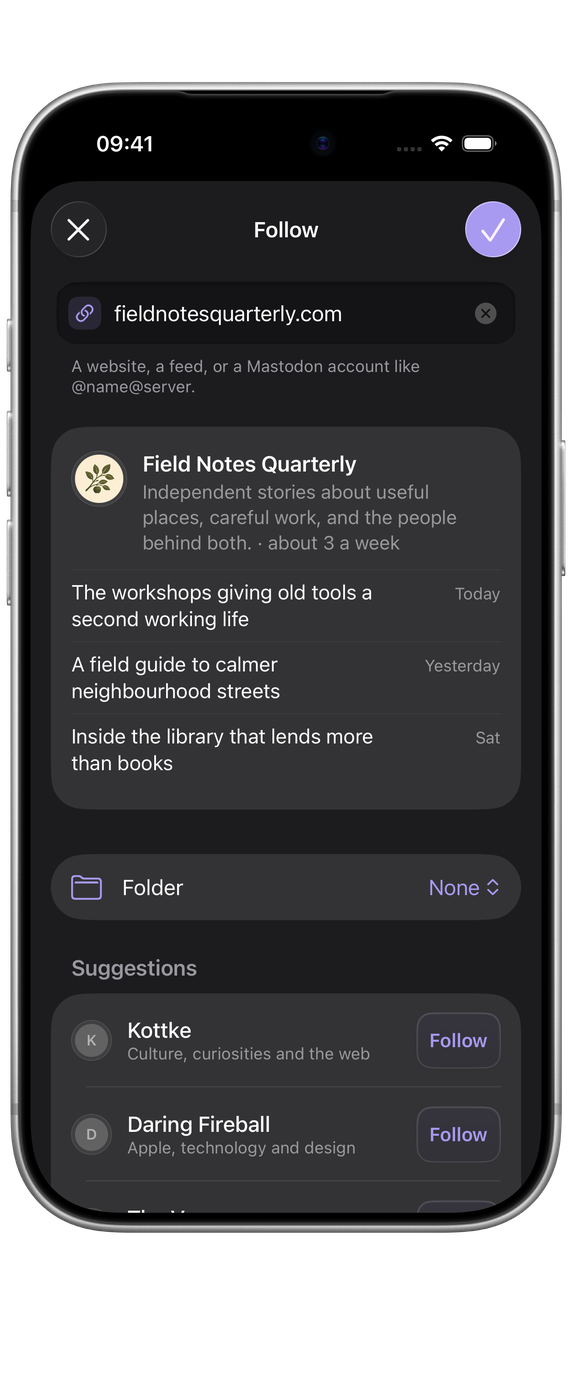
Paste a site address and Beacon finds its RSS, Atom or JSON feed. Add a Mastodon handle and it arrives as a feed of its own, replies included.

  • RSS, Atom, JSON Feed and Mastodon.
  • OPML import and export, any time.
  • Feed health flags feeds that have stopped working.

Reading

Made for reading.

Articles open in a clean reading view, with the font and size you like. Read it as a Timeline that keeps everything in order and remembers where you left off, or switch to Classic to work through what you haven’t read.

  • A reading view you can adjust.
  • Timeline, or Classic with unread counts.
  • Back to the article you left off at.

Newspaper

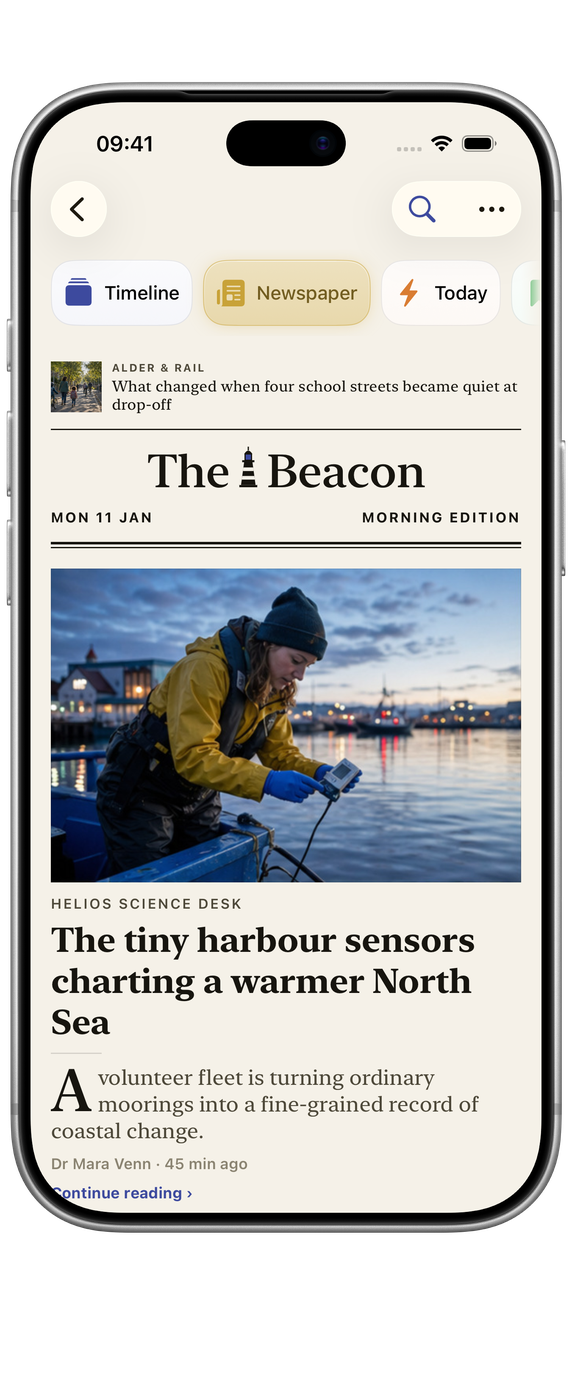
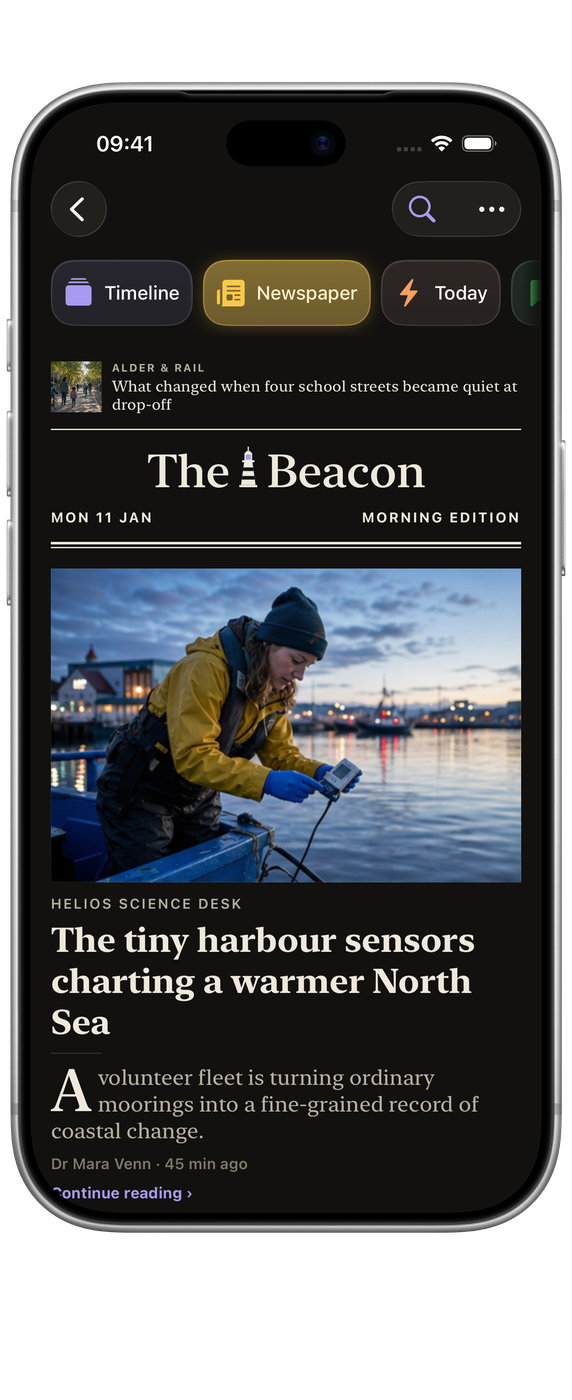
Your day, set as a front page.

The Newspaper sets the last day of your feeds as a front page: a lead story, the stories that matter most beside it, a section for each of your folders, and the rest In Brief. It holds still while you read, and a new edition is set as the day goes on.

  • Morning, afternoon and evening editions.
  • A section for each of your folders.
  • A week of back issues.

Folders and Smart Folders

Organised the way you think.

Group feeds into folders, and save any search as a Smart Folder that stays up to date. Save what you want to keep, mute the words you would rather not see, and let older articles clear away on a schedule you set.

  • Smart Folders from saved searches.
  • Muted words keep a topic out of your lists.
  • Saved articles are never cleared.

Browser on Mac

The web, without leaving Beacon.

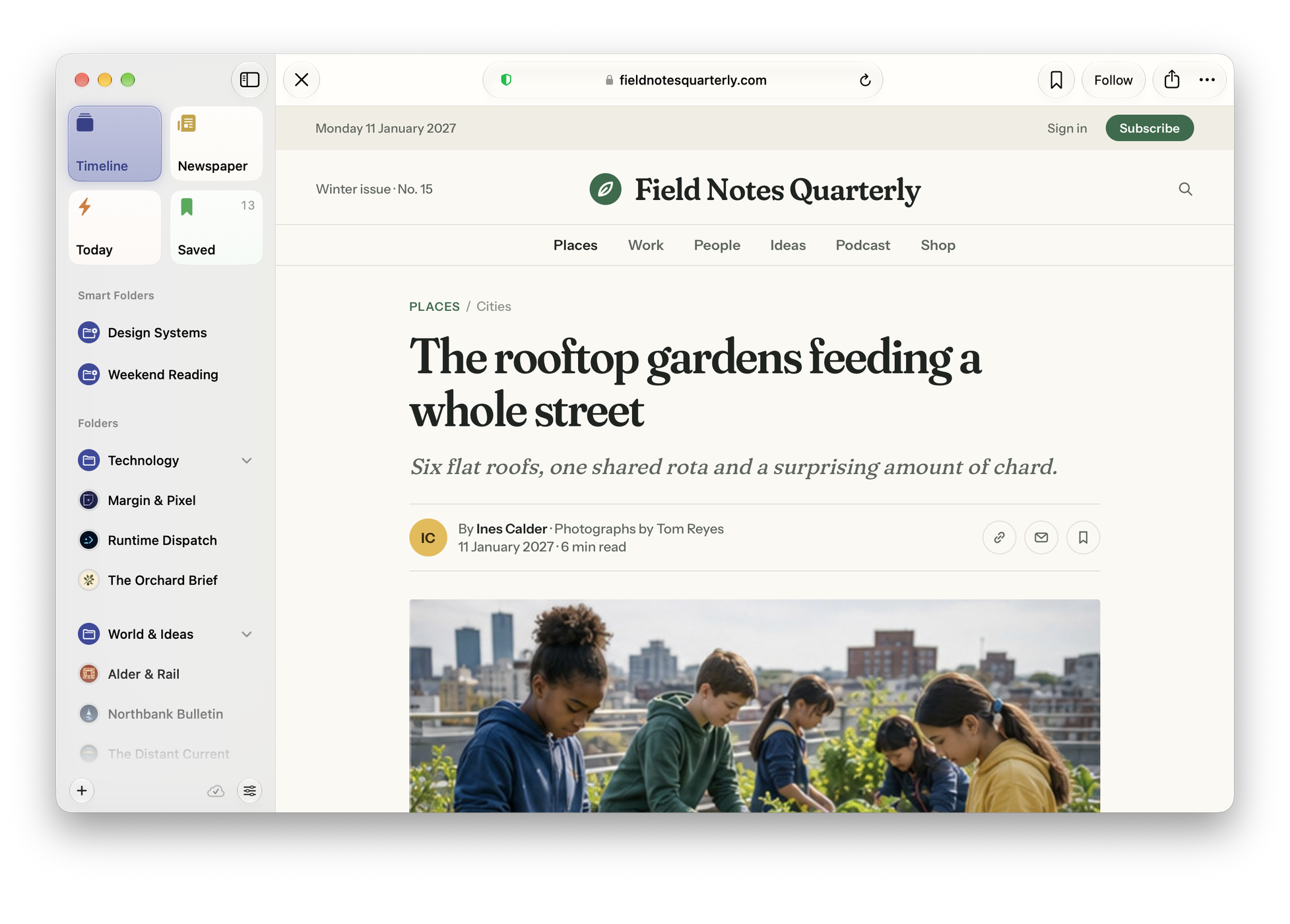
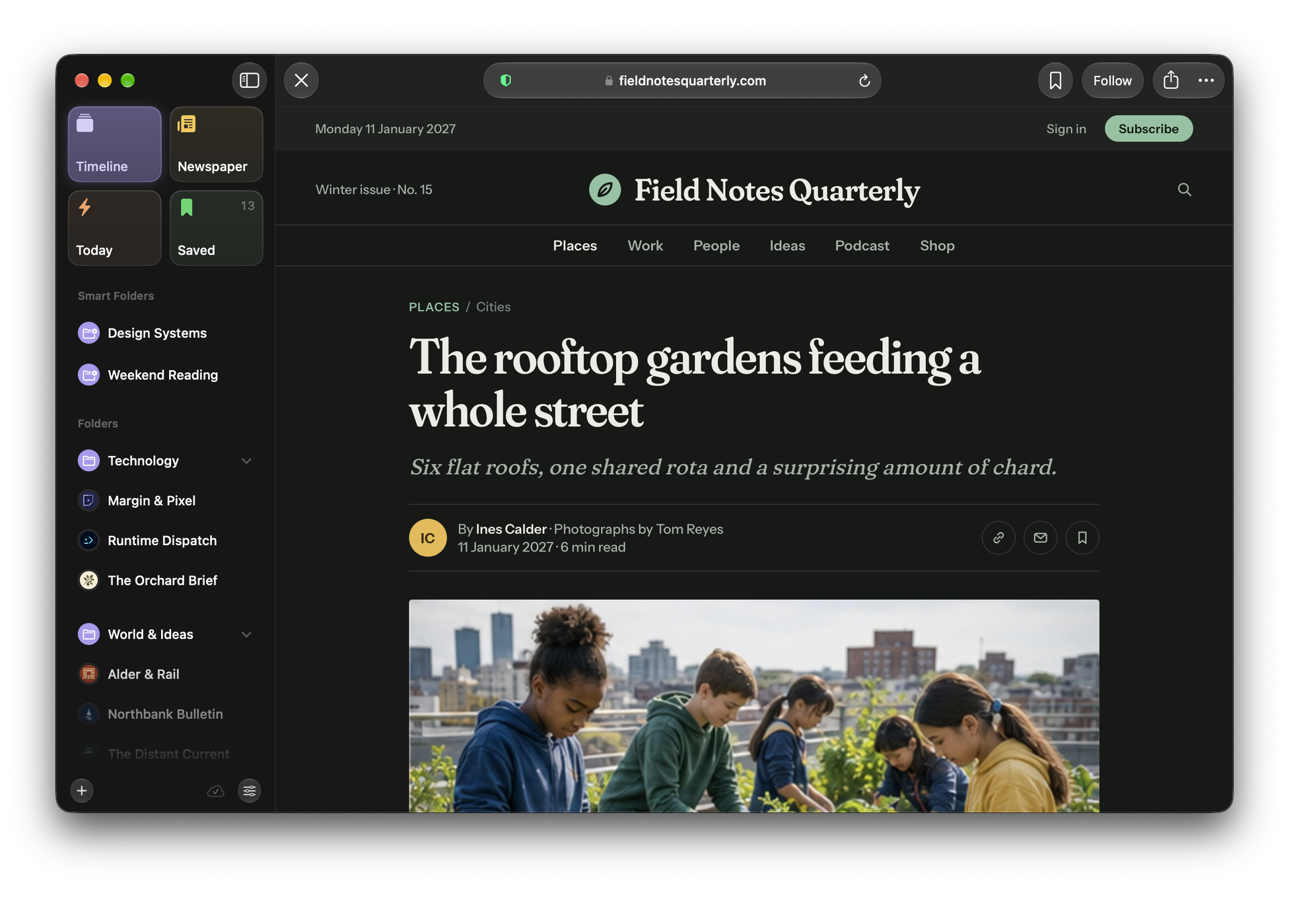
On a Mac, links open right in Beacon, with ads and trackers blocked. When a page has a feed, Follow is in the toolbar, and any page can be saved to read later.

  • Ads and trackers blocked, site by site.
  • Follow a site from any of its pages.
  • Save pages here, or from Safari’s Share menu.

A look inside

Beacon in use.

Mac
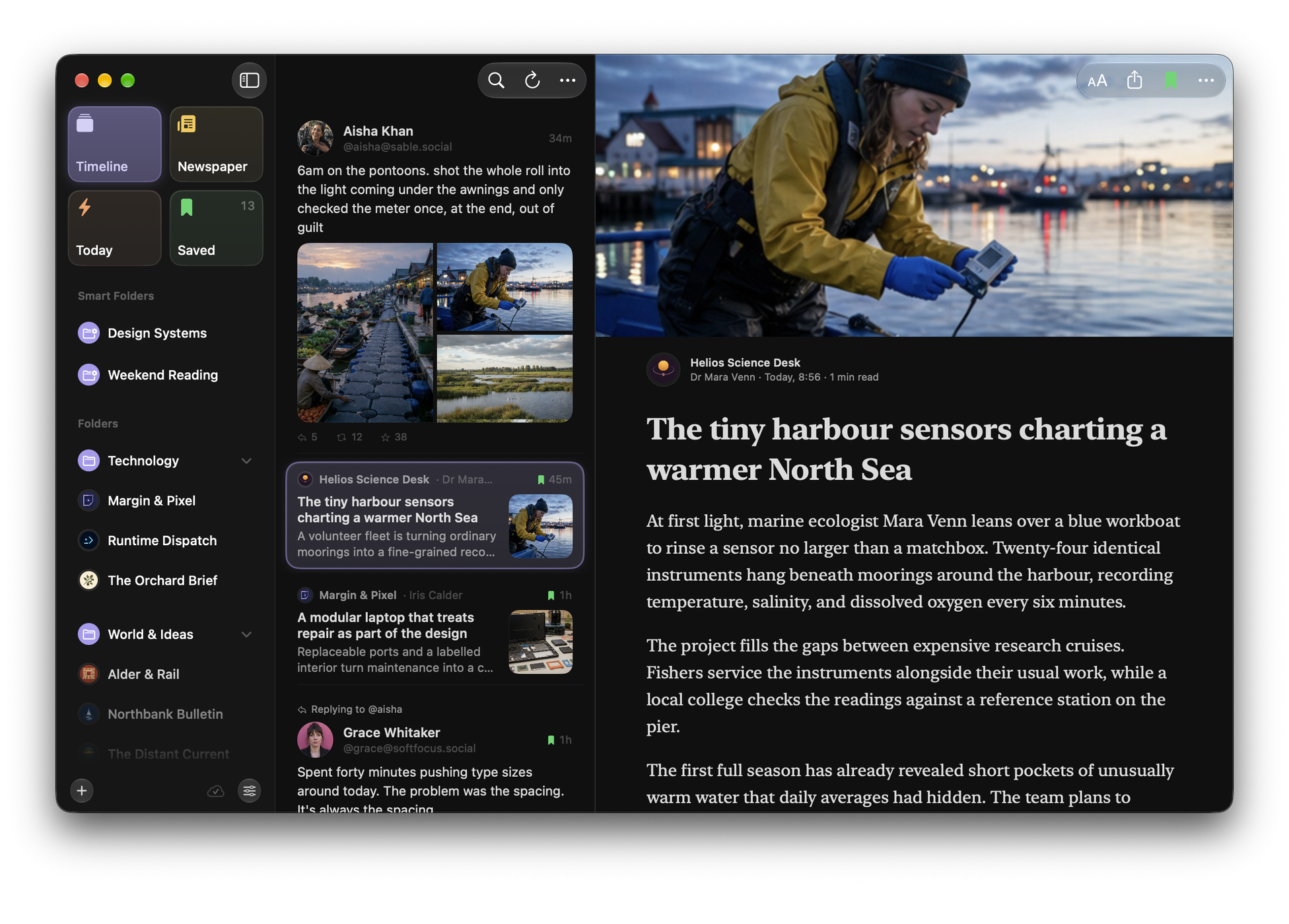
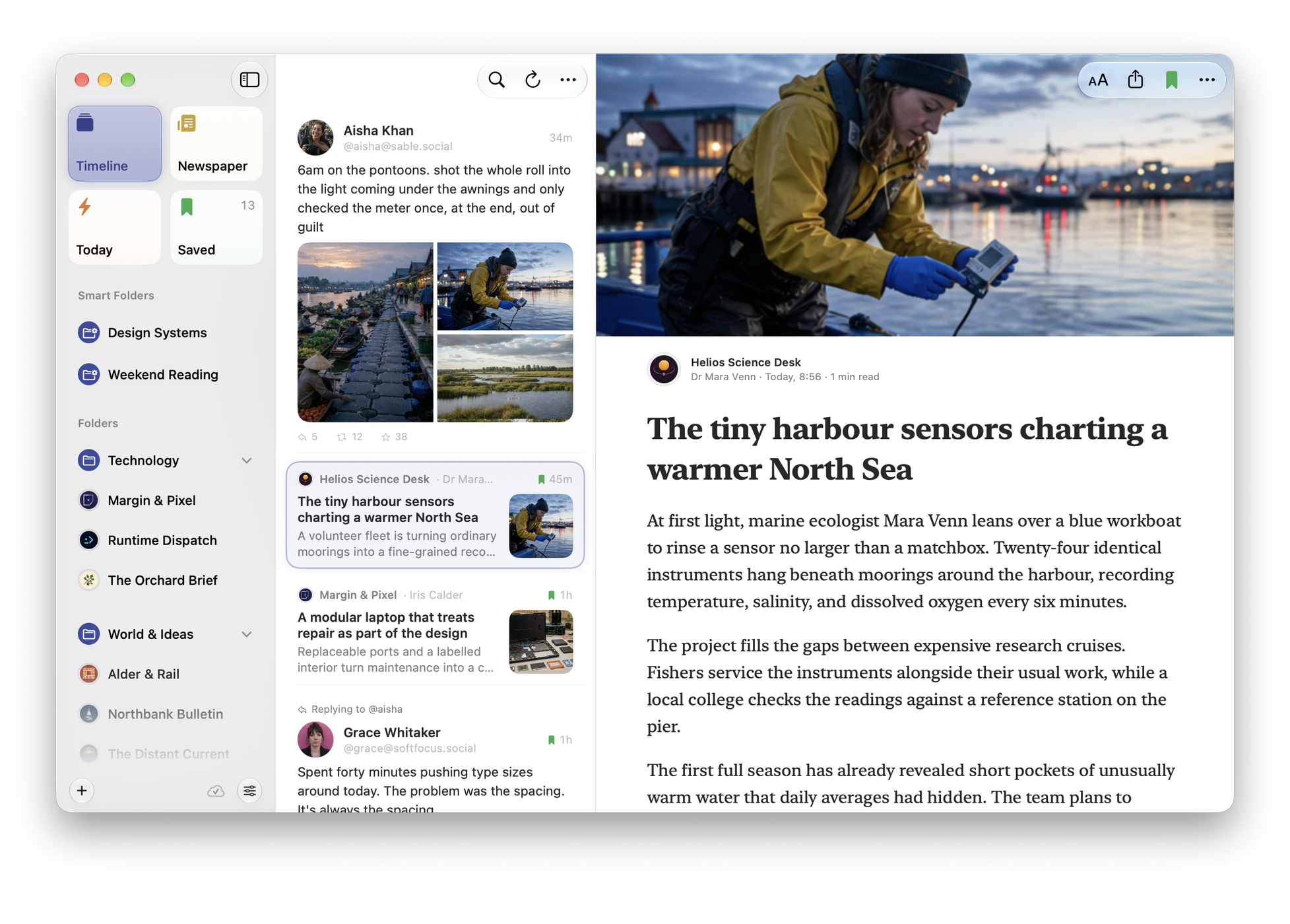
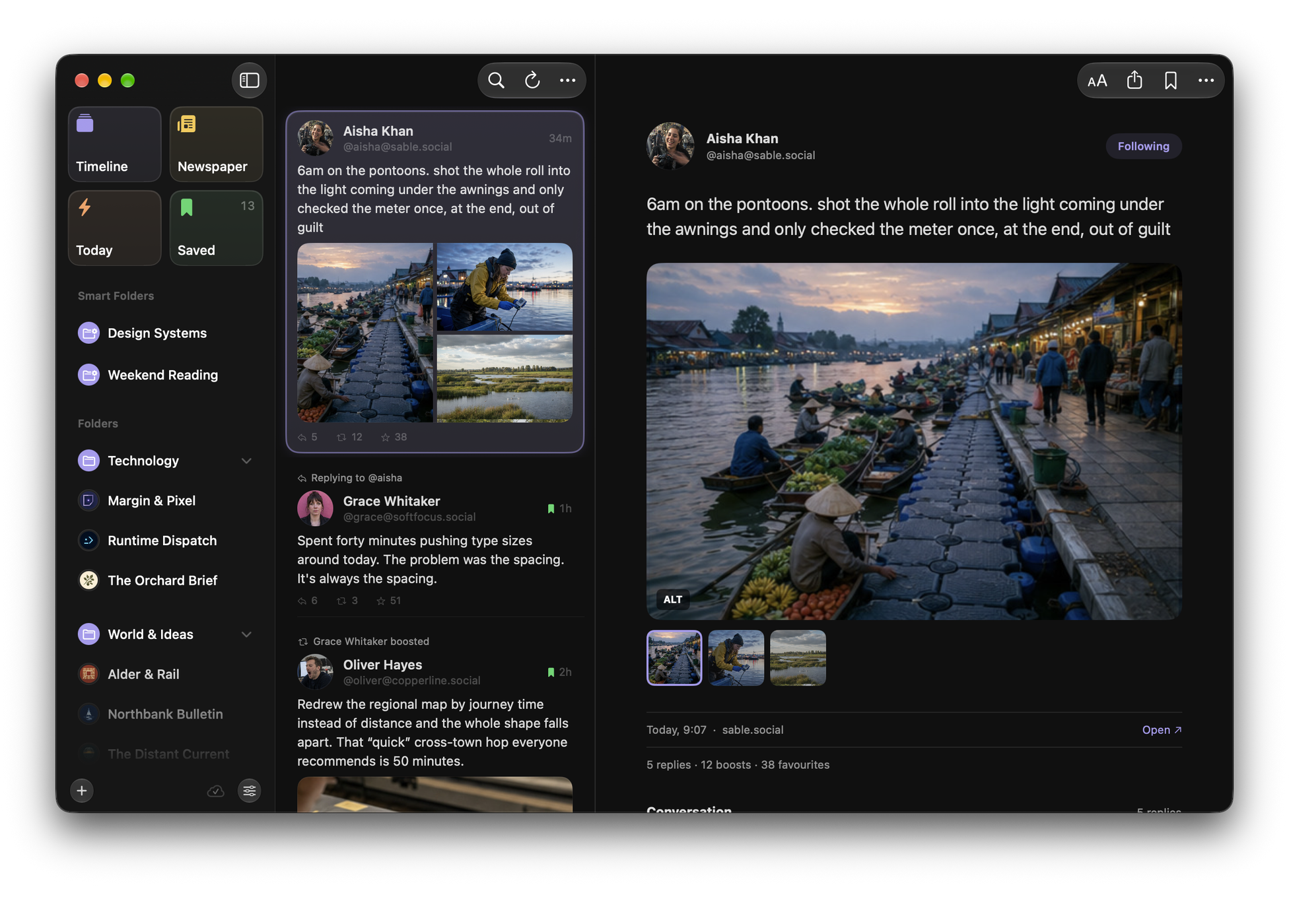
Beacon on Mac: places, the article list and an article open, in three panesBeacon on Mac: places, the article list and an article open, in three panes
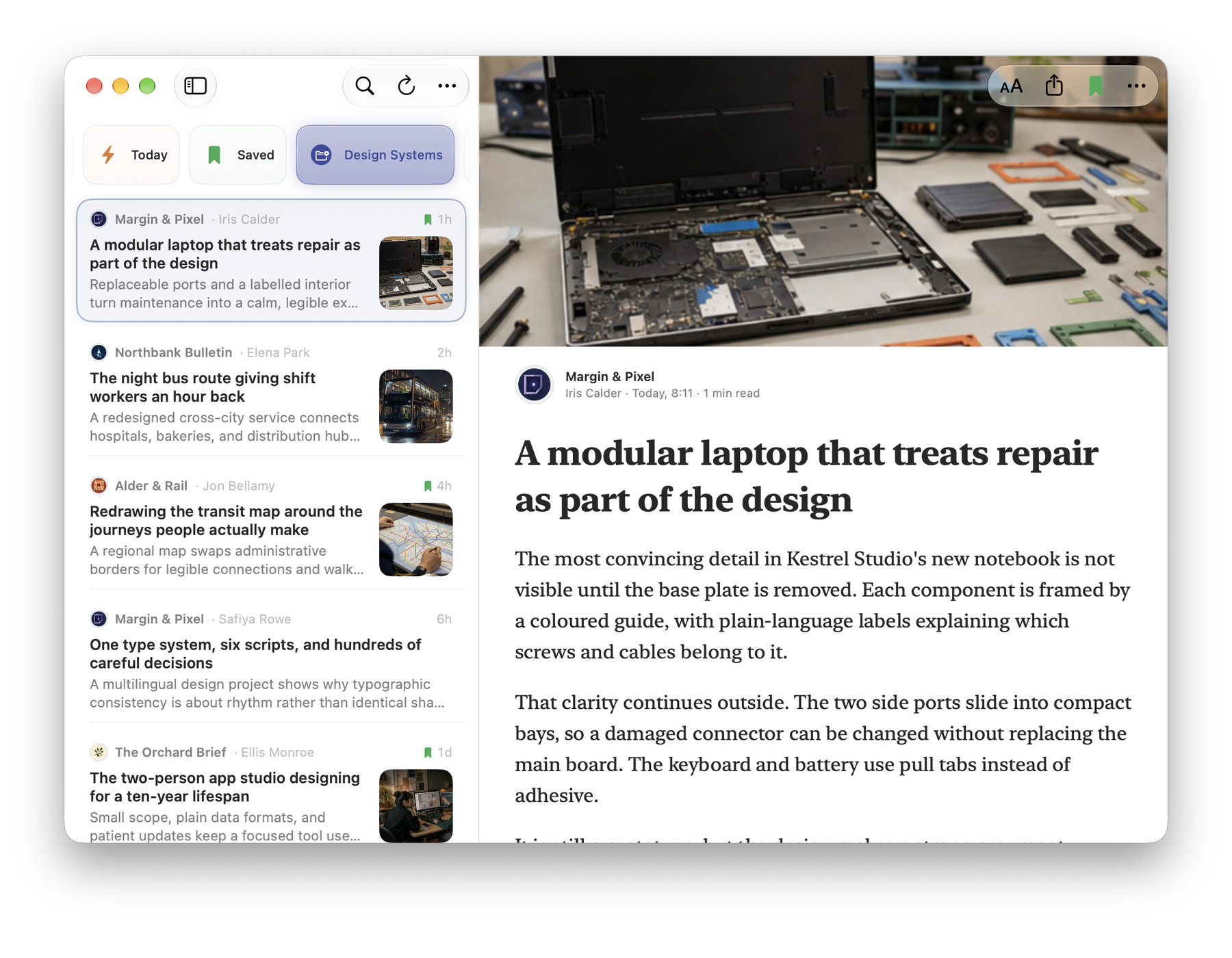
Beacon on Mac: a Smart Folder beside the open article, with the sidebar folded awayBeacon on Mac: a Smart Folder beside the open article, with the sidebar folded away
Beacon on Mac: Mastodon people in full, with their photos and one post openBeacon on Mac: Mastodon people in full, with their photos and one post open
Beacon on Mac: a Field Notes Quarterly article open in Beacon’s browser, with blocking on and Follow in the toolbarBeacon on Mac: a Field Notes Quarterly article open in Beacon’s browser, with blocking on and Follow in the toolbar

iOS

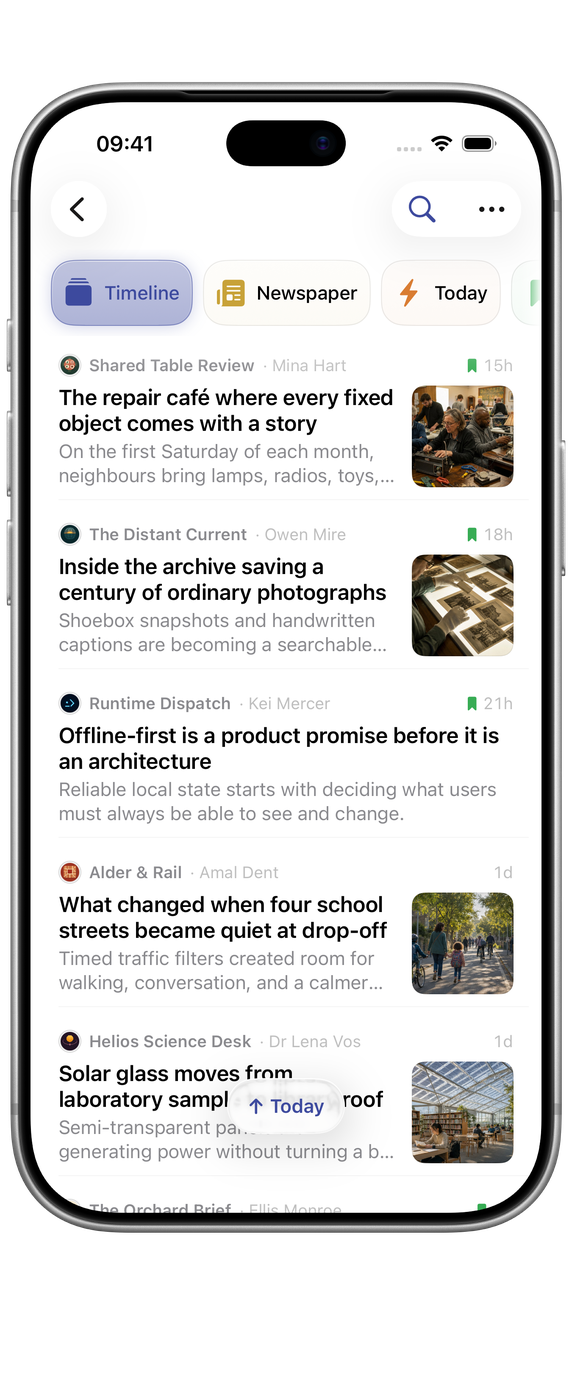
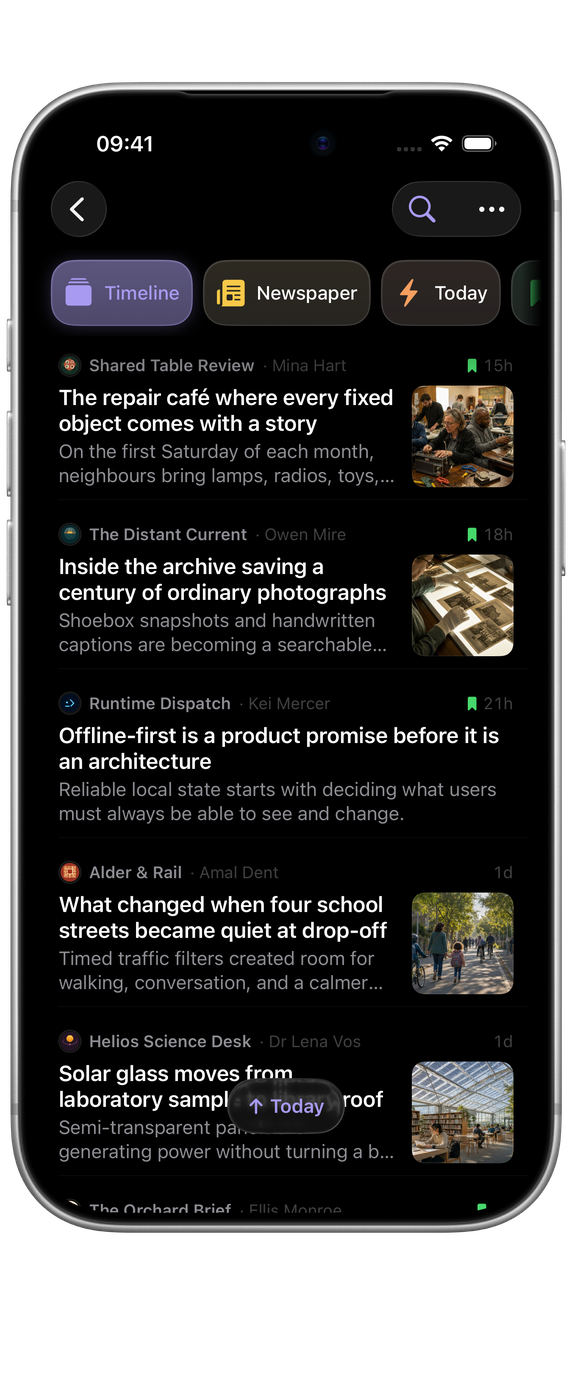
Beacon on iPhone: the Timeline where you left off, with the new articles buttonBeacon on iPhone: the Timeline where you left off, with the new articles button
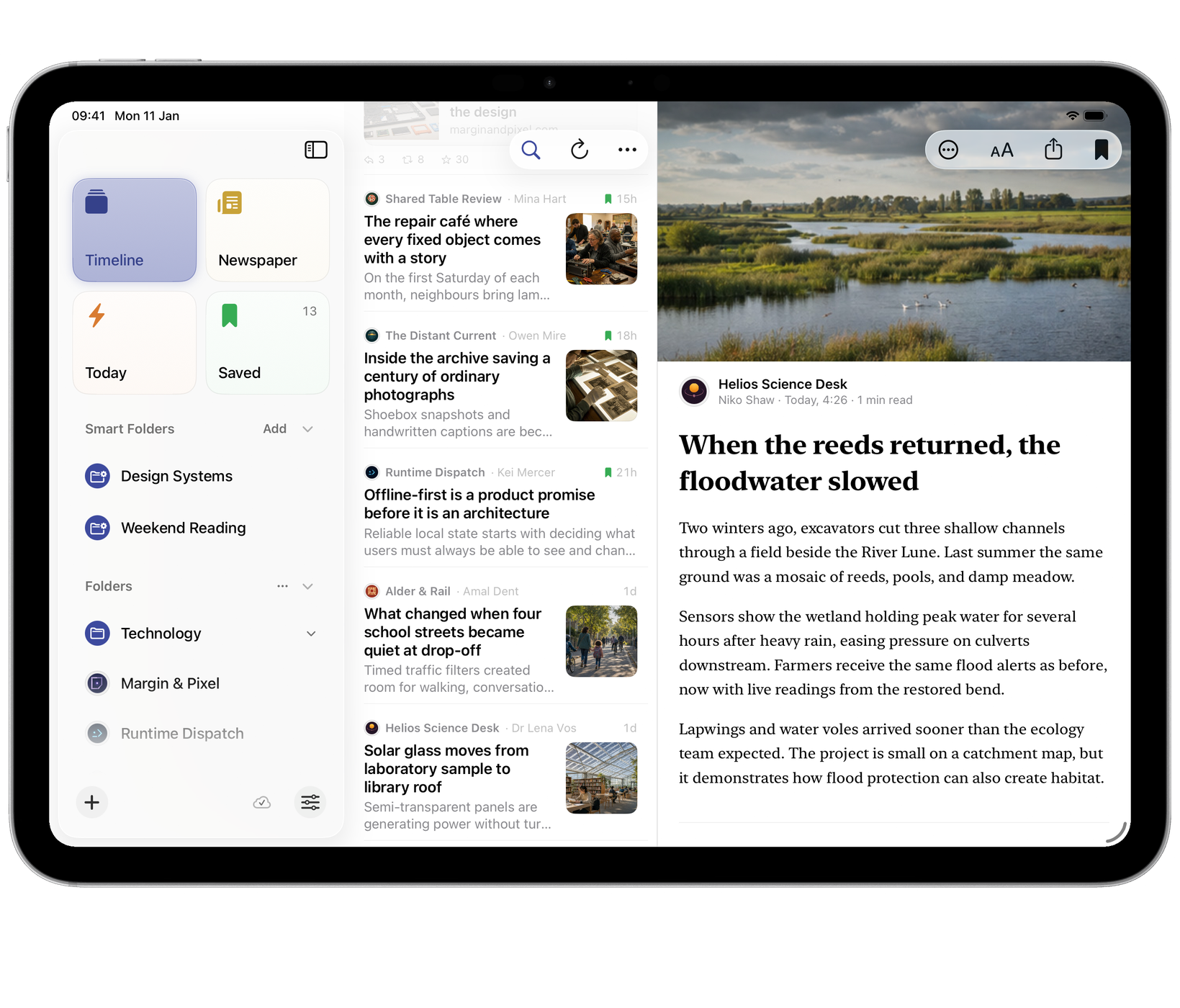
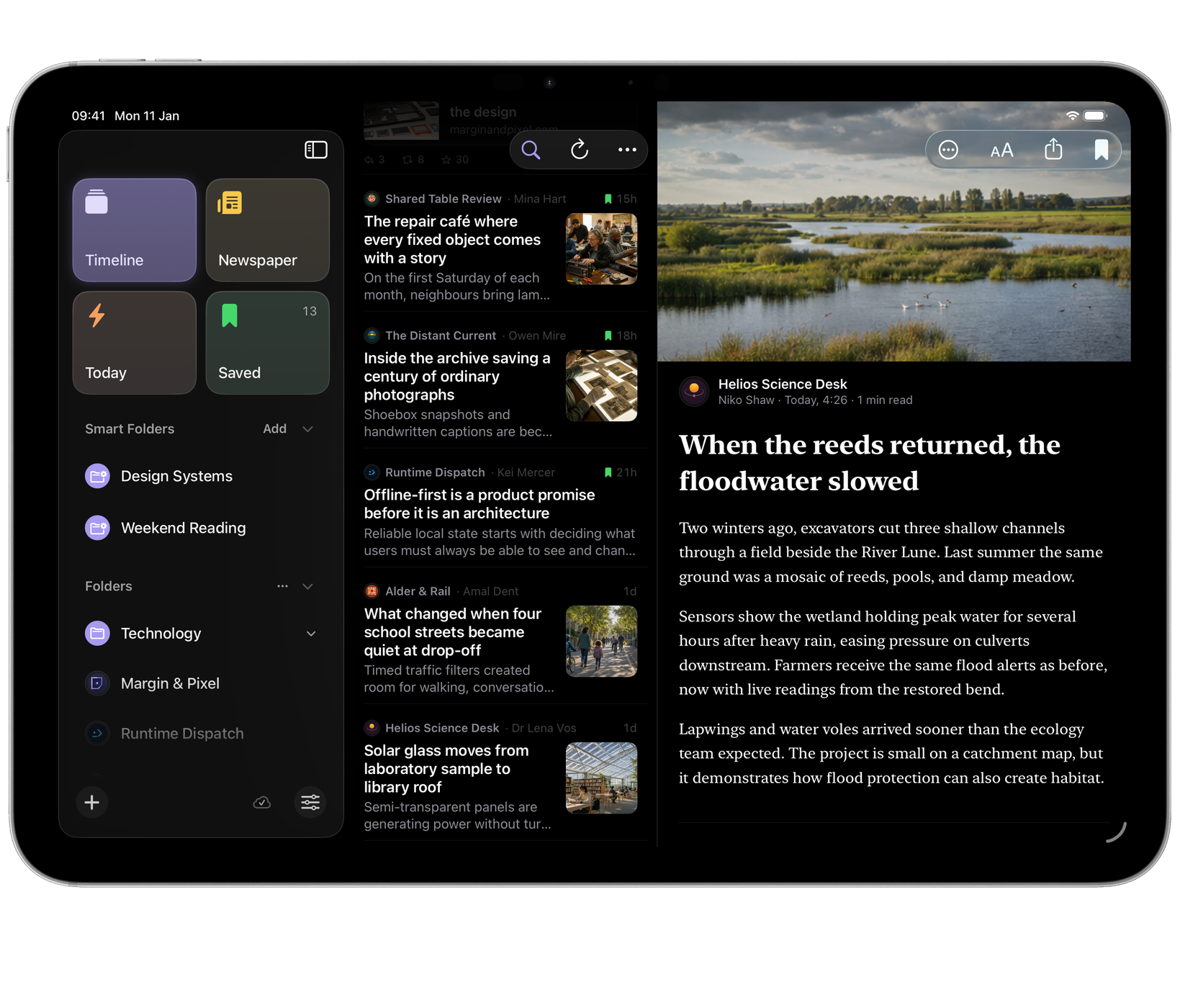
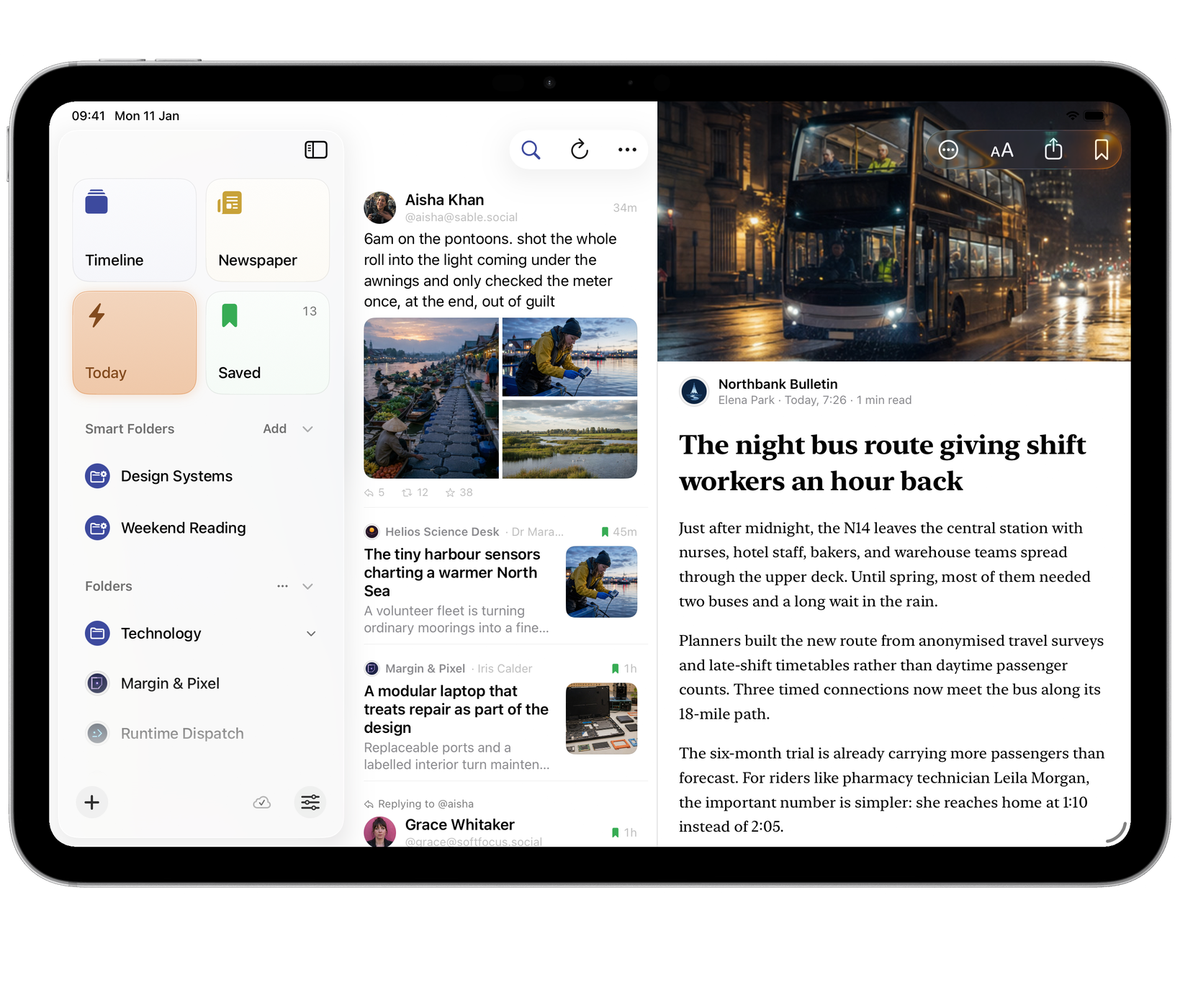
Beacon on iPad: the reader at a comfortable width beside the TimelineBeacon on iPad: the reader at a comfortable width beside the Timeline
Beacon on iPhone: an article with the Reading sheet open, choosing full article or feed text and the header styleBeacon on iPhone: an article with the Reading sheet open, choosing full article or feed text and the header style
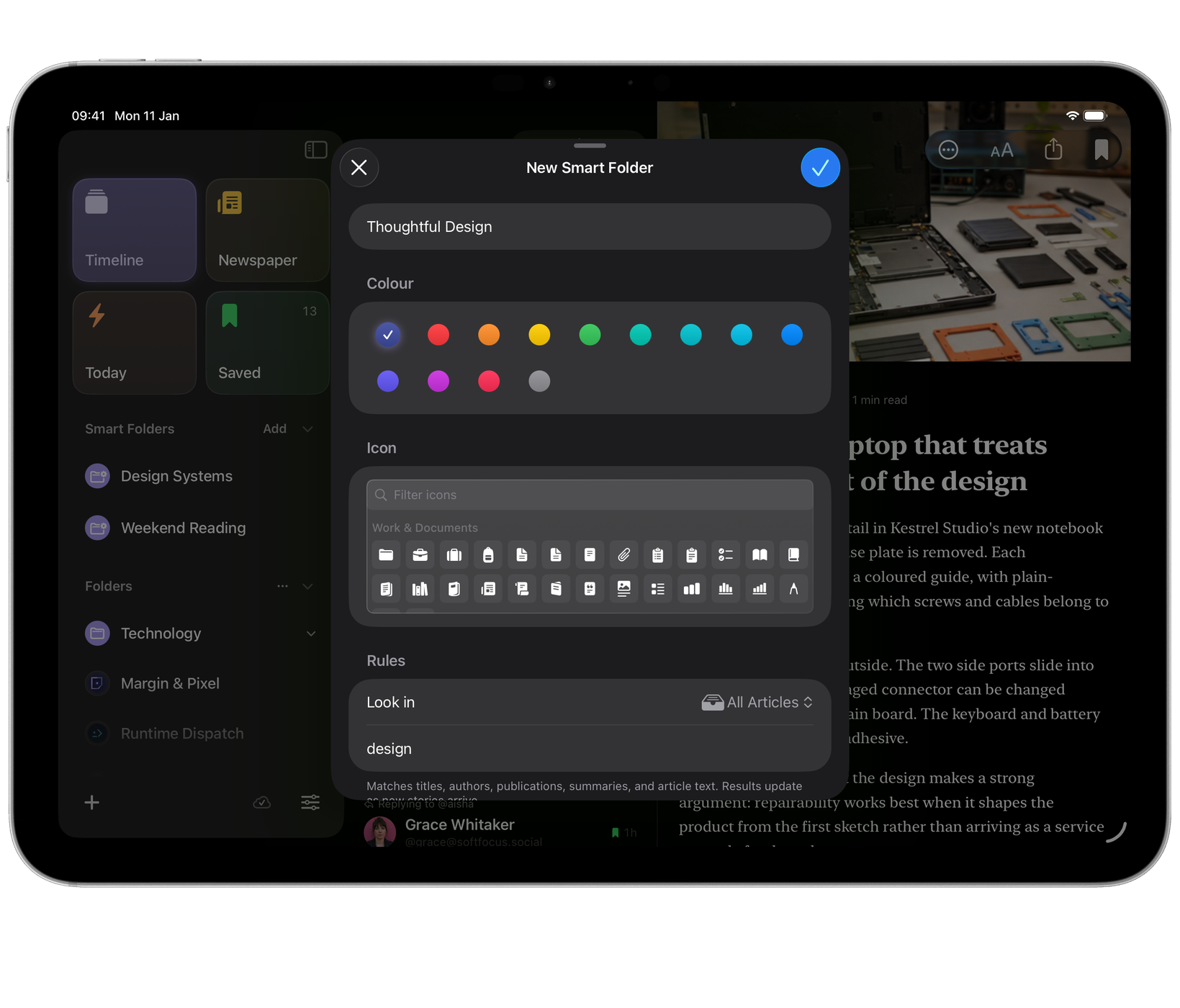
Beacon on iPad: a new Smart Folder built from a saved search, with matching articles behind itBeacon on iPad: a new Smart Folder built from a saved search, with matching articles behind it
Beacon on iPhone: Follow, with a site’s feed found and previewedBeacon on iPhone: Follow, with a site’s feed found and previewed
Beacon on iPad: Today, with the night bus story openBeacon on iPad: Today, with the night bus story open

iPhone Duo

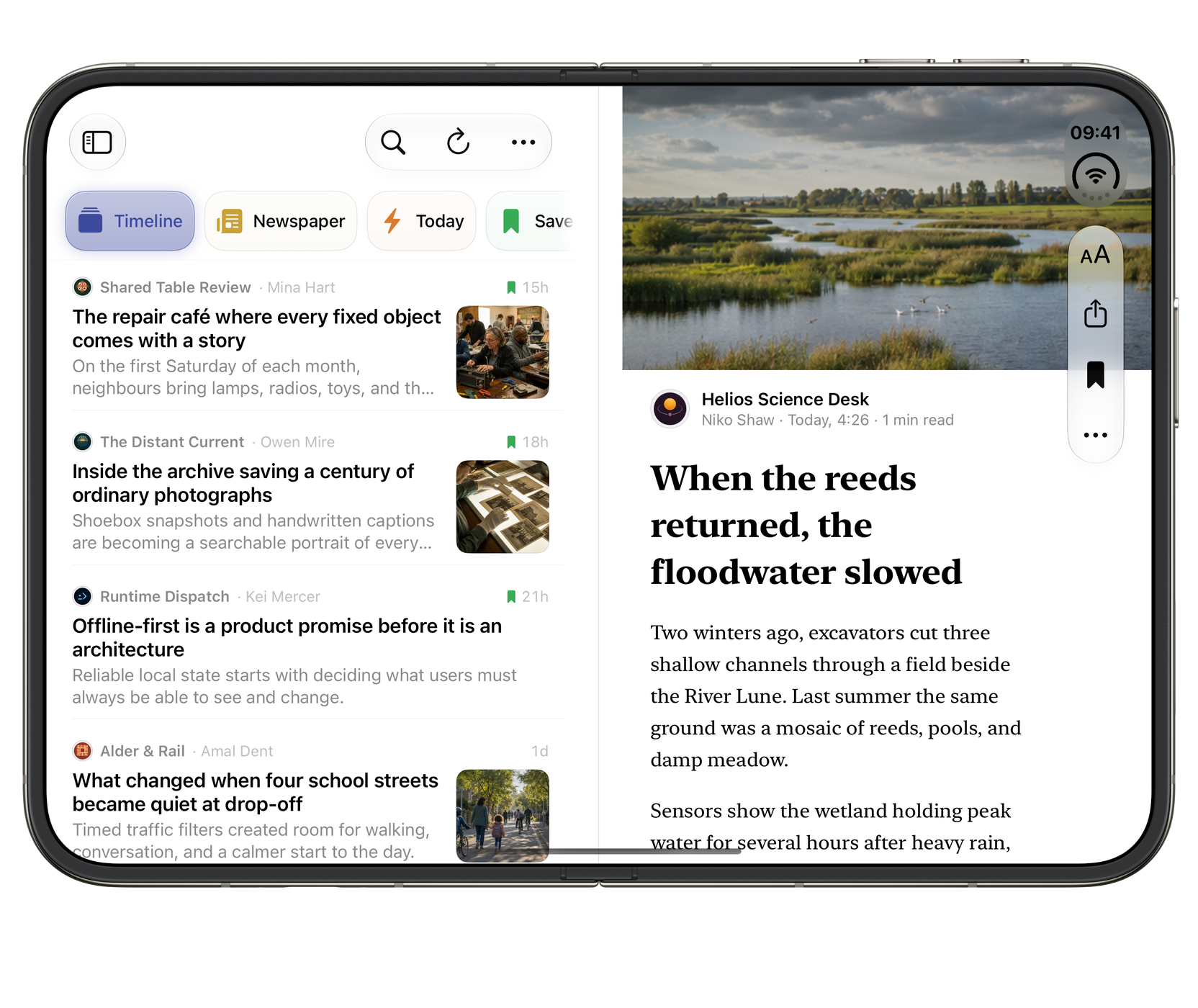
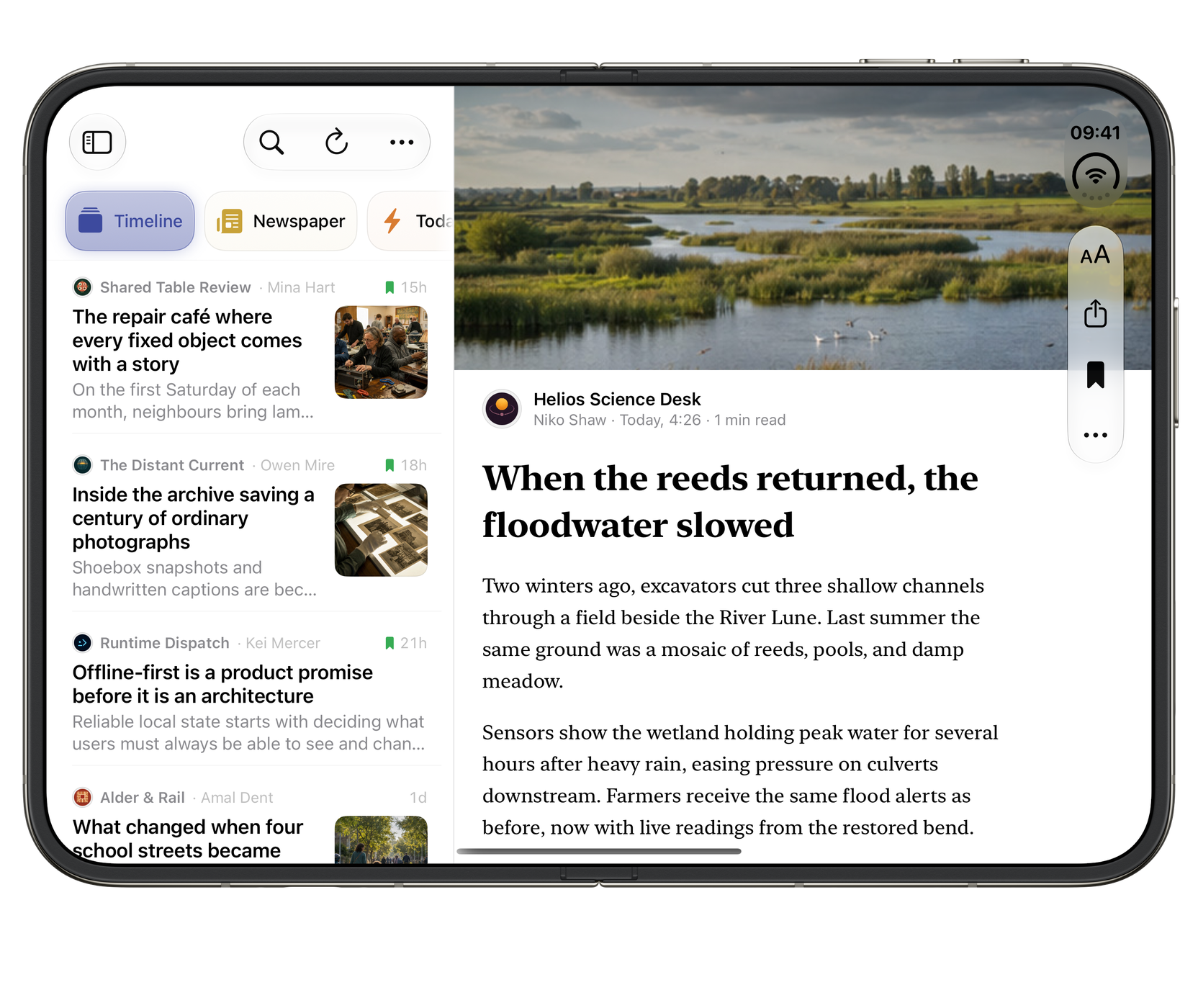
Ready for the outer display, the open canvas and the space in between.

Beacon on iPhone Duo, closed: Fresh reading, wherever you are.Beacon on iPhone Duo, closed: Fresh reading, wherever you are.
ClosedFresh reading, wherever you are.
Partly foldedThe article list and reader each have their own side.
Beacon on iPhone Duo, fully open: Your library beside the full story.Beacon on iPhone Duo, fully open: Your library beside the full story.
Fully openYour library beside the full story.

Widgets

Fresh reading at a glance. Your unread count and the newest stories, sized for every Home Screen.

Beacon medium Unread widget showing the lead story with its photo and one more article Beacon medium Unread widget showing the lead story with its photo and one more article in dark mode
UnreadMedium widget · the lead story and the next one behind it.
Beacon small Unread widget showing the newest article with its photo Beacon small Unread widget showing the newest article with its photo in dark mode
The lead storySmall widget · the newest unread article.
Beacon large Unread widget showing a lead story with a photo and three more articles Beacon large Unread widget showing a lead story with a photo and three more articles in dark mode
The front pageLarge widget · a lead story with its photo and three more behind it.
Beacon small Unread widget showing a longer headline without a photo Beacon small Unread widget showing a longer headline without a photo in dark mode
Words firstSmall widget · a story without a photo gets the room.
Beacon small Unread widget showing no unread articles and the latest saved one Beacon small Unread widget showing no unread articles and the latest saved one in dark mode
All readSmall widget · nothing unread, and your latest saved article.
Beacon medium Unread widget showing no unread articles and the latest saved story Beacon medium Unread widget showing no unread articles and the latest saved story in dark mode
Saved for laterMedium widget · nothing unread, so your latest saved story.

What it does

The open web, back in one place.

Paste a link, get a feed

margin-and-pixel.example/blog

  • RSS
  • Atom
  • JSON Feed
  • Mastodon

Paste a site or feed address and Beacon looks for RSS, Atom or JSON Feed. You choose what to follow.

Follow people, not just sites

Aisha Khan@aisha@sable.social 34m

6am on the pontoons. shot the whole roll into the light coming under the awnings and only checked the meter once, at the end, out of guilt

A floating market at dawn, traders in boats along a covered walkway

Folders and Smart Folders

  • Design Systems
  • Weekend Reading

Group feeds however you think, and save any search as a Smart Folder that stays current.

It remembers your place

Come back to the exact article you left off at instead of facing another unread inbox.

Fresh without asking

Choose your refresh interval

Refresh on demand or let Beacon check for new articles. Feed health flags failures and quiet feeds; background timing depends on the system.

A proper reading view

Margin & Pixel · 6 min

The quiet return of neighbourhood radio

The transmitter sits in a back room above a launderette, and for three hours every evening it reaches about four streets in either direction.

New York100%Comfortable

OPML in and out, any time

OPML subscriptions.opml Import from another reader, or export yours

On the Home Screen

Beacon medium widget showing two articles and the unread count Beacon medium widget showing two articles and the unread count Beacon small widget showing the next article worth reading Beacon small widget showing the next article worth reading

Tidies up after itself

Old items clear on your schedule; saved ones are never touched.

Handles arrive as feeds

Add a Mastodon handle and it arrives as a feed, replies included.

Drivable from the keyboard

Add feed⌘N
Next unread⌘⇧N
Mark all read⌘⇧K

…and many more, on Mac and on iPad with a keyboard.

On-device intelligence

Ask about what you’re reading.

Open an article and ask Siri to summarise it, or ask a question about it. Beacon answers from that article, on your device, through Apple Intelligence.

  • The whole article, not the visible part. Ask about a paragraph you scrolled past and Beacon still has it.
  • It tells you when the article does not answer the question. Answers come from that article and nothing else, so “this doesn’t cover it” is an answer rather than a guess.
  • Siri’s full reasoning, if you want it. An opt-in hands Siri a whole article for open-ended questions, comparisons, or carrying it into another app.

Summaries and article-grounded answers are processed on your device. The full-article Siri handoff is off until you enable it and may be processed on Apple’s servers.

How Beacon’s intelligence works →

Siri and Shortcuts

Refresh before you sit down.

Beacon's reading actions work from Siri and the Shortcuts app, so the queue is current before you open it and filing an article takes one step.

  • Siri
  • Shortcuts
  • Refresh feeds. On a trigger, an arrival, or a phrase.
  • Find articles. Returns a list a shortcut can act on in turn.
  • Read and saved state. Mark, save and clear without opening Beacon.

Twelve actions in all, plus the Unread widget for the Home Screen and Lock Screen.

What Siri and Shortcuts can do →

Why it exists

Built for people who choose their own sources.

Beacon treats reading as something you choose to do rather than something that happens at you. No ranking, no suggestions, no reason to keep scrolling once you are finished.

It is made for people who have run their own feed lists for years and know exactly what usually breaks.

Support and contact · Version history · Privacy

Apply to test BeaconIn private preview

Questions

A few useful answers.

Can I bring my feeds from another reader?

Import an OPML file to bring in subscriptions. Beacon fetches their articles after import. OPML transfers the feed list, not the other reader’s saved article archive.

What if the reading view misses part of an article?

Switch between Reader and Feed, or open the publisher’s original in your browser. Reading-view help explains full text, typography and what can remain available offline.

Do I have to clear an unread inbox?

Choose Timeline or Unread. Timeline remembers your place; Unread gives you the familiar inbox. Your feeds, stars and folders remain the same.

Browse all Beacon help

The rest of the family

More from Wells Code.