

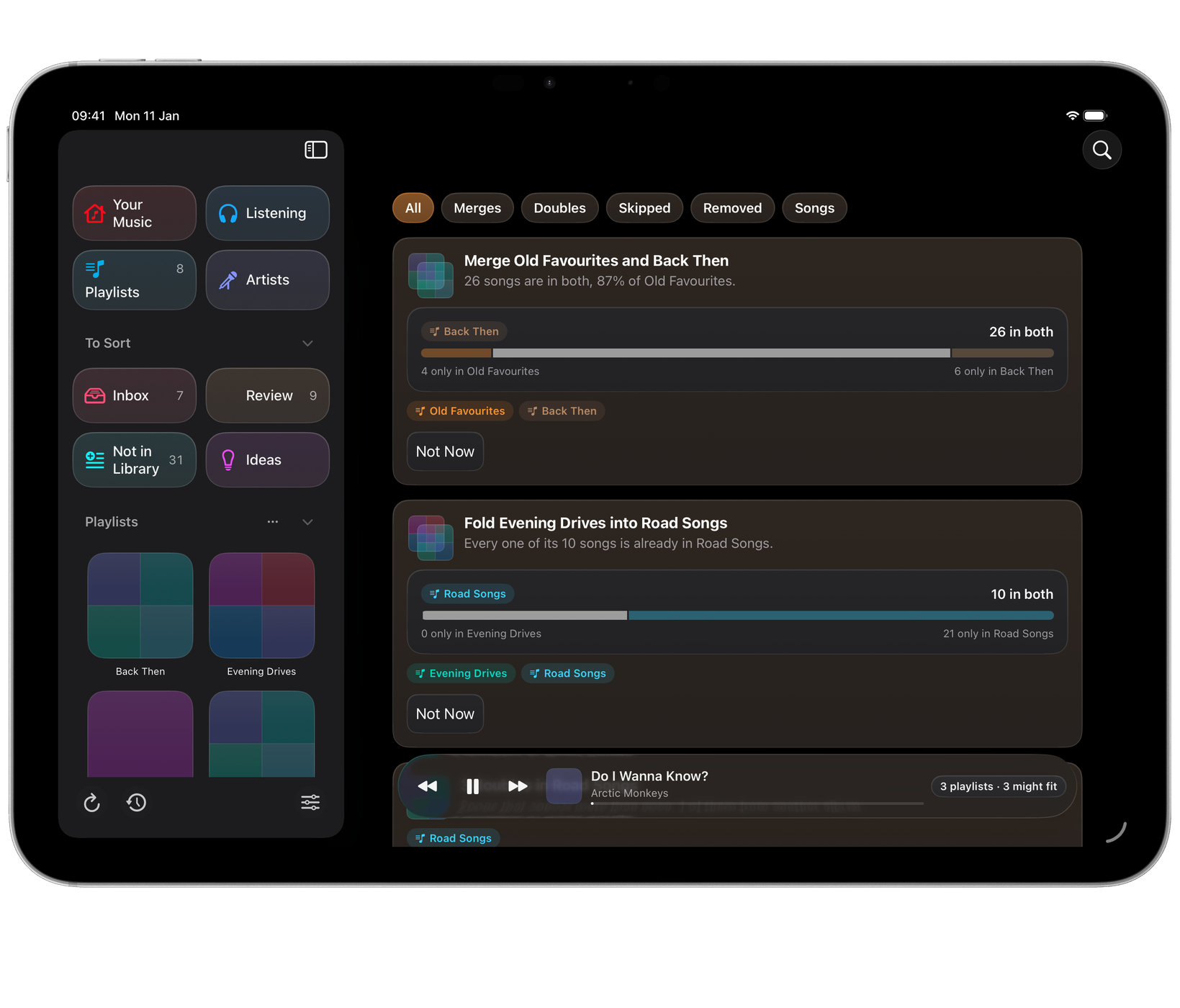
Over the years it’s easy to end up with two playlists that are nearly the same, or one sitting almost entirely inside another. Review finds both:
- Merge: two playlists that are mostly the same songs.
- Fold: a smaller playlist whose songs are nearly all in a larger one already.
Both appear as cards in Review. A playlist’s page also lists the playlists it shares songs with, and Show ▸ Overlapping on the Playlists page lists every playlist that overlaps another.

On a Mac
Merge… and Fold… work the same way: the songs from the smaller playlist that the larger one doesn’t have are added to the end of the larger one, in the smaller playlist’s order. Songs already in both are not added again.
The sheet shows how many songs will be added and which, with a switch: Then delete the smaller playlist. It is on to start with. Turn it off to keep both. Deleting removes only the playlist; its songs stay in your library.
Choose ✓ to make the change. Medley saves a copy of your playlists to History first, so Put Back can undo it.
On iPhone and iPad
Apple lets iPhone and iPad apps add songs to a playlist and make playlists, but not take songs out or delete a playlist. So:
- Make Merged Playlist… makes a new playlist with every song of both, each once. The smaller playlist’s songs come first, in their order, then the songs only in the larger one. It is named after both to start with, such as “Chill & Evening”, and you can change the name before you choose ✓. The sheet shows how many songs are in both, how many are only in each, and the total.
- Fold shows as Add 6 Songs to Evening (with your numbers and names), and adds the missing songs to the larger playlist.
The original playlists stay as they are. A card at the top of Review then says what was made, with Open in Music, so you can delete the old playlists in Music once you’re happy. Choose Done to clear the card.
Undoing a merge or fold
Every change is saved to History first. On a Mac, open History, choose the copy taken before the change, and use Put Back on each playlist that changed. A deleted playlist can be made again with the same songs in the same order, but as a new playlist: its artwork and any sharing don’t come back.
A playlist Medley made on iPhone or iPad can simply be deleted in Music.