

Review lists what is worth a look in your playlists, strongest first. Nothing changes until you act on a card, and every change is saved to History first.

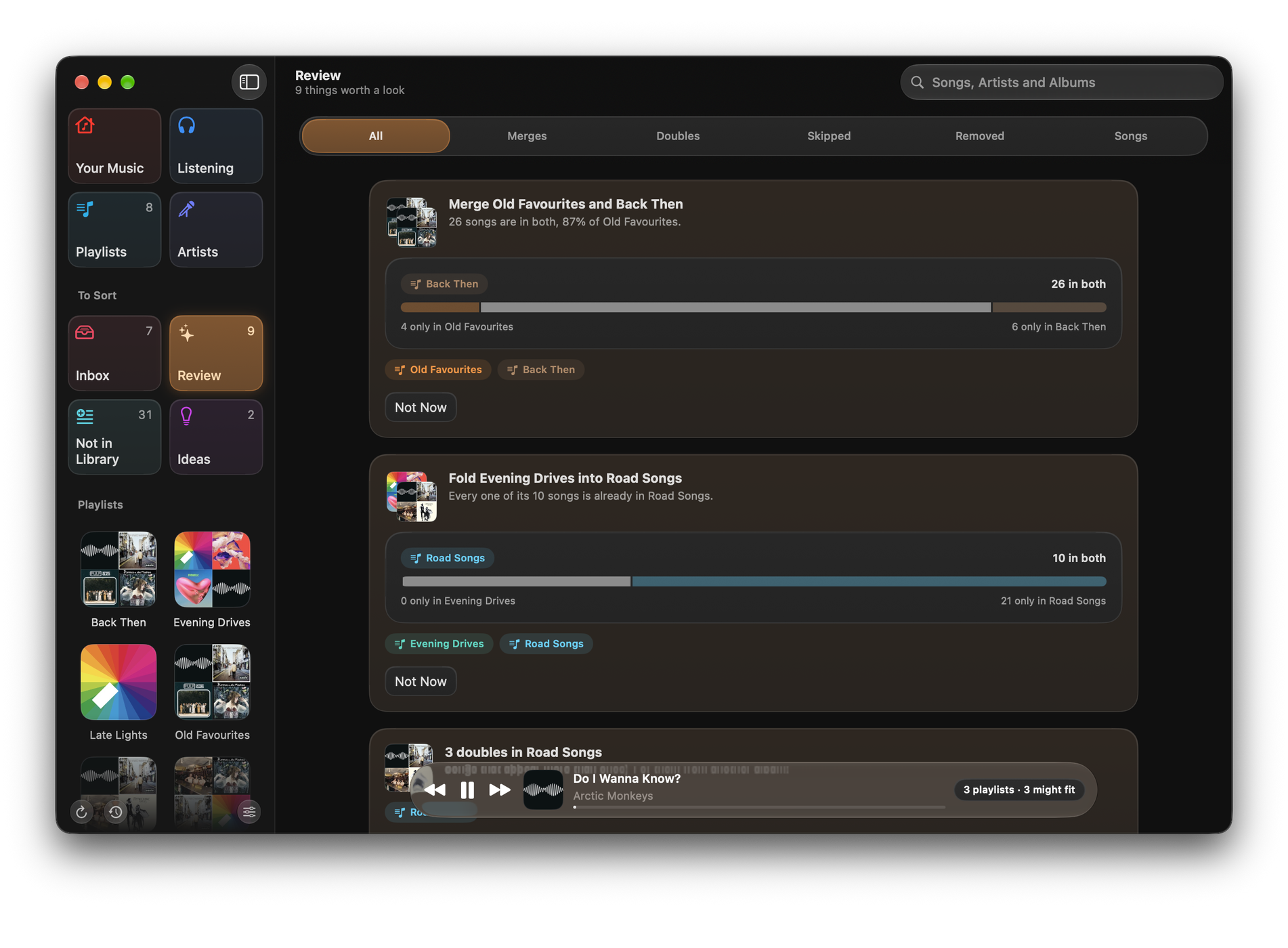
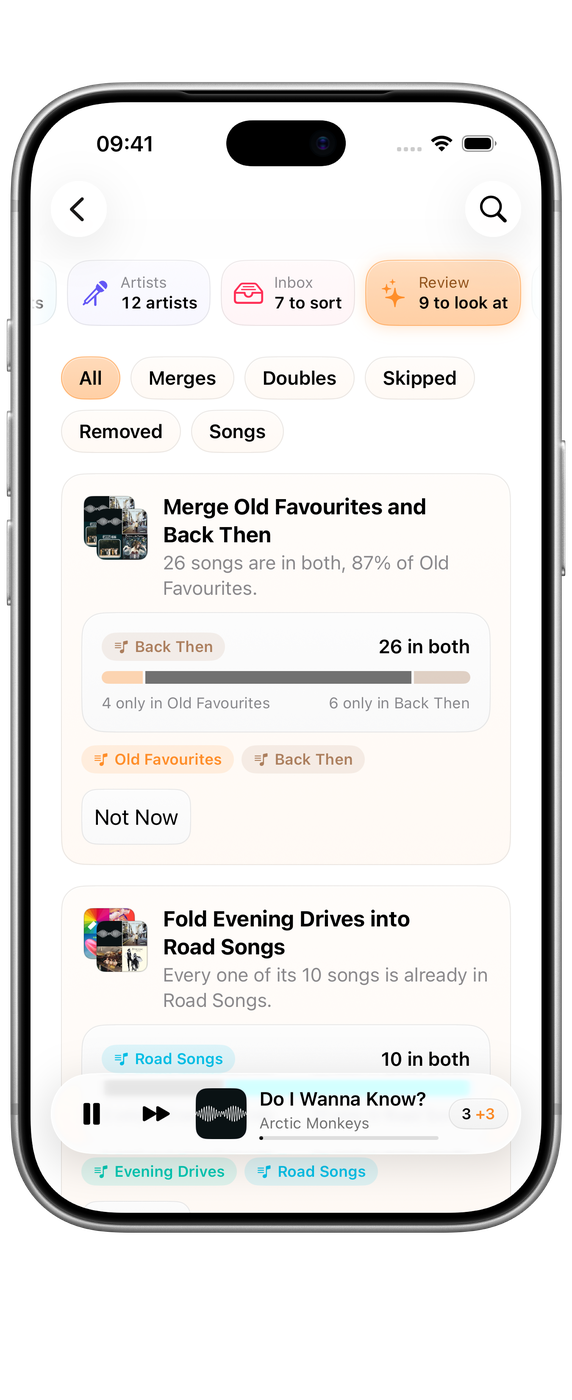

What Review finds
| Card | What it means | The action |
|---|---|---|
| Merge | Two of your playlists are mostly the same songs | Merge… on a Mac, Make Merged Playlist… on iPhone and iPad |
| Fold | Nearly every song in a smaller playlist is already in a larger one | Fold… on a Mac; on iPhone and iPad, Add the few missing songs |
| Doubles | A song appears more than once in one playlist | Remove Doubles… |
| No longer on Apple Music | Songs Apple Music has withdrawn, greyed out in your playlists | Remove Songs… |
| Songs for a playlist | A playlist already holds most of an artist’s songs, and a few more of theirs might belong | Add Songs… |
| You skip | Songs in a playlist you skip more often than not | Review Songs… |
Review shows up to six cards of each kind, so it stays short enough to read. Use Show to narrow it to Merges, Doubles, Skipped, Removed or Songs.
Doubles and near-copies
A double is the same recording twice in one playlist, or the same song from two albums, such as the single and the album version. Edition notes like Remastered or Deluxe are ignored when Medley compares titles. Live, acoustic, remixed, demo and other named versions count as different songs, so they are never called doubles.
Remove Doubles… keeps the first copy of each song and removes the rest.
Acting on a card
Choose the action, or the card itself. A sheet shows what will change in plain words, such as “Add 6 songs from Summer 2019 to Summer”, with the songs it touches. Choose ✓ to make the change, or × to leave it.
Taking songs out of a playlist needs Medley on your Mac. On iPhone and iPad, a card that only removes songs says so instead of offering an action. See What Medley can change on Mac, iPhone and iPad.
Skipped songs
Music counts skips wherever a song plays, so a skipped card means songs you skip more often than not, anywhere. A song counts after four skips, and when it is skipped at least half as often as it is played.
Review Songs… lists each song with its skips and plays, ticked to go. Untick any you want to keep, then choose to take them out of the playlist (on a Mac), mark them Suggest Less in Apple Music so its stations and mixes play them less, or both.
Not Now
Not Now sets a card aside. If what it found changes, it can come back as a new card.
To see set-aside cards again, choose the button at the end of Review, such as Show 2 Suggestions Set Aside, or Settings ▸ Advanced ▸ Review Items Set Aside ▸ Bring Back. Set-aside cards sync between your devices when iCloud Sync is on.
When Review is clear
“Nothing to look at” means Medley found nothing worth a card. It reads your playlists again whenever Music changes them, so new cards appear as your playlists change.