All apps

Made for iPhone, iPad and Mac

Friends and family, kept close

Circle

Stay in touch with the people who matter, using the Contacts you already have.

Keep Up

See who you’ve drifted from.

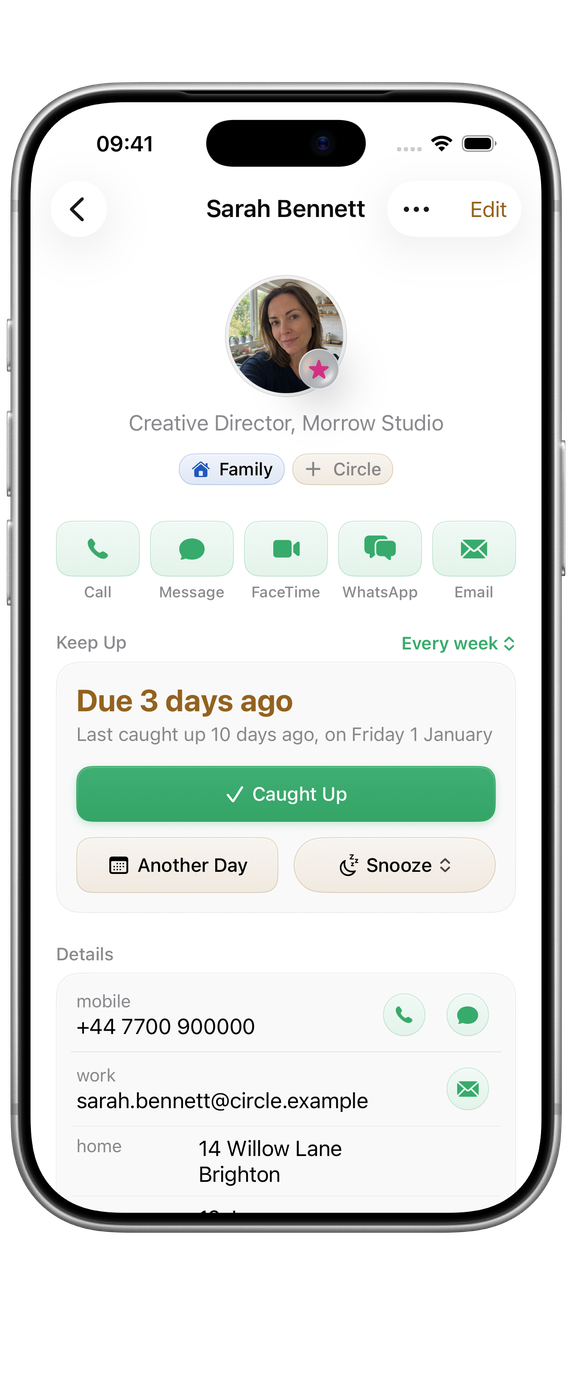
Give each person a rhythm, weekly, monthly or whatever suits, and Circle shows who is due a call or a message. Log a catch-up in a tap and the clock starts again.

  • A rhythm for each person.
  • Call, Message, FaceTime or WhatsApp in one tap.
  • Check-ins can arrive in Orbit as tasks.

Circles

Group people the way you think.

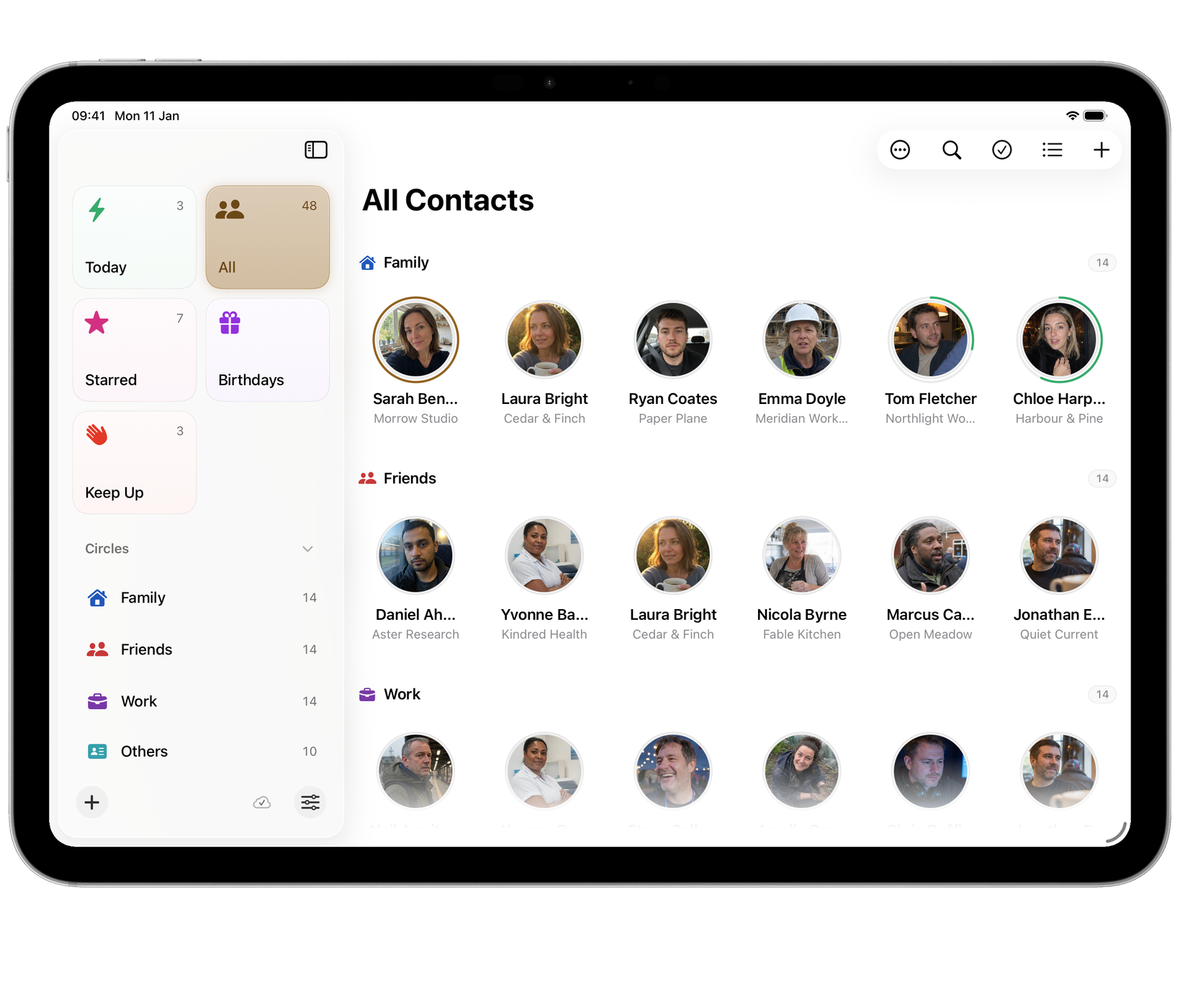
Family, close friends, the football group. Anyone can belong to as many circles as you like, and each person’s page keeps their rhythm and your recent catch-ups.

  • Circles that overlap, like real life.
  • Notes and history on each person.
  • A hand-ordered shortlist of favourites.

Contacts and birthdays

Built on the Contacts you already have.

Circle reads Apple Contacts and adds its own layer on top, so names, numbers and photos stay where they already live. Birthdays come straight from your contacts, with a timeline of who is next.

  • No second address book to maintain.
  • Upcoming birthdays, as far ahead as you choose.
  • Circles and history sync through your private iCloud.

A look inside

Circle in use.

Mac
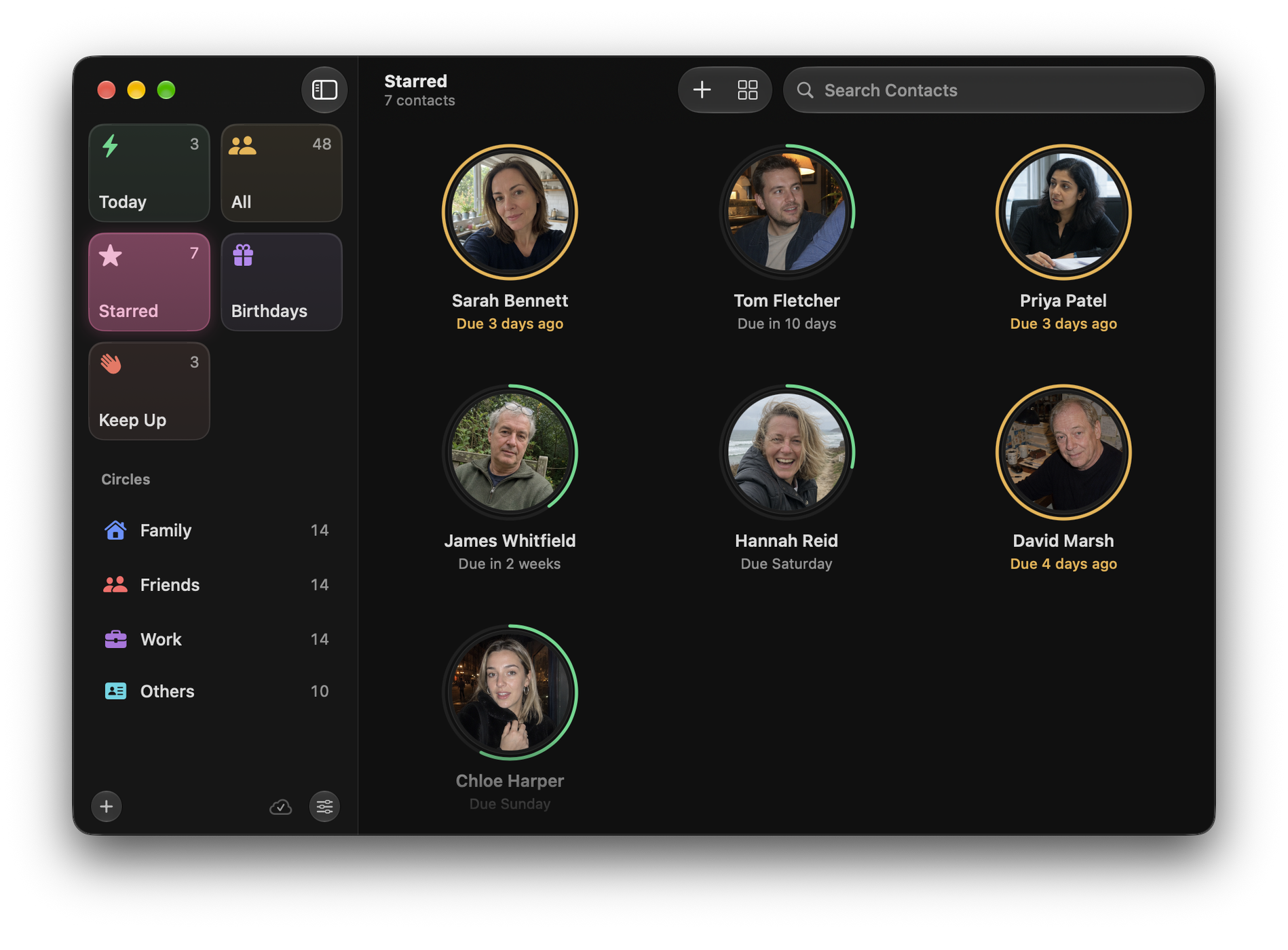
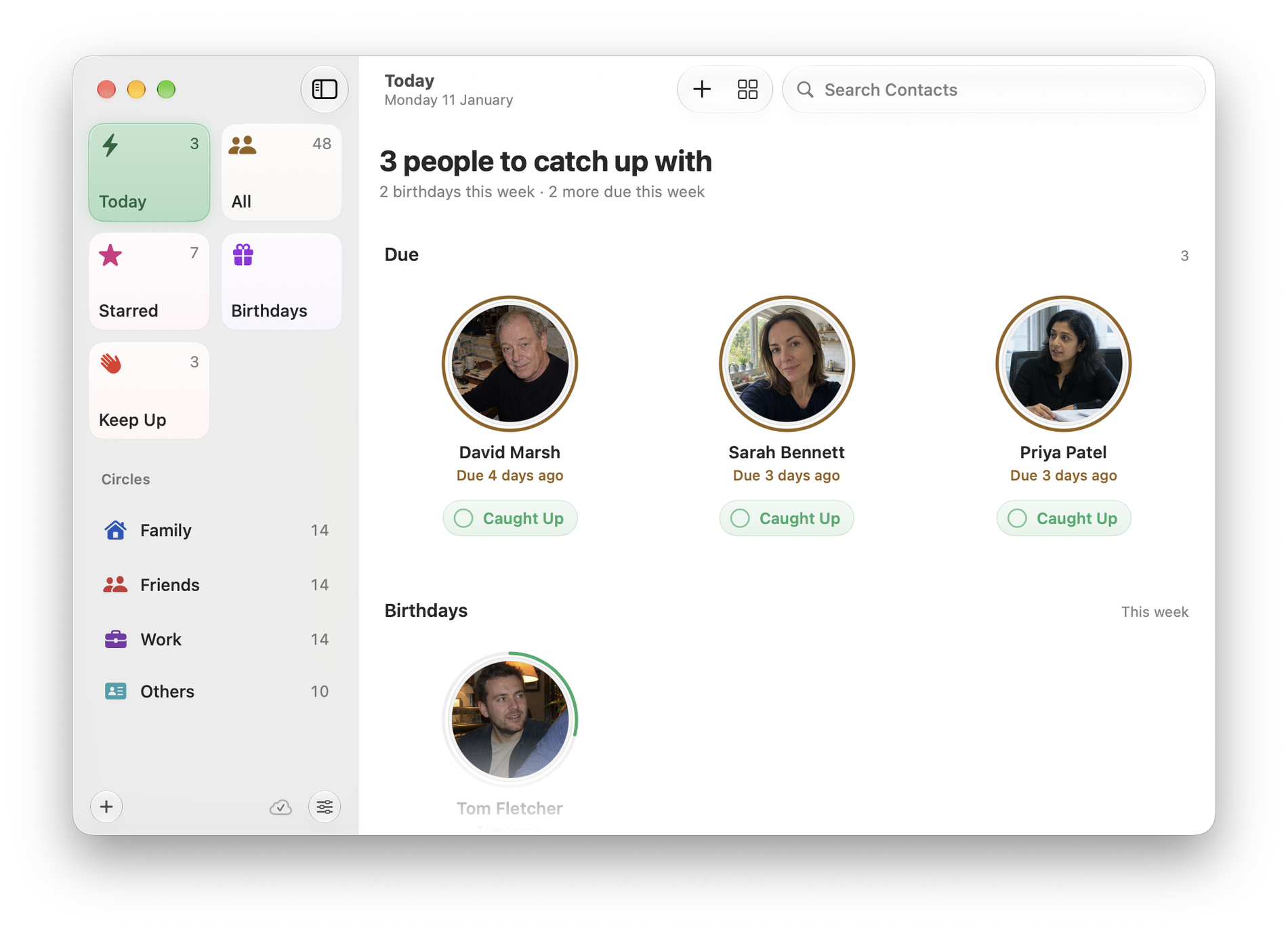
Circle on Mac: Today as a grid, three people due a catch-up with their Keep Up rings and Caught Up buttons, then this week’s birthdaysCircle on Mac: Today as a grid, three people due a catch-up with their Keep Up rings and Caught Up buttons, then this week’s birthdays
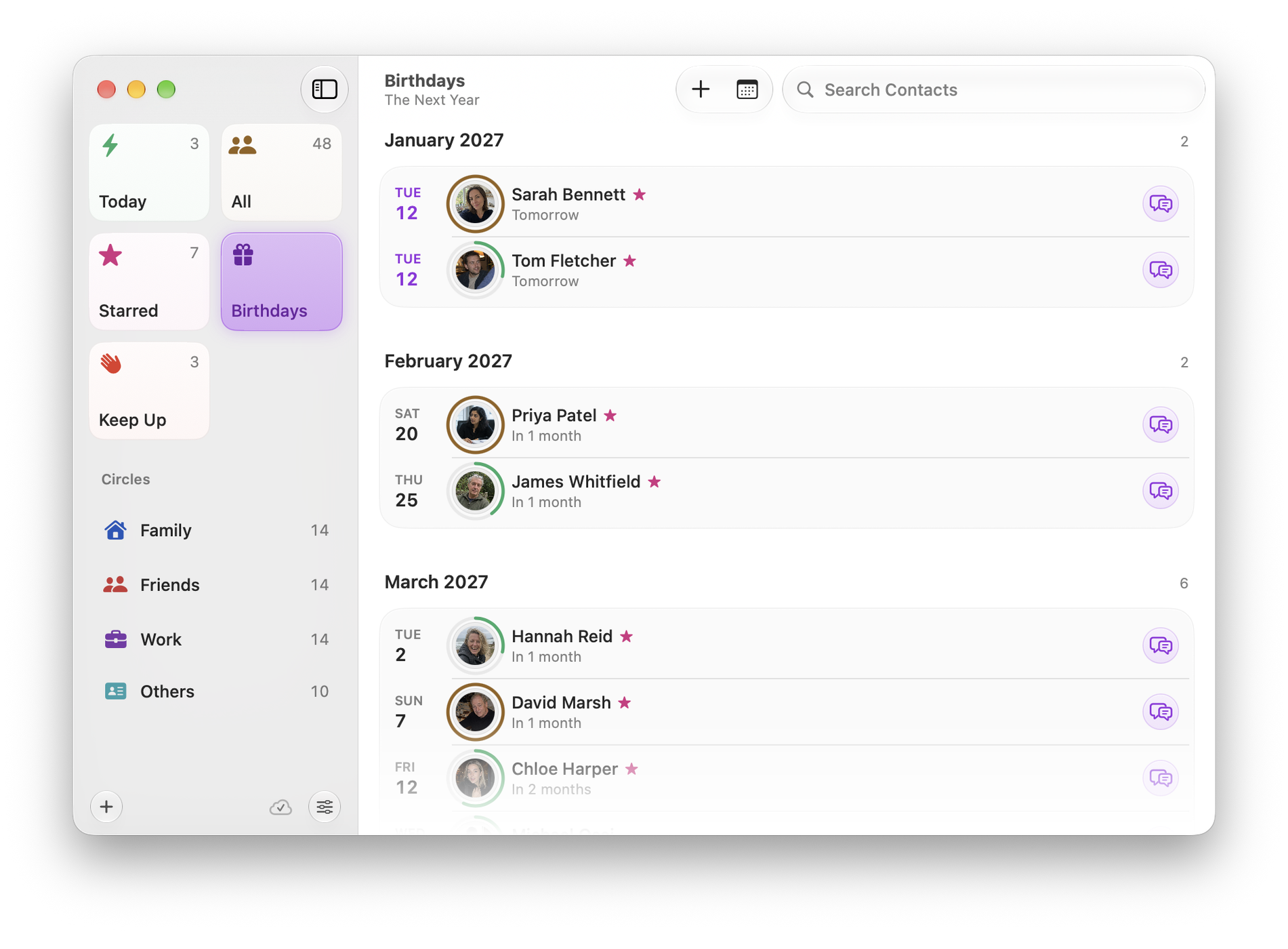
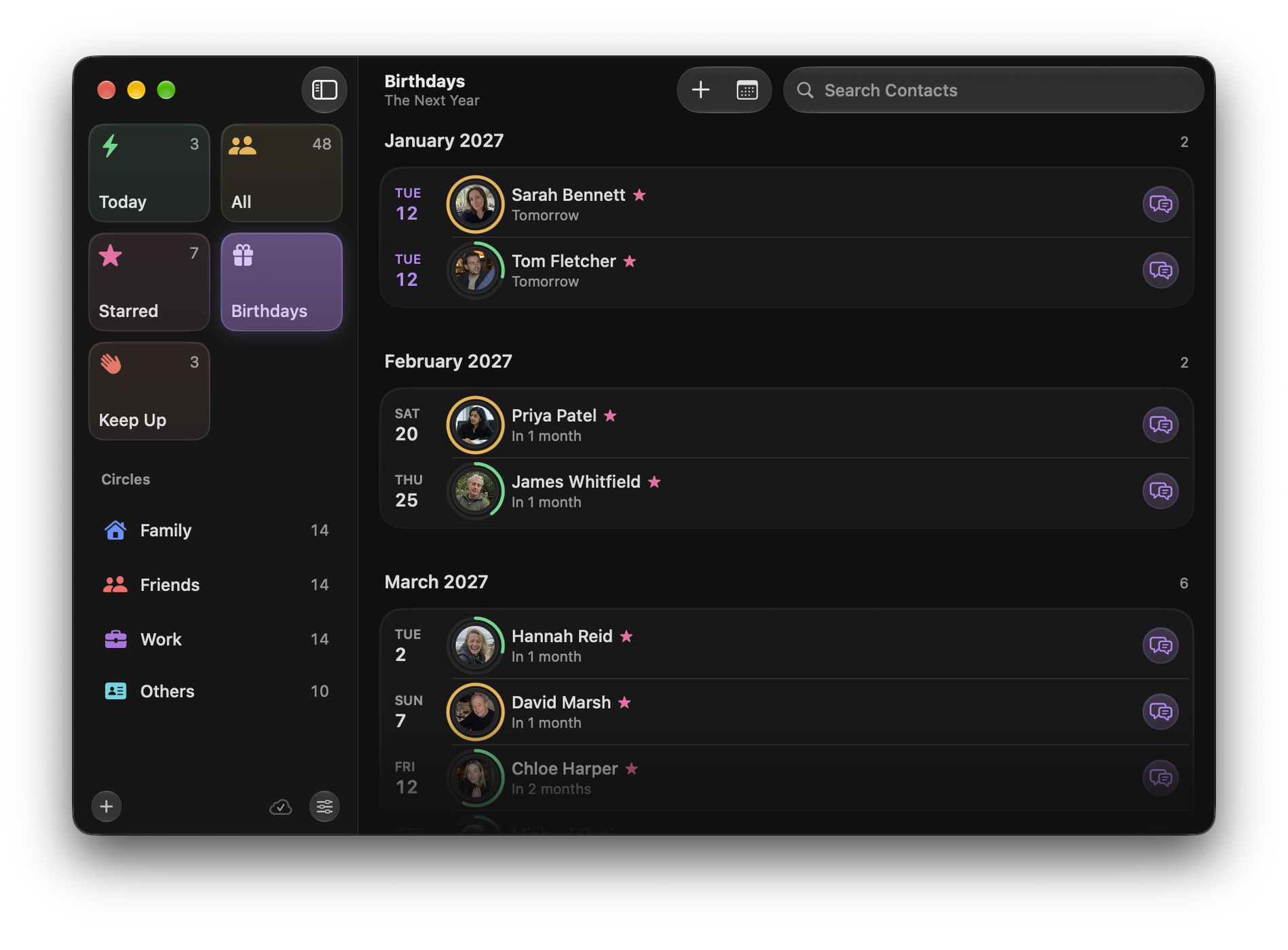
Circle on Mac: Birthdays timelineCircle on Mac: Birthdays timeline
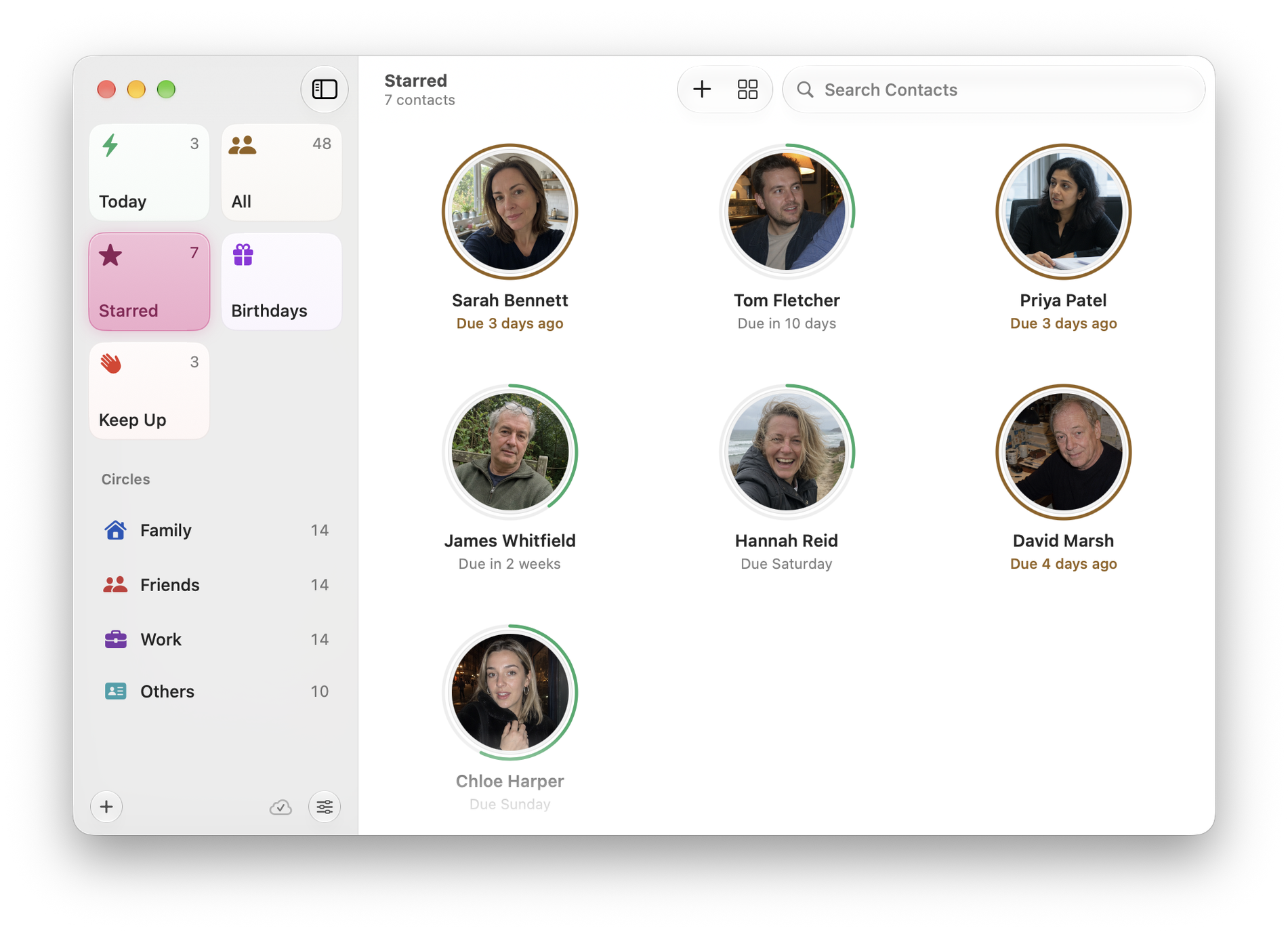
Circle on Mac: Starred shortlist with a contact mid-dragCircle on Mac: Starred shortlist with a contact mid-drag
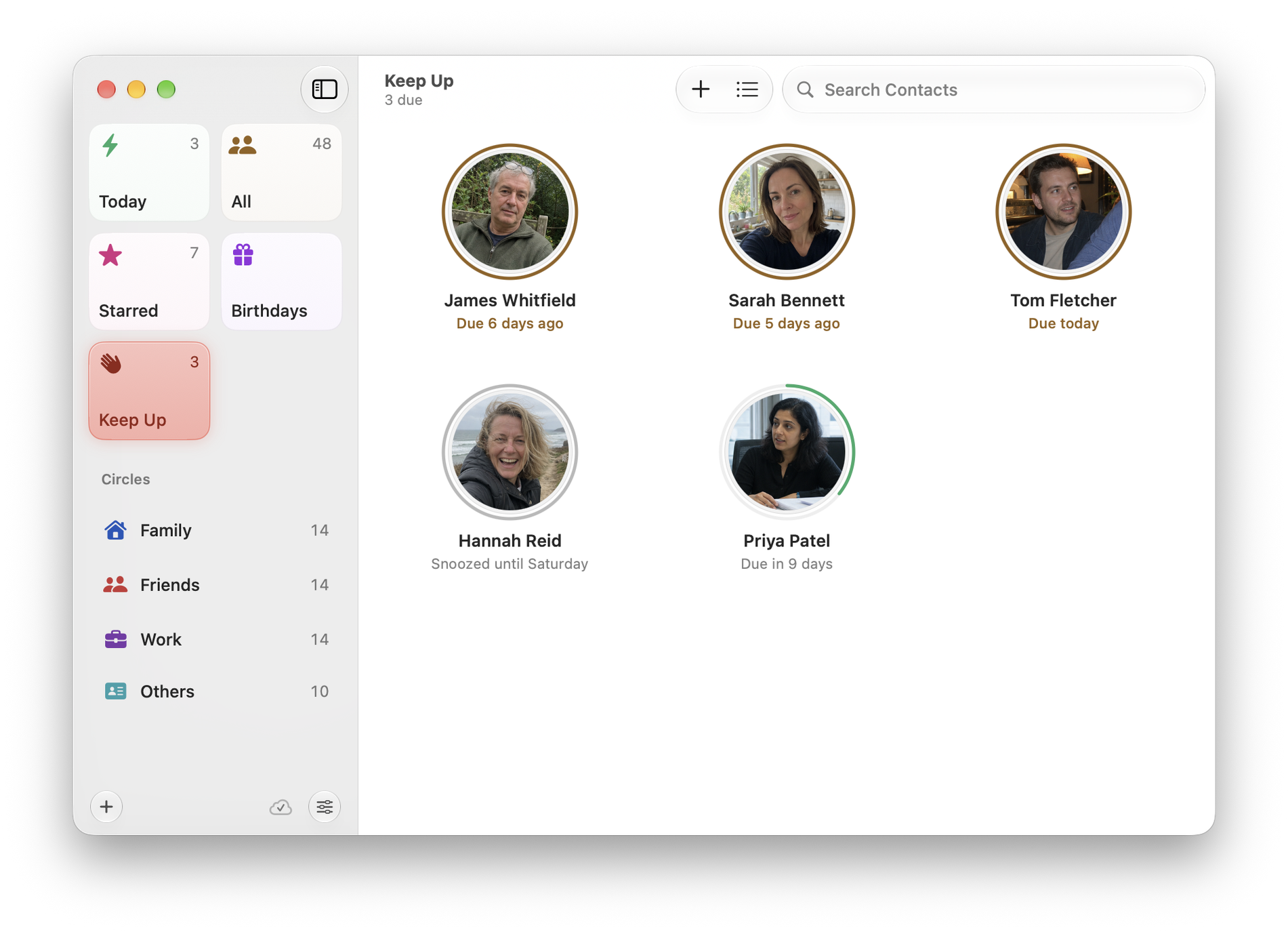
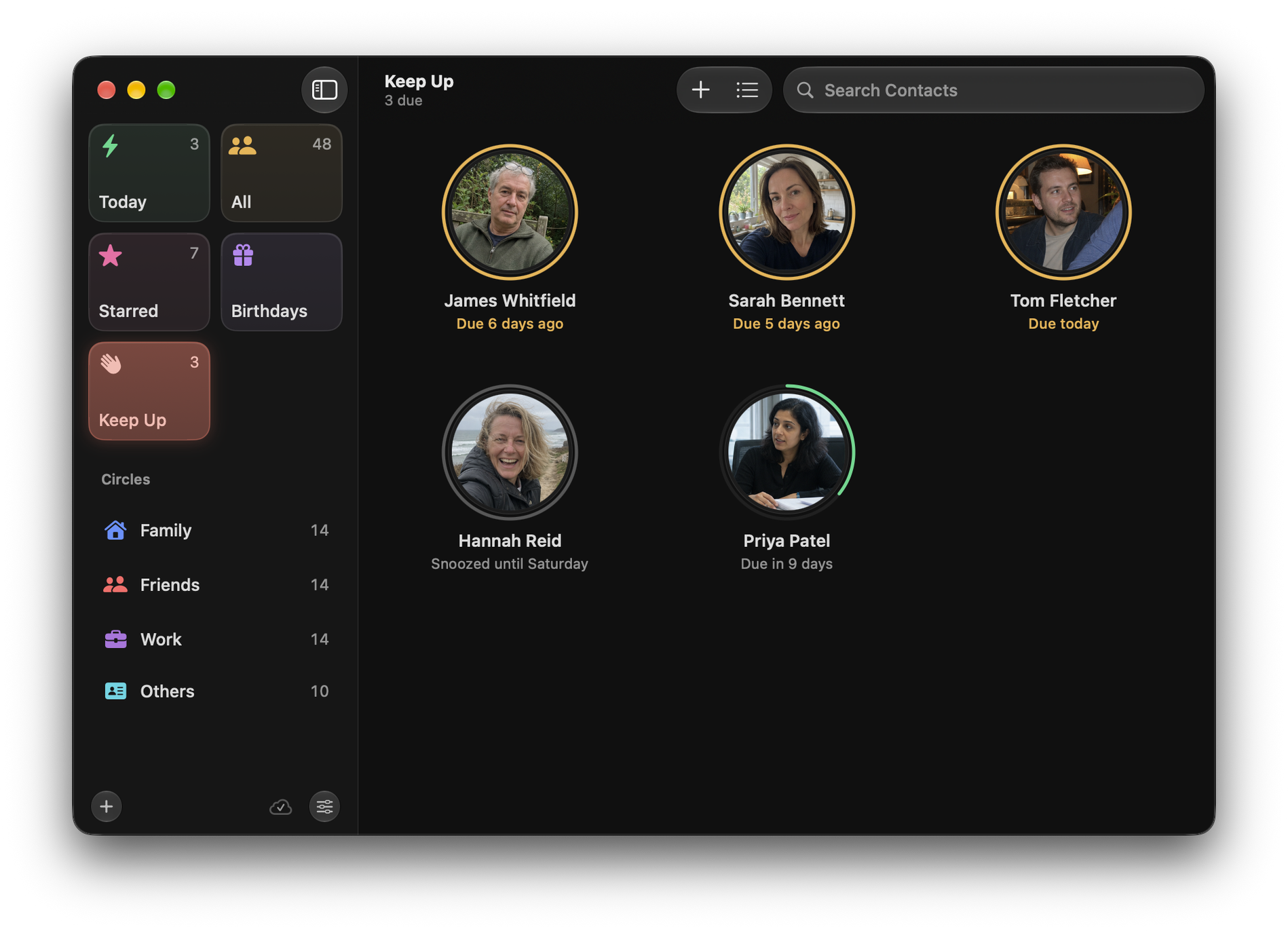
Circle on Mac: Keep Up ordered from overdue and due today through upcoming and snoozed fictional relationshipsCircle on Mac: Keep Up ordered from overdue and due today through upcoming and snoozed fictional relationships

iOS

Circle on iPhone: Today, with three people due a catch-up, a birthday tomorrow and who is coming upCircle on iPhone: Today, with three people due a catch-up, a birthday tomorrow and who is coming up
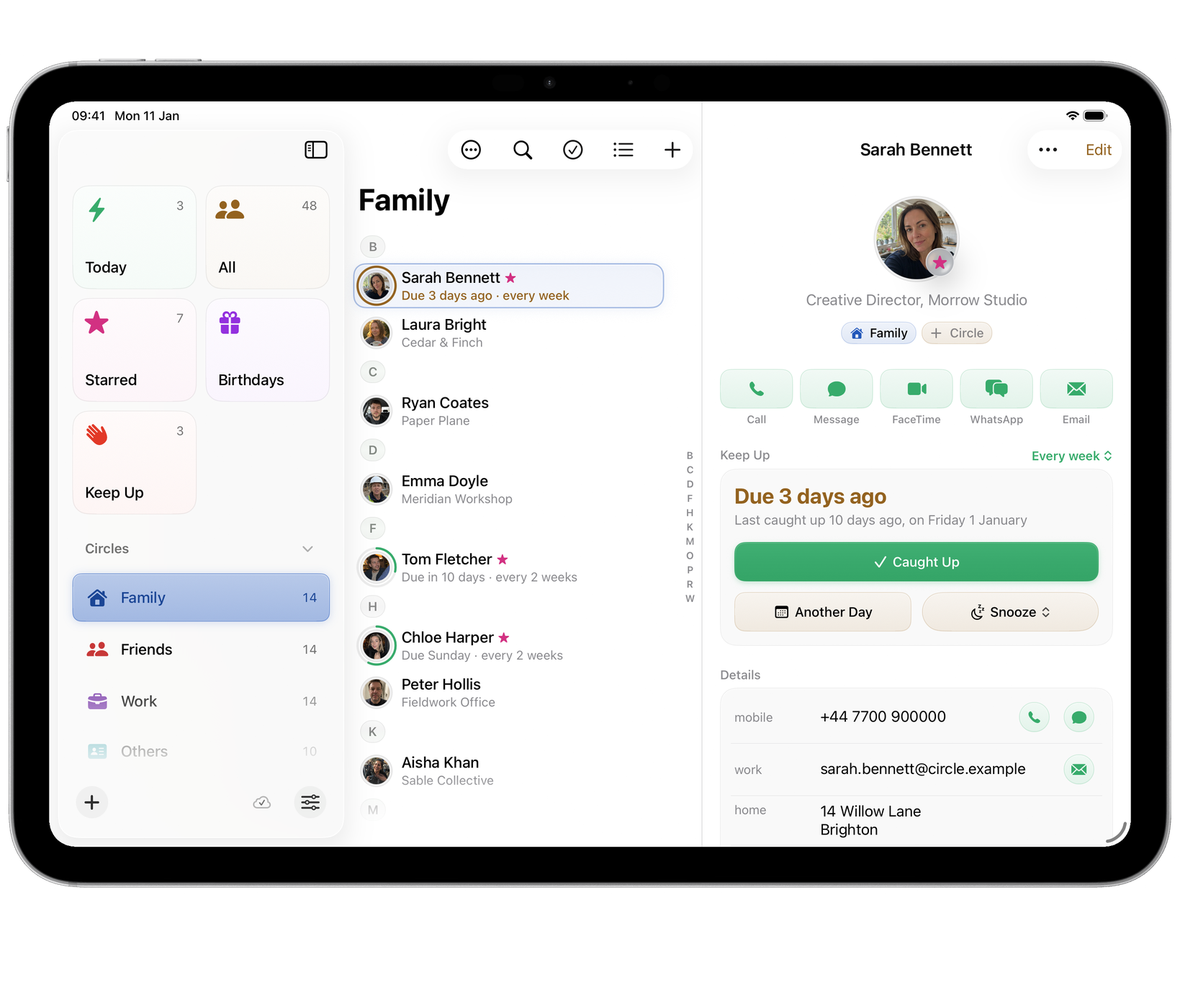
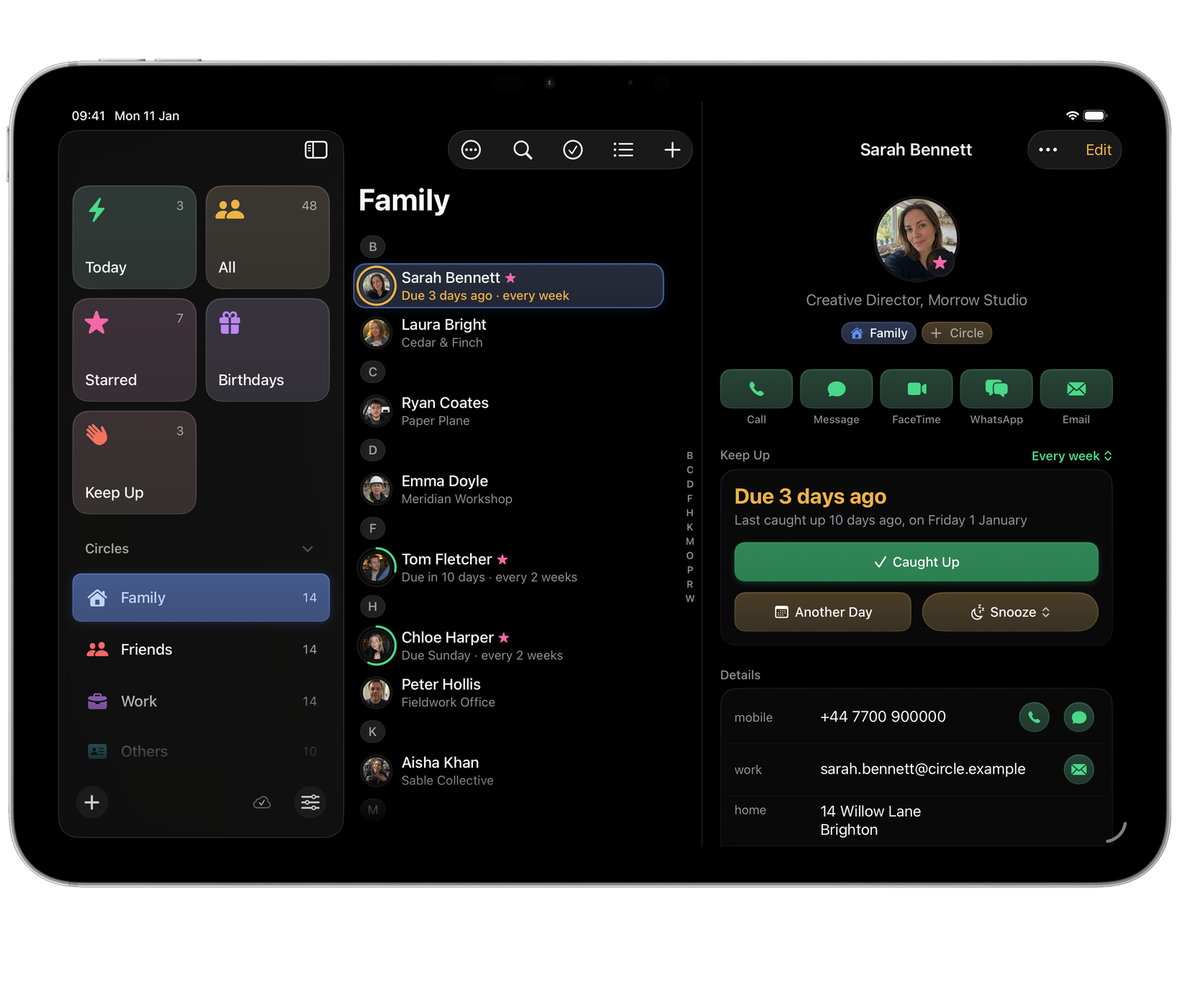
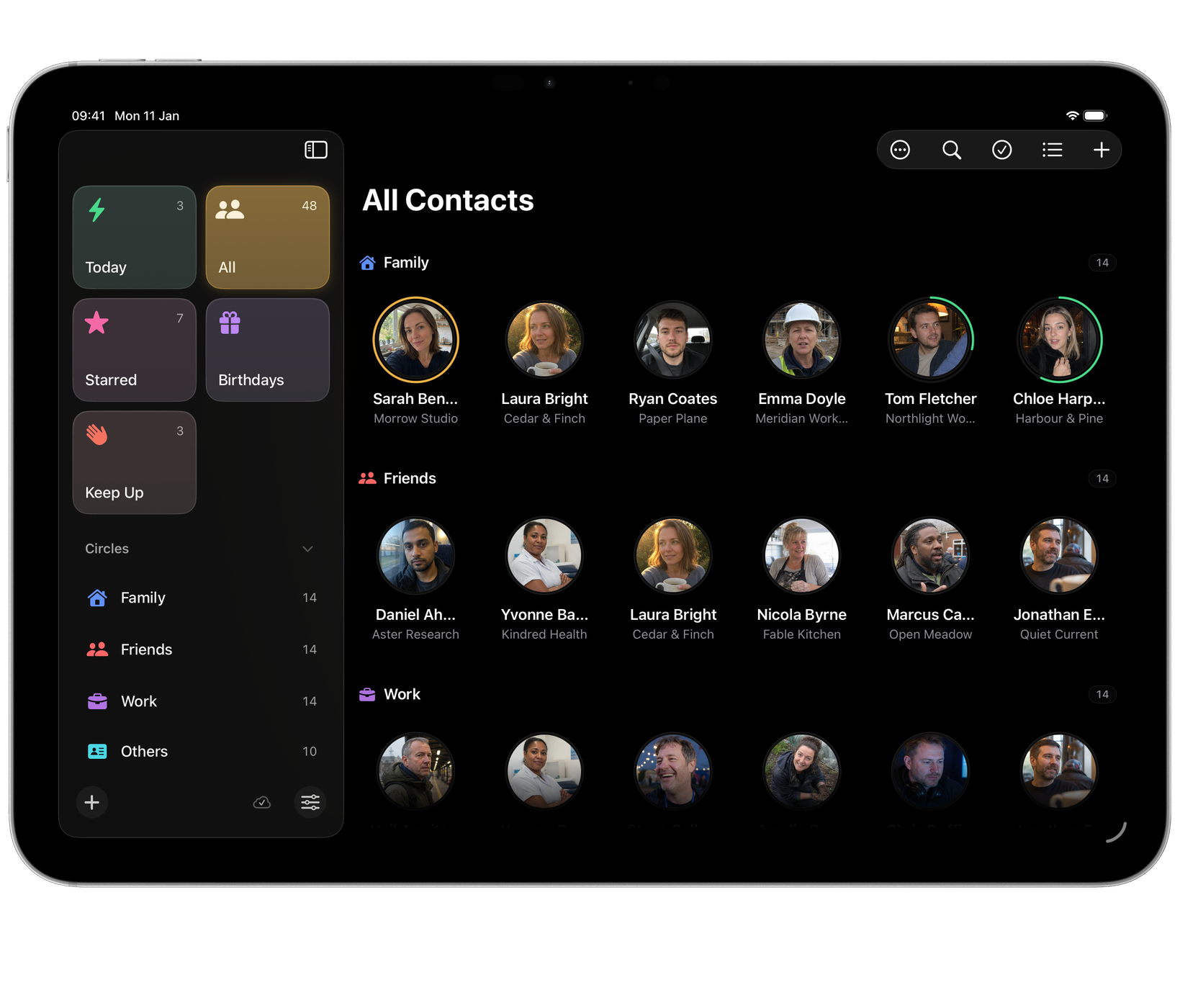
Circle on iPad: Family selected in the sidebar, with Friends and Work also visible, and one fictional contact fully open on the rightCircle on iPad: Family selected in the sidebar, with Friends and Work also visible, and one fictional contact fully open on the right
Circle on iPhone: Person page with quick actions, Keep Up rhythm and recent interactionsCircle on iPhone: Person page with quick actions, Keep Up rhythm and recent interactions
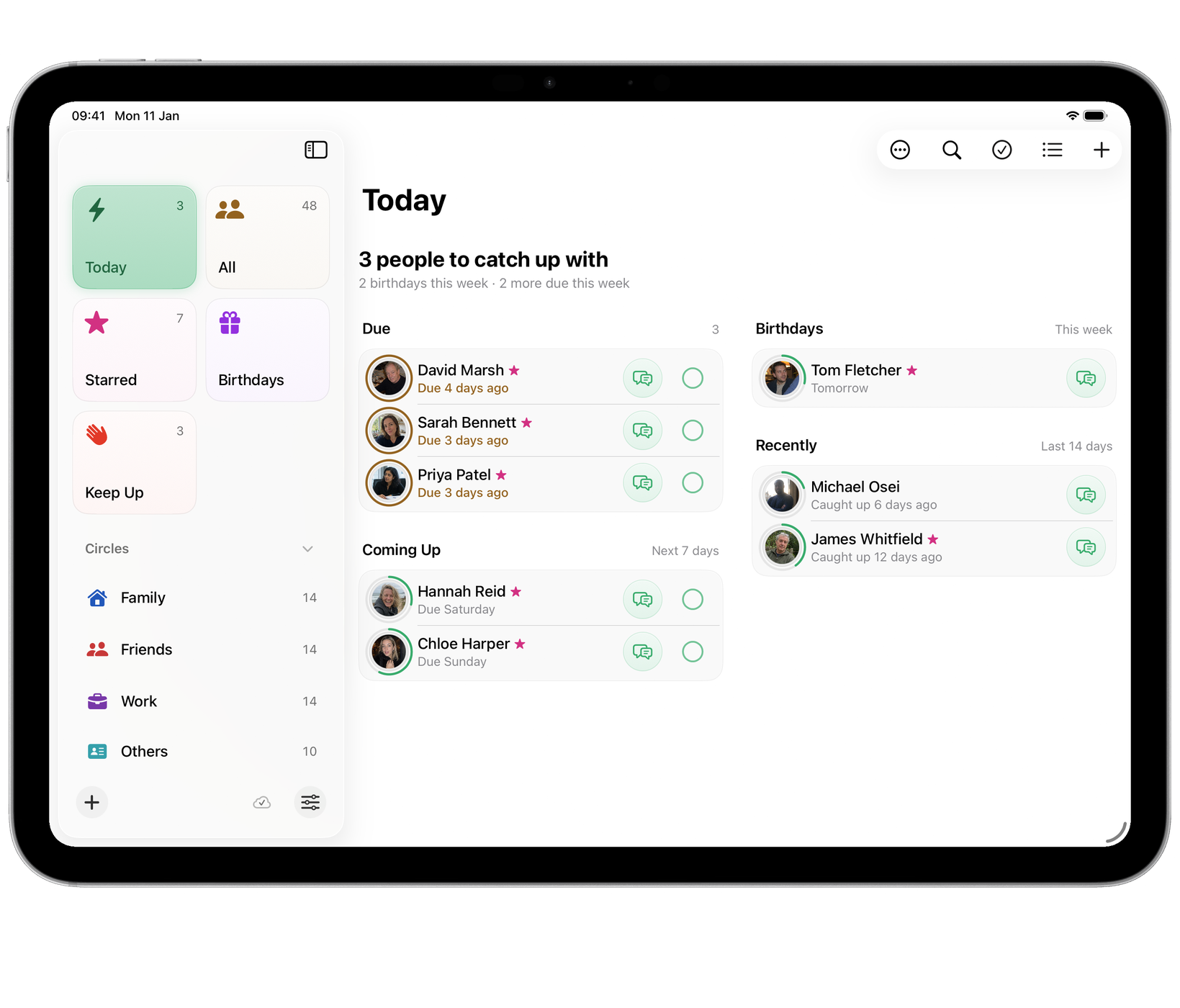
Circle on iPad: Today across the full width, people due and coming up beside birthdays and recent catch-upsCircle on iPad: Today across the full width, people due and coming up beside birthdays and recent catch-ups
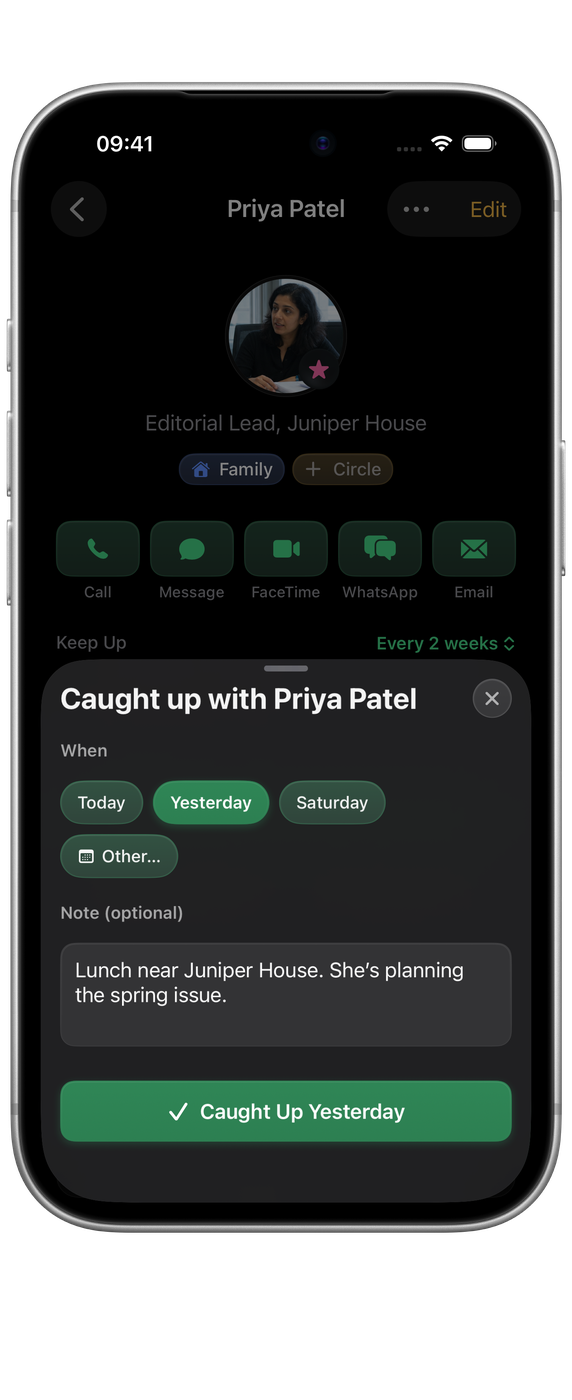
Circle on iPhone: a fictional person detail with the inline interaction editor open for choosing a date and adding a noteCircle on iPhone: a fictional person detail with the inline interaction editor open for choosing a date and adding a note
Circle on iPad: All Contacts as a grid grouped by circle, with Keep Up rings round the photosCircle on iPad: All Contacts as a grid grouped by circle, with Keep Up rings round the photos

iPhone Duo

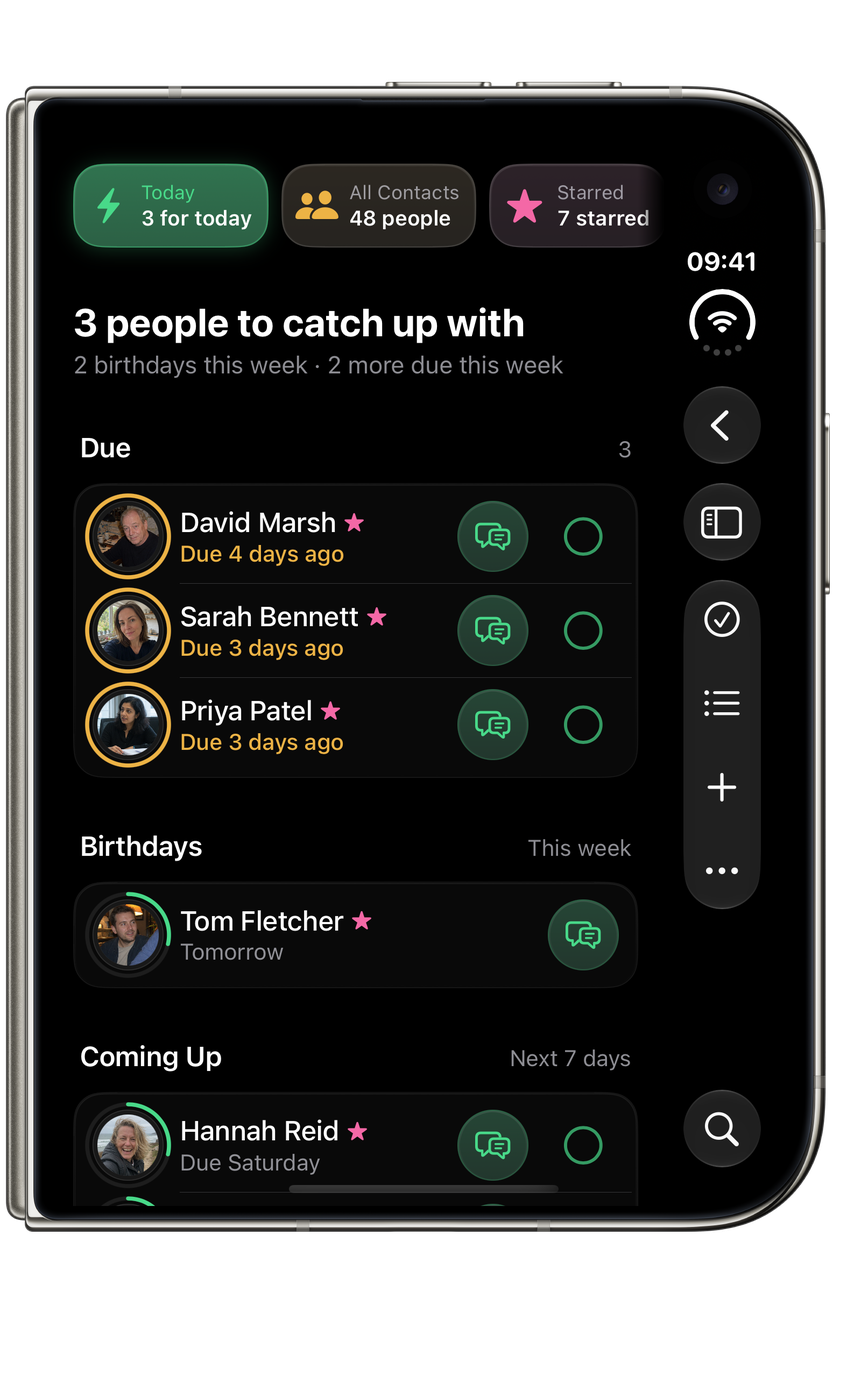
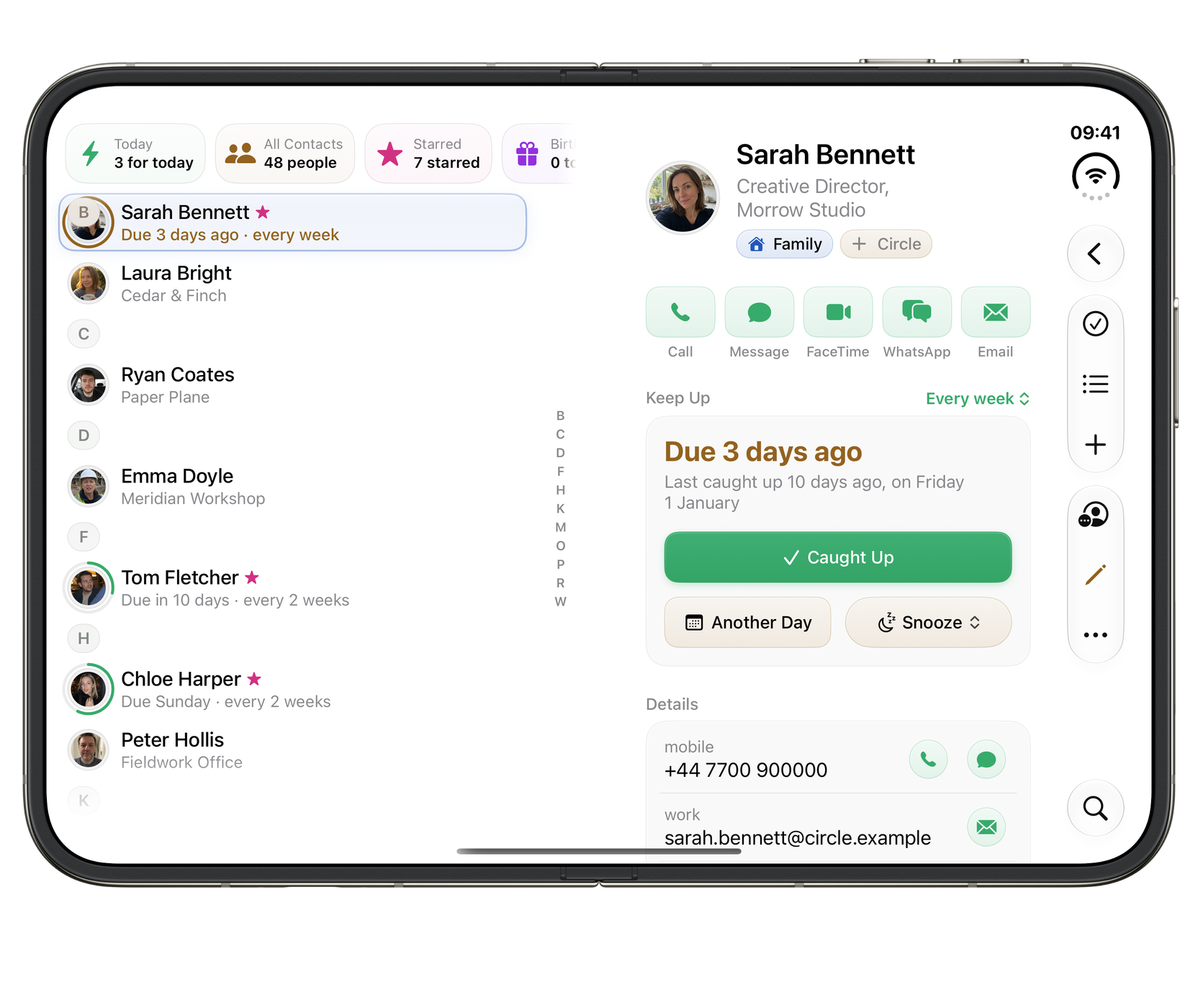
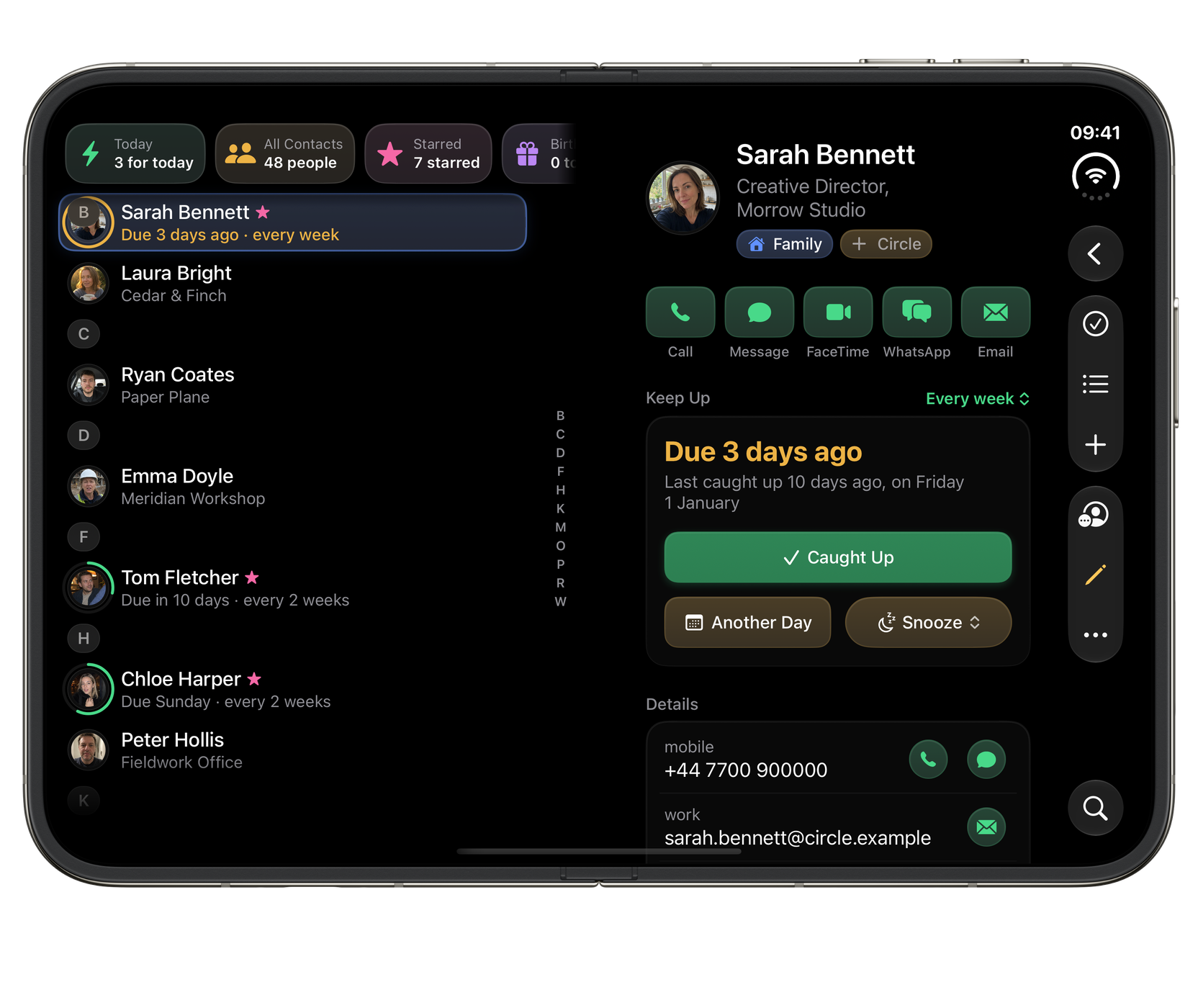
Ready for the outer display, the open canvas and the space in between.
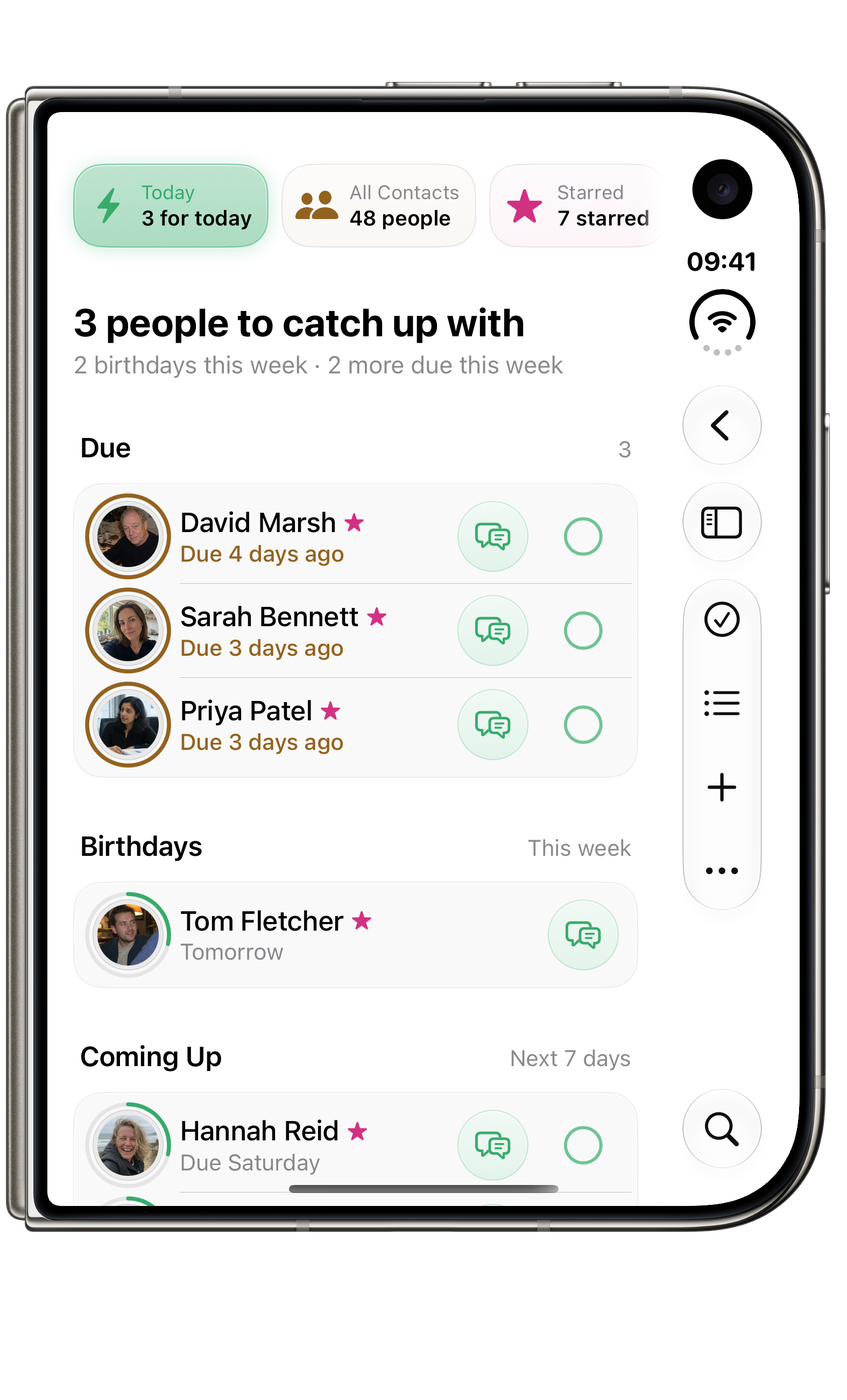
Circle on iPhone Duo, closed: Who to catch up with today.Circle on iPhone Duo, closed: Who to catch up with today.
ClosedWho to catch up with today.
Partly foldedBrowse your people beside the selected contact.
Circle on iPhone Duo, fully open: Your people, with the details close by.Circle on iPhone Duo, fully open: Your people, with the details close by.
Fully openYour people, with the details close by.

Widgets

The people who need you, at a glance. Catch-ups and birthdays stay close without turning relationships into a stream of notifications. Names and faces show only once you turn on Show People.

Circle large Keep Up widget listing four people with their rings and Caught Up ticks, and two birthdays Circle large Keep Up widget listing four people with their rings and Caught Up ticks, and two birthdays in dark mode
Keep UpLarge widget · who’s due, a tick for Caught Up, and birthdays below.
Circle medium Keep Up widget showing four people with their Keep Up rings Circle medium Keep Up widget showing four people with their Keep Up rings in dark mode
Who’s dueMedium widget · faces with their Keep Up rings.
Circle small Keep Up widget showing the person most overdue for a catch-up Circle small Keep Up widget showing the person most overdue for a catch-up in dark mode
Most overdueSmall widget · the person most due a catch-up.
Circle medium Starred widget showing five faces with their Keep Up rings Circle medium Starred widget showing five faces with their Keep Up rings in dark mode
StarredMedium widget · your Starred people, or any circle you choose.
Circle small Keep Up widget showing that everyone is caught up and who is next Circle small Keep Up widget showing that everyone is caught up and who is next in dark mode
All caught upSmall widget · nobody’s due, and who’s next.
Circle large Starred widget showing twelve faces with their Keep Up rings Circle large Starred widget showing twelve faces with their Keep Up rings in dark mode
Starred, in fullLarge widget · twelve faces, each with its Keep Up ring.
Circle medium Keep Up widget showing only counts, with names and faces off Circle medium Keep Up widget showing only counts, with names and faces off in dark mode
Private by defaultMedium widget · counts only, until you turn on Show People.
Circle large Keep Up widget using initials instead of photos Circle large Keep Up widget using initials instead of photos in dark mode
Without photosLarge widget · initials in place of faces.

What it does

Keep the people, not a database.

Group people like you think

Family14
Friends14
Work14
Others10

Family, close friends, the football group, and anyone can belong to as many circles as you like.

Notice who has drifted

James Whitfield Last interacted 1 month ago · Monthly Overdue

Sarah Bennett Last interacted 12 days ago · Weekly

Orbit Orbit

Check-ins land in Orbit

Connect the two and whoever is due arrives in Orbit as a task. Tick it there and Circle logs the interaction; move it later and Circle waits with you.

Explore Orbit

A hand-ordered shortlist

Star the handful of people you reach for most and drag them into exactly the order you want.

Never caught out

An upcoming-birthday timeline with a configurable look-ahead, projected straight from your contacts.

One screen for today

Due today · Birthdays ahead

Who is due a check-in and whose birthday is coming, together on a single screen.

A rhythm for each person

Last interaction10 days ago
FrequencyWeekly
Next reminderOverdue by 3 days

Call, Message, FaceTime or WhatsApp in one tap
Phone Phone Messages Messages FaceTime FaceTime

On the Home Screen

Circle medium Starred widget showing a grid of starred people's faces Circle medium Starred widget showing a grid of starred people's faces Circle small widget summarising relationships that need attention Circle small widget summarising relationships that need attention

Private iCloud

Circles, stars and interaction history sync across your devices. Contact details stay in Apple Contacts and are never uploaded by sync.

Apple Contacts Apple Contacts

Your contacts, not a copy

Circle reads Apple Contacts and adds its own relationship layer on top. Names, numbers and photos stay where they already live.

Drivable from the keyboard

New contact⌘N
Log interaction⌘⇧M
Search⌘F

…and many more, on Mac and on iPad with a keyboard.

Siri and Shortcuts

Ask Siri who you have drifted from.

Circle's relationship actions work from Siri, the Shortcuts app and Control Centre, so logging a catch-up or checking who is overdue does not need the app open.

  • Siri
  • Shortcuts
  • People needing attention. Whoever is due or overdue, on one phrase.
  • Log an interaction. Record a catch-up, today or backdated.
  • Anonymous until you authenticate. The picker shows no names; Circle resolves them only when the action runs.

Circle's actions require an unlocked device. Names are read live from Apple Contacts and never enter Spotlight.

What Siri and Shortcuts can do →

Why it exists

Made for people who want to stay in touch.

Circle keeps only the relationship: the circles, the rhythm, your own note. Names, numbers and photos never leave Apple Contacts.

It exists for the people you keep meaning to call: the friend abroad, the cousin you only see at weddings, the mentor you owe a coffee.

Support and contact · Version history · Privacy

Apply to test CircleIn private preview

Questions

A few useful answers.

Why are some of my contacts missing?

Circle can show only the Apple Contacts available on this device and permitted by your access settings. With limited permission, that means only the people you selected. Check Contacts access.

Can I record a conversation from another day?

Choose a date and optional note when you log an interaction. You can edit its date or note later, or remove a mistaken history item.

Does Circle sync my address book?

Circle syncs its relationship layer: circles, stars, notes and interaction history. Names and contact details come from Apple Contacts on each device. See what Circle syncs.

Browse all Circle help

The rest of the family

More from Wells Code.