

Medley’s actions let you play, file and check on your music without opening the app. Changes made this way go through the same steps as the app, so History saves a copy first.
Asking Siri
| Say | What happens |
|---|---|
| “Play a playlist in Medley”, or “Play Evening in Medley” | Plays one of your playlists in Music |
| “Play my favourites in Medley” | Plays the songs you’ve starred, shuffled |
| “What’s playing in Medley” | Tells you the song and which of your playlists it’s in |
| “Favourite this song in Medley” | Stars the song that’s playing |
| “Add this song to a playlist in Medley”, or “Add this song to Evening in Medley” | Adds the song that’s playing to one of your playlists |
| “What’s in my Medley Inbox” | Says how many songs are waiting to be filed |
| “Open Review in Medley” | Opens a page or playlist |
| “Read my playlists in Medley” | Reads your playlists from Music again |
Settings ▸ Siri & Shortcuts lists these phrases, with Open Shortcuts.
The actions
All of these are in the Shortcuts app, to use on their own or in a shortcut:
| Action | What it does |
|---|---|
| Play Playlist | Plays one of your playlists, in order or shuffled |
| Play Favourites | Plays the songs you’ve starred as Favourites |
| Play or Pause | Plays or pauses Music |
| Next Song | Skips to the next song |
| Previous Song | Goes back to the previous song |
| What’s Playing | Returns the song that’s playing, and says which playlists it’s in |
| Which Playlists Is It In | Lists your playlists a song is in. Leave Song empty for the one playing |
| Favourite This Song | Stars the song that’s playing, or takes the star off |
| Add This Song to a Playlist | Adds the song that’s playing to one of your playlists |
| Inbox Count | Returns how many songs are waiting in the Inbox |
| Read Playlists Again | Has Medley read your playlists from Music again |
| Open Page | Opens Your Music, Review, Inbox, Listening, Artists, Playlists, Not in Library or History |
| Open Playlist | Opens one of your playlists in Medley |
Adding a song needs a playlist Medley can change. See What Medley can change on Mac, iPhone and iPad.
Widgets
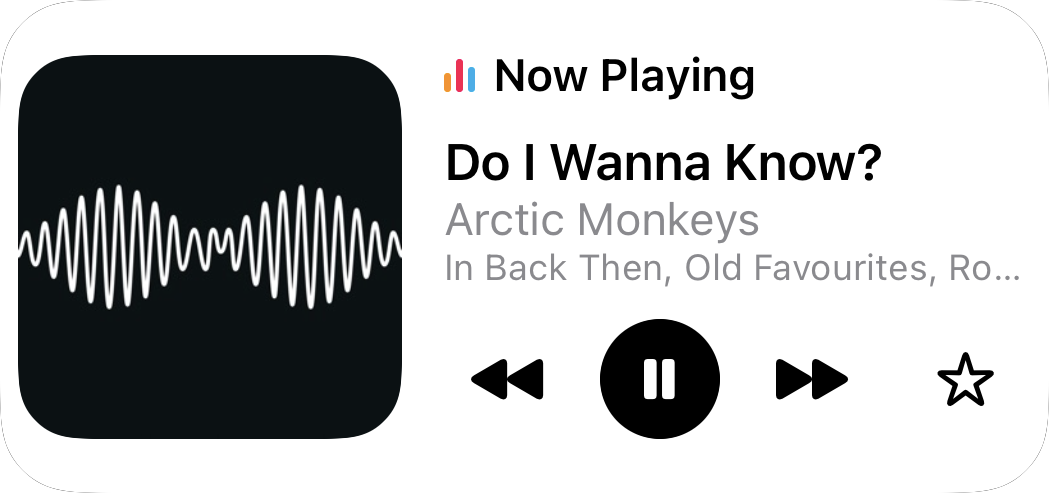
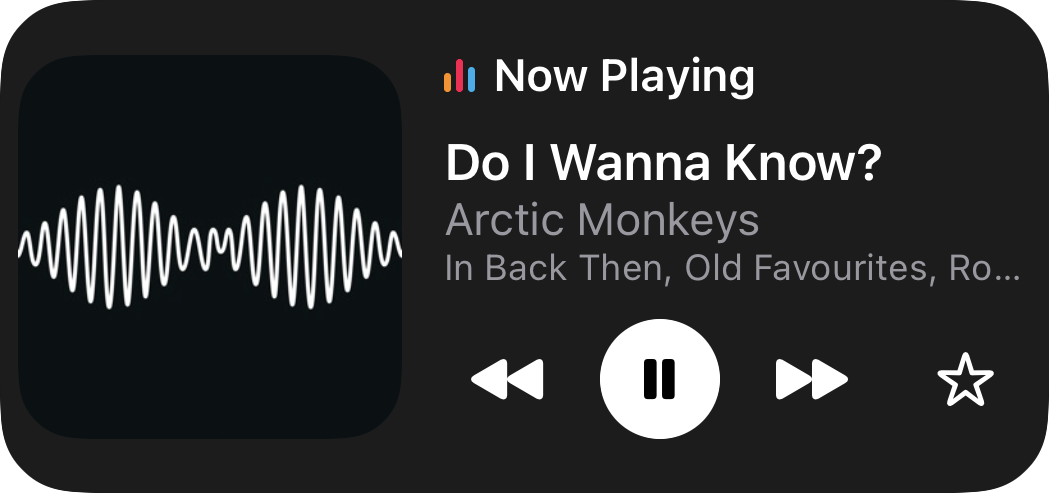


| Widget | What it shows | Sizes |
|---|---|---|
| Now Playing | The song that’s playing, the playlists it’s in, and play or pause. The medium size adds previous, next and Favourite. With nothing playing, it offers to play your Favourites | Small and medium; also on the Lock Screen on iPhone and iPad |
| Inbox | How many songs are waiting to be filed, and the next few | Small and medium; also on the Lock Screen on iPhone and iPad |
| Playlist | One playlist you choose, with Play and Shuffle | Small |
To choose the playlist, touch and hold the widget and choose Edit Widget. Medley updates the widgets whenever the song or your playlists change. If a widget says “Open Medley to read your playlists”, open Medley once.
Control Centre
On iPhone and iPad, Medley adds two controls: Play Favourites and Play/Pause. Touch and hold Control Centre, choose Add a Control, and search for Medley.
Spotlight and Handoff
Your playlists appear in Spotlight. Choosing one opens it in Medley.
The page or playlist you have open in Medley is offered through Handoff, so you can pick it up on another device signed in to the same Apple Account.