

Mood is an optional way to note how a day felt. An entry without one is a perfectly normal entry.
Choosing a mood
Give an entry a mood from its Details, and how strongly you felt it. Life is not always one thing, so Change Mood… lets you choose up to three; the first is the main one.
Echo’s sixteen moods fall into five families, which give Mood its colours: Bright, Calm, Thoughtful, Low and Tense. The colour shows the family, and its shade shows how strongly you felt it.
The Mood view
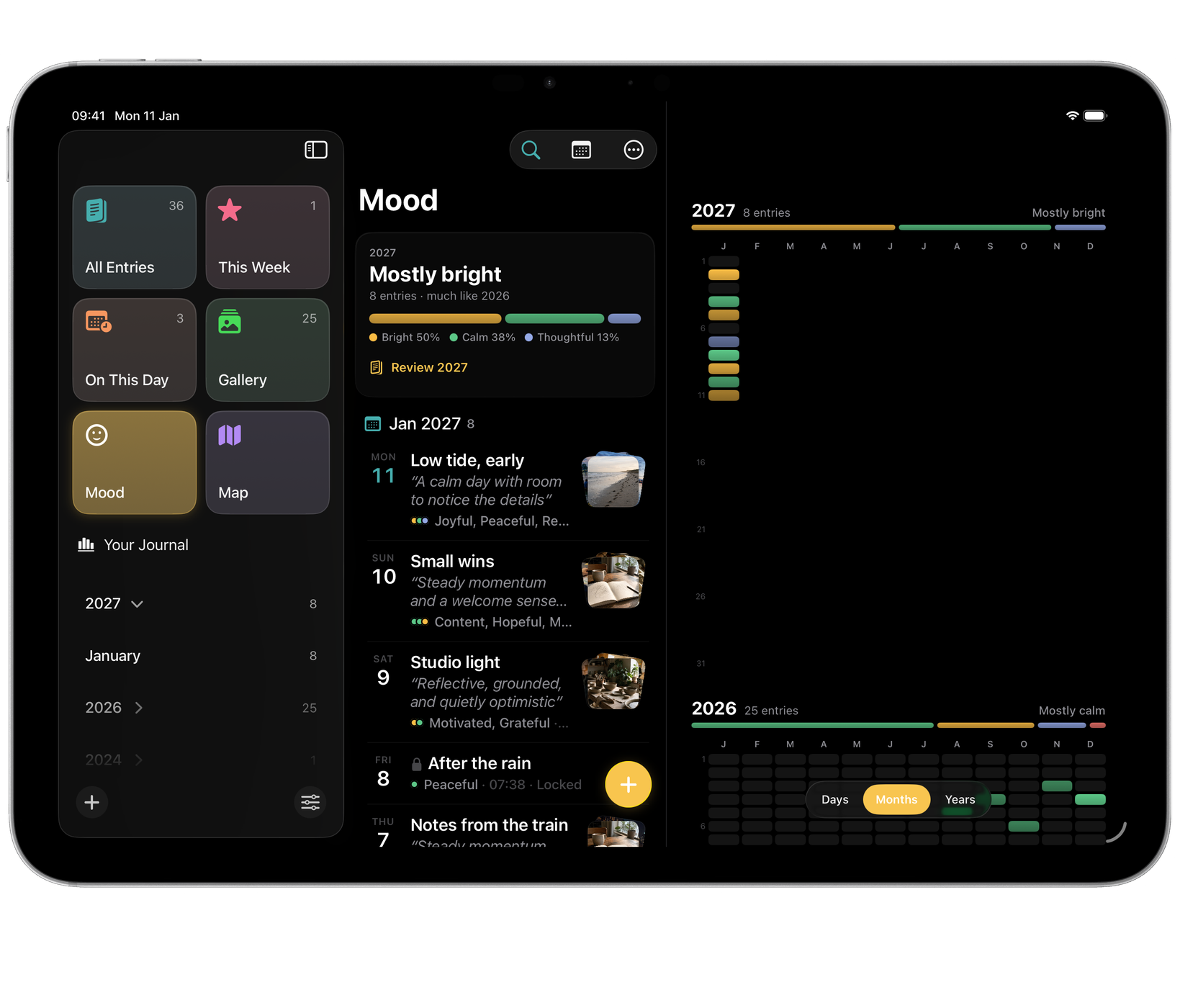
Mood (⌥⌘5) colours your days by how they felt. Pinch, or use the choice at the top, to change how much you see at once:
- Days: a calendar for each month, from this month back.
- Months: a whole year as rows of coloured days.
- Years: one strip for each year you have written.
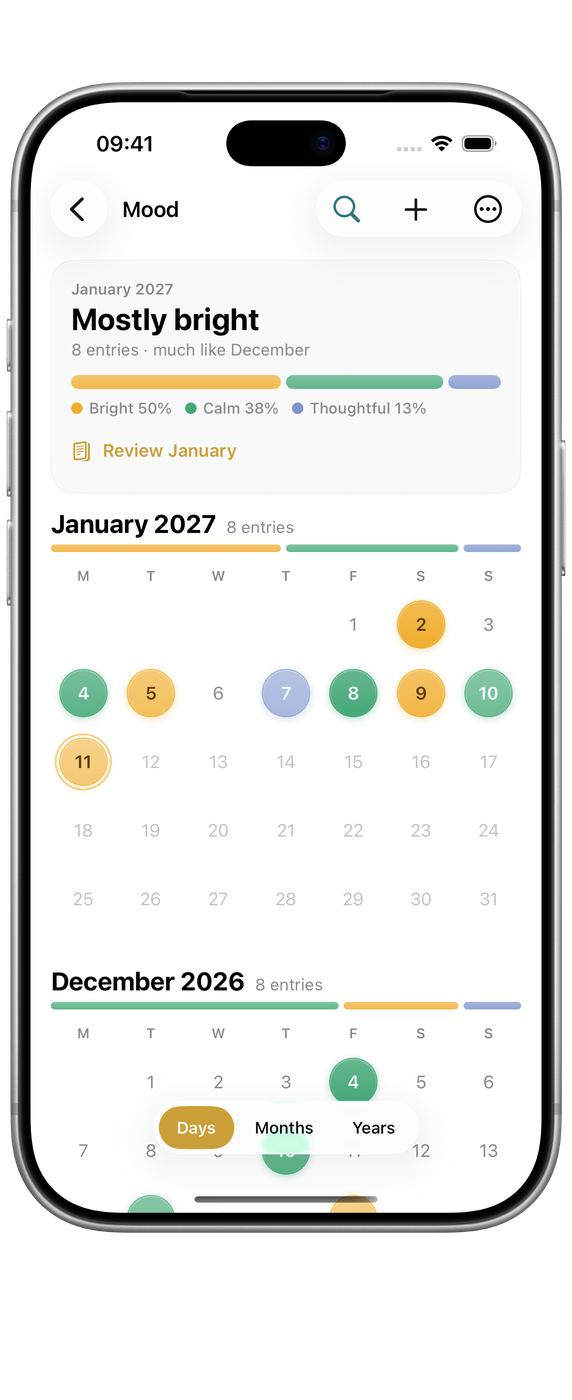
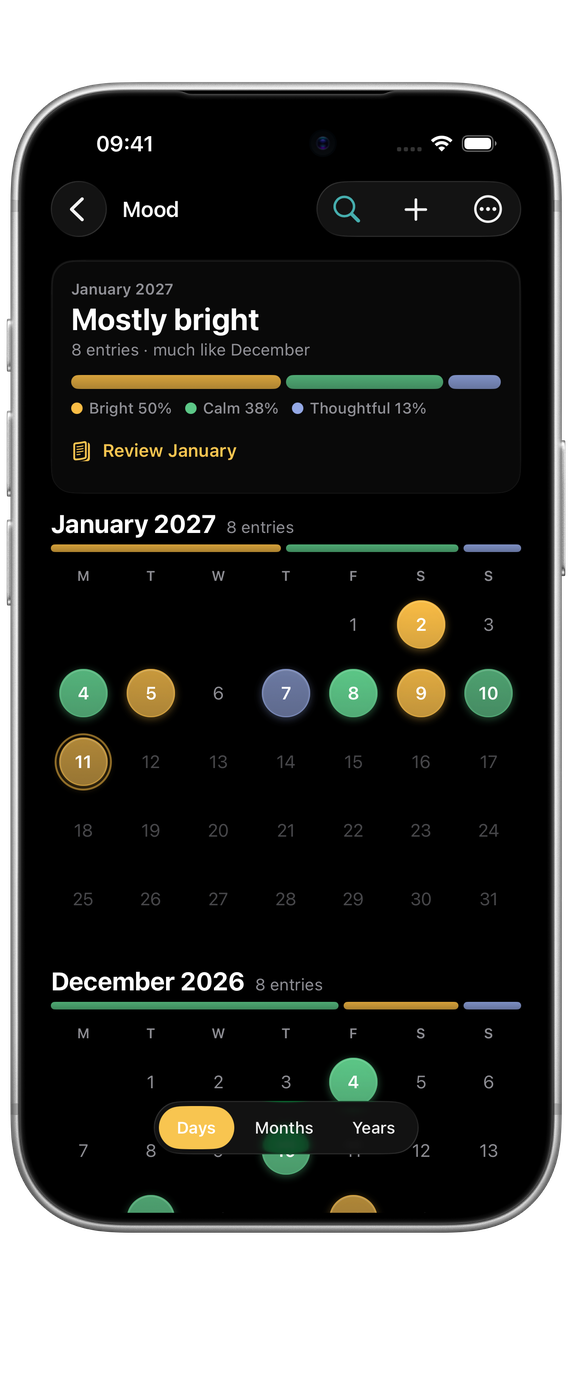
Tap a day to see every entry from that day. A summary at the top says how the period has been, such as “Mostly calm”, or “A mix of feelings” when no family clearly leads, with how much of it fell in each family. If Apple Intelligence is available on your device, Reflect on writes a short reflection on that month or year, on your device.

Locked entries
A locked entry’s mood colour shows in Mood by default, without its words. To leave locked entries out of Mood altogether, turn off Settings ▸ Privacy ▸ Show Moods of Locked Entries.
AI mood suggestions
If Apple Intelligence is available on your device, Echo can suggest the mood of an entry from what you wrote, so choosing becomes confirming rather than deciding. A mood you choose yourself is never replaced. Everything is processed on your device (see On-device intelligence).
Settings ▸ Data ▸ Generate AI Insights can go back over existing entries and fill in what it can, if you turn the feature on after months of writing.