

The editor is deliberately plain to start with and gets out of the way. Formatting is there when you want it.
The title
An entry’s title is its first line. There is no separate title box: start writing, and the first line names the entry in your lists. A short first line, up to about 80 characters, is set as the entry’s heading; a longer opening stays an ordinary paragraph. If an entry starts with a photo instead, Echo can suggest a title from what you wrote, on your device; your own first line always wins.
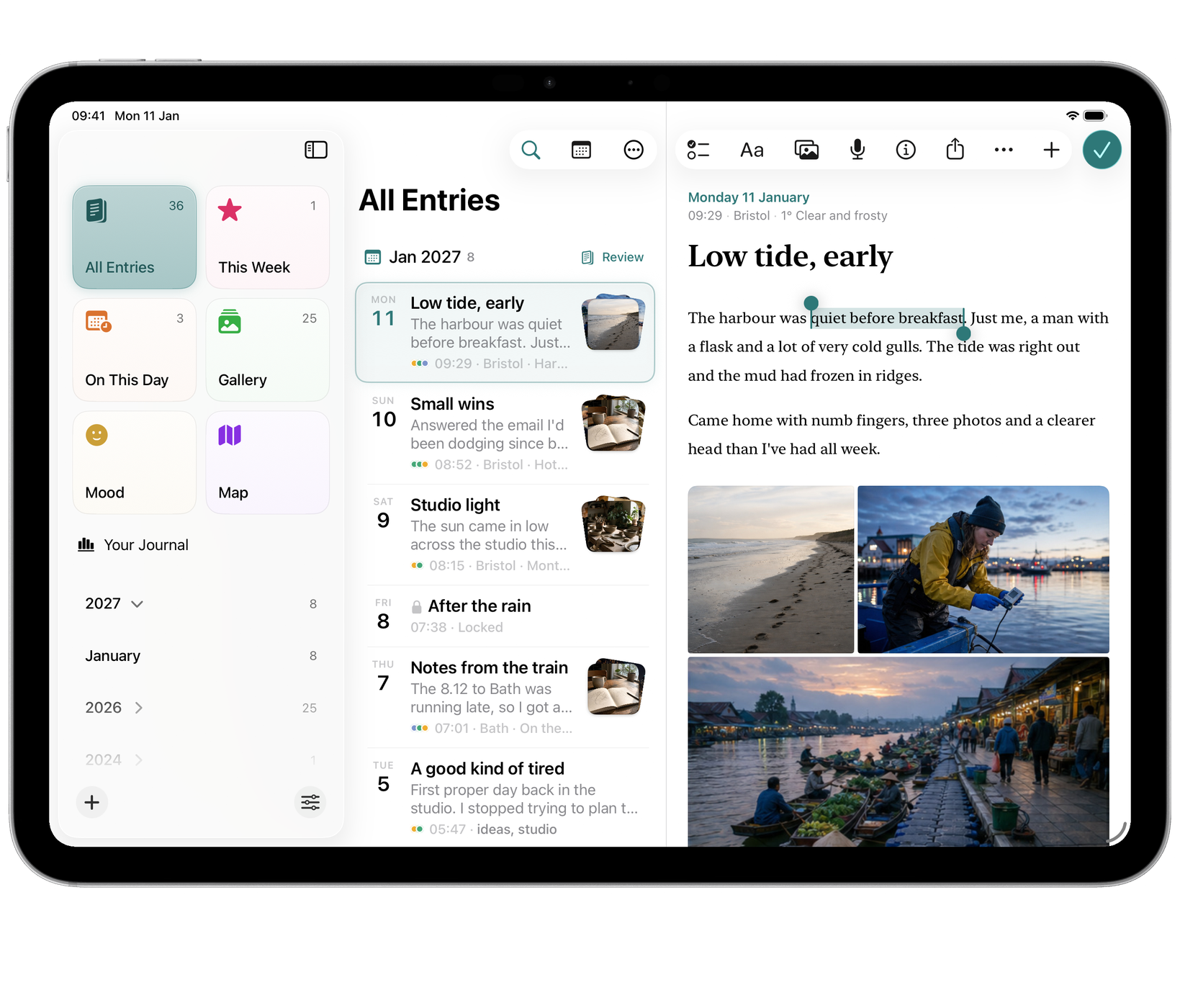
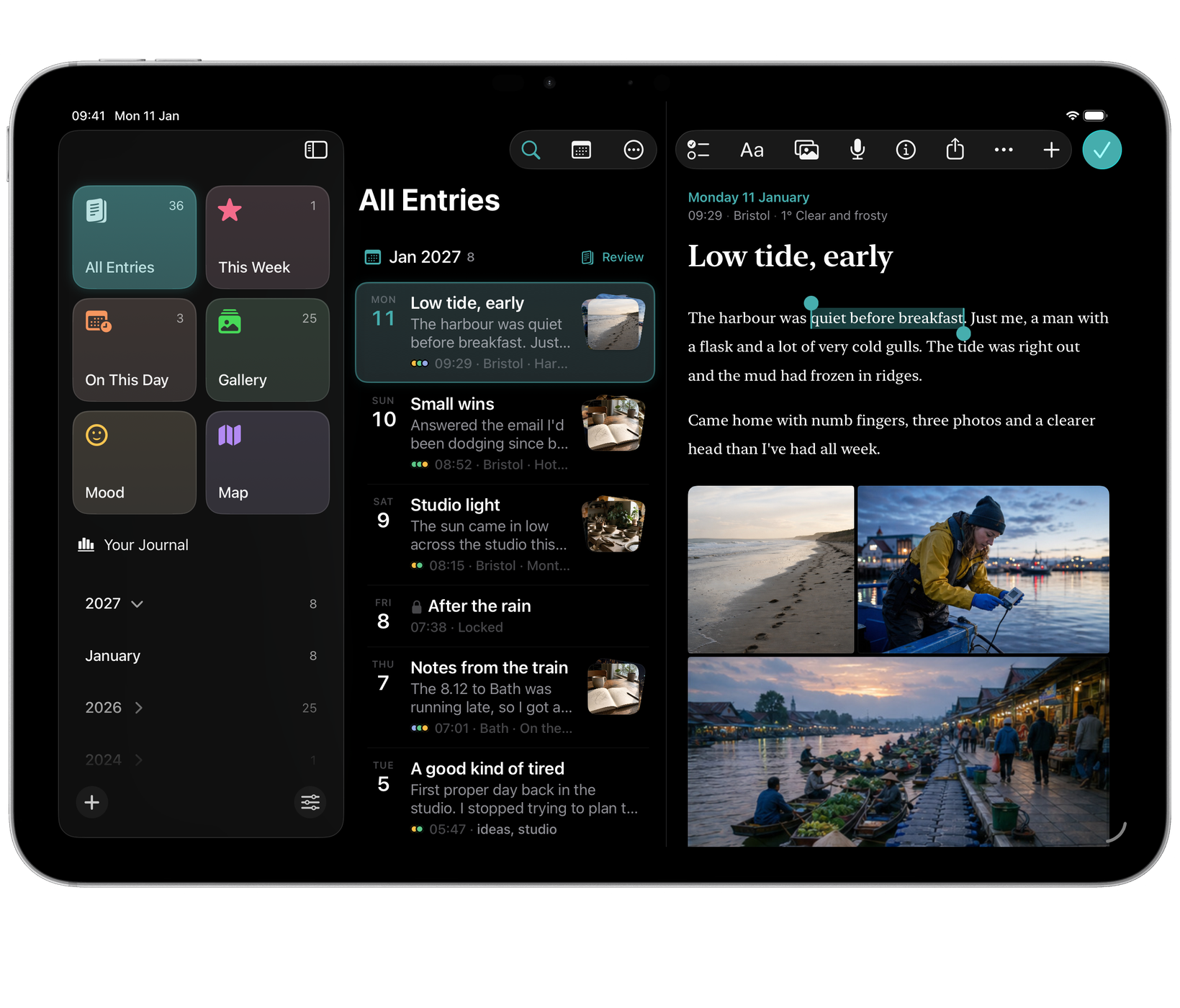
Formatting
Echo writes Markdown, so entry text stays readable outside Echo. The floating toolbar covers the common cases, or you can type the underlying Markdown directly:
- Headings
- Bold and italic
- Checklists
- Quotes
- Tables
- Code
Photos and video
Add photos and video straight into an entry. Several images arrange themselves into a collage, each can take a caption, and video plays in place without opening another app.
To make a photo the entry’s cover, choose Make Cover Photo from the photo’s menu, or drag it to the top of the entry and drop it when Drop to Set Cover Photo appears. The cover runs edge to edge above the date and title. Remove Cover puts the photo back at the end of the text.
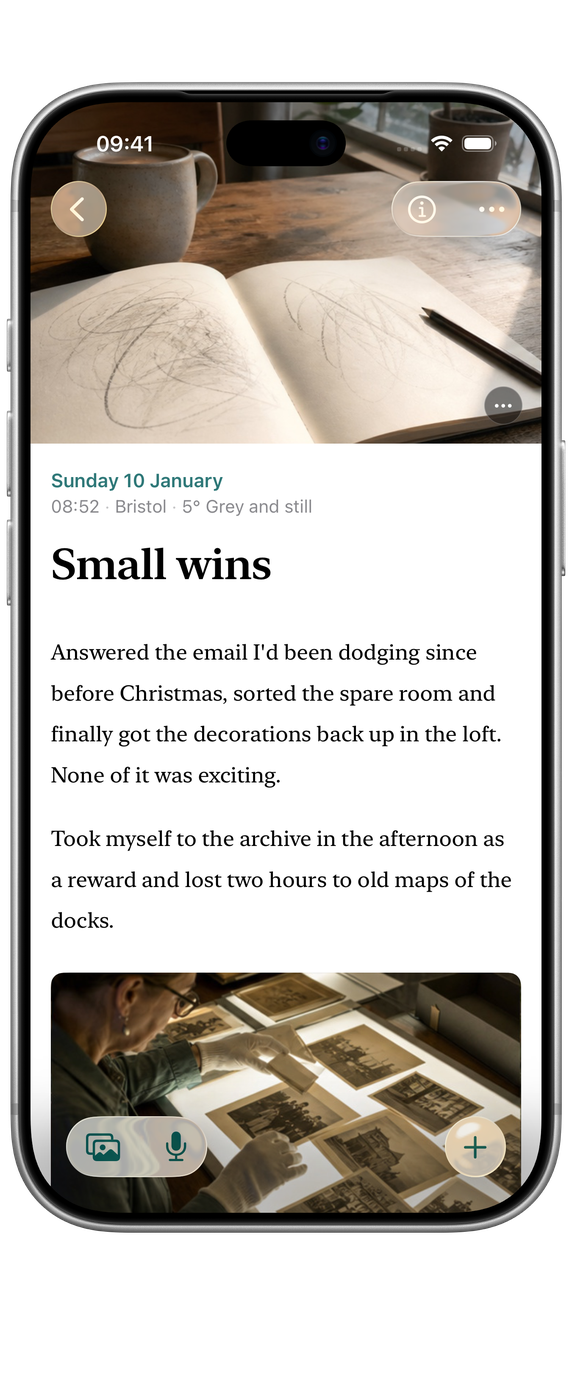
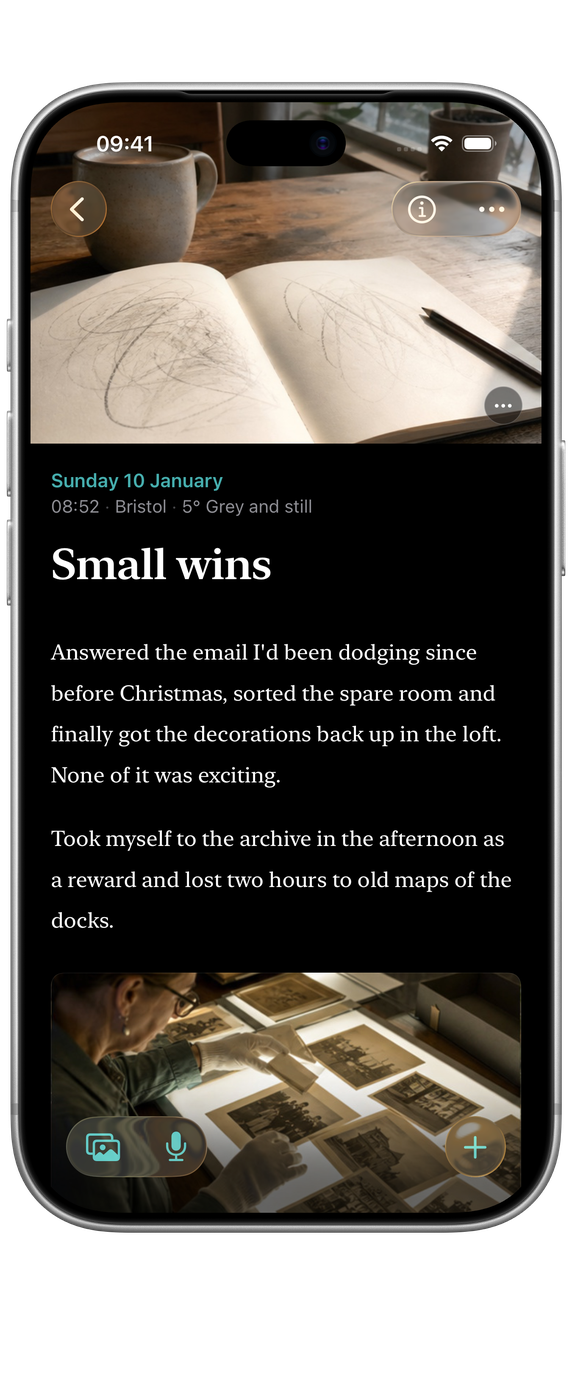
Media is stored at full resolution and is included in exports (see Import and export).
Fonts and text size
Settings ▸ Appearance has separate controls for interface and entry text:
- Interface Font: Echo’s own chrome.
- Entry Font: what you write and read in.
Text Size scales both. On Mac, ⌘ and ⌘- adjust size while reading, and ⌘0 returns to normal.
Details
Details (ⓘ, or ⌥⌘I on Mac) shows everything about an entry as chips you can change: its date and time, place, weather, cover photo, mood, tags and lock. On Mac and iPad they open in a popover; on iPhone, in a sheet.

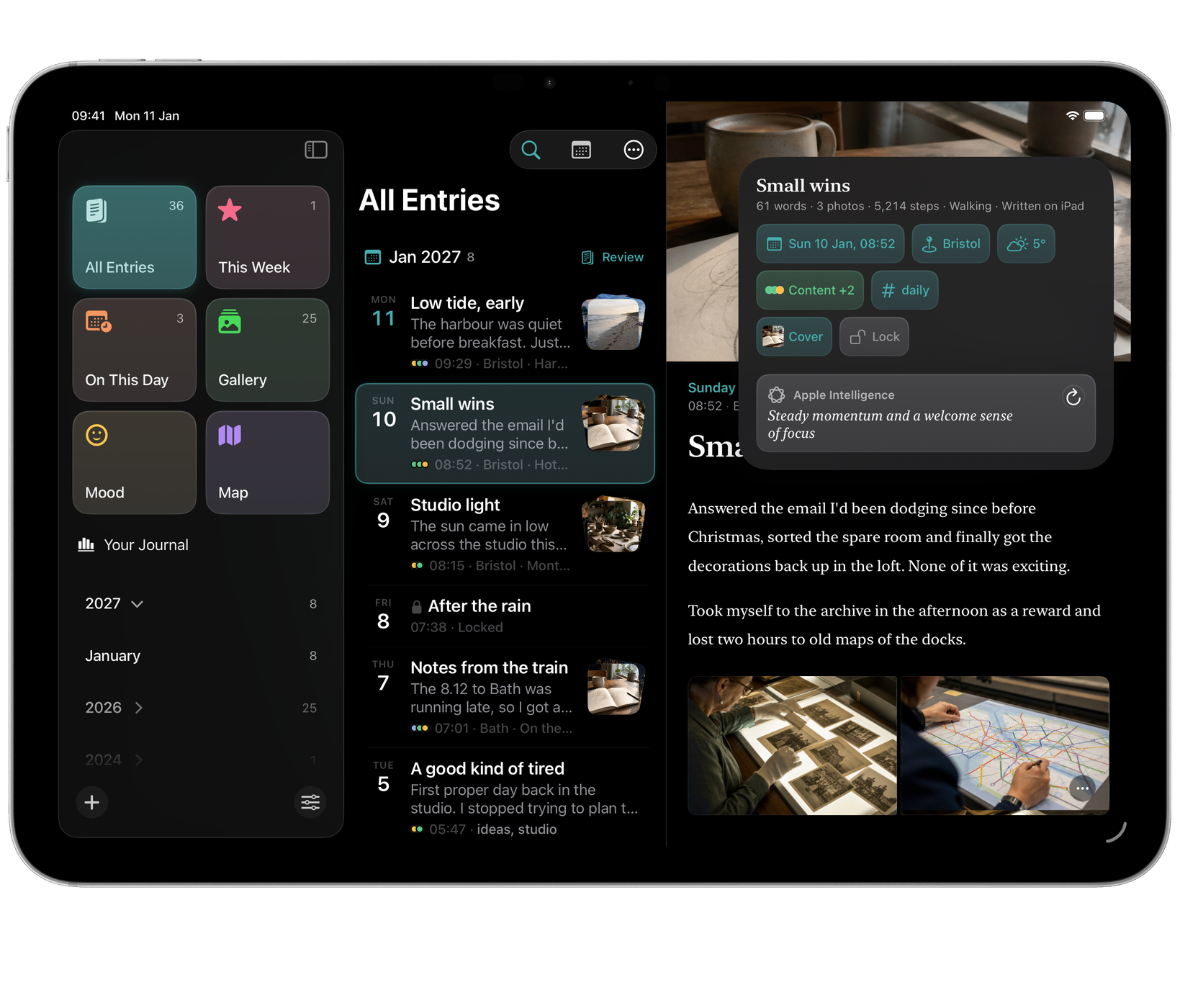
Settings ▸ Privacy ▸ Automatically Add Metadata can record where you are, the weather, your steps and your sleep with each new entry. It is off unless you choose it, and each kind can be turned on separately. It is what puts entries on the Map, and it is often the detail that brings a day back years later.
Dictation
Choose Dictate in the entry’s actions. Review the raw transcript or an optional cleaned version before adding it to your writing. Recording alone never changes the entry. See Dictate an entry.