

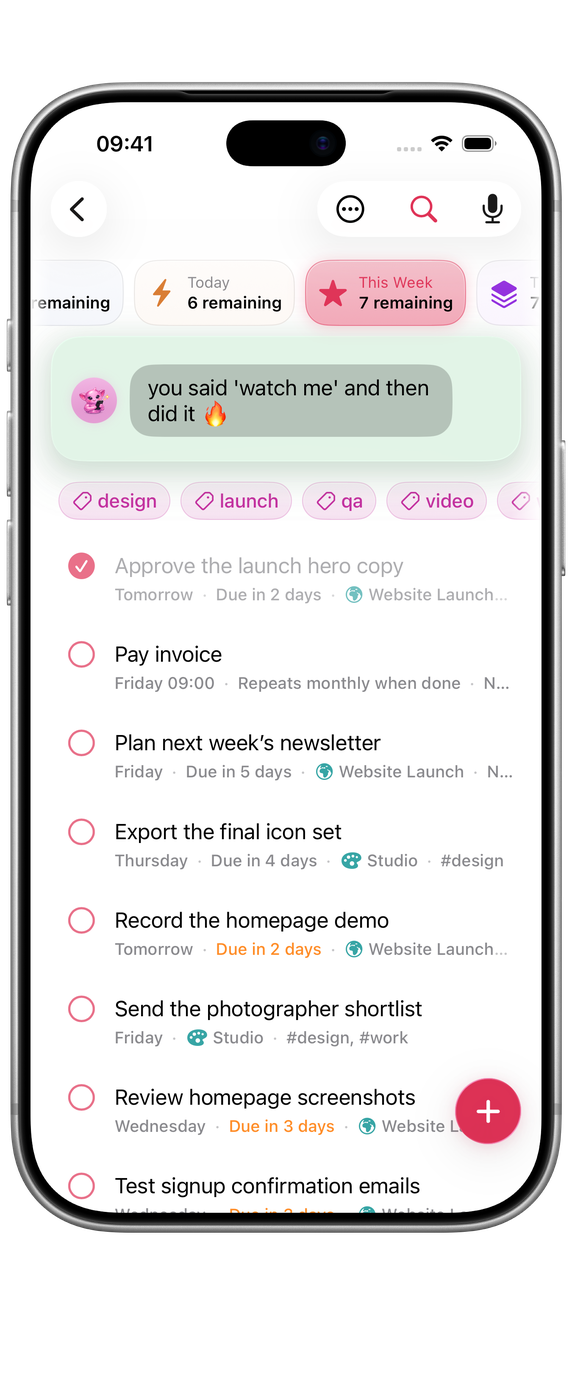
The Progress Island sits at the top of every list. It shows how far through the day you are, how the list is going, and a line from your companion. It is entirely optional.
Reading the island
Under the island, a row of pills sums up the list you are in. In This Week there is one pill for each day: each fills as its tasks are done, and busier days show darker. Tap a day to see only its tasks; tap it again for the whole week. In All and in your Spaces, the pills show how the work is spread across your lists.
In Schedule, the island follows the view: the day’s hours in Day, a bar for each day in Week, and a slim line in Month that opens to the whole month.
On a Mac you can fold the island down to one line. Hover over it and click the pill inside its bottom edge, or press ⌥⌘I; click the folded line to open it again. Orbit remembers the choice for each place, and a narrow window starts with the island folded.
Insights
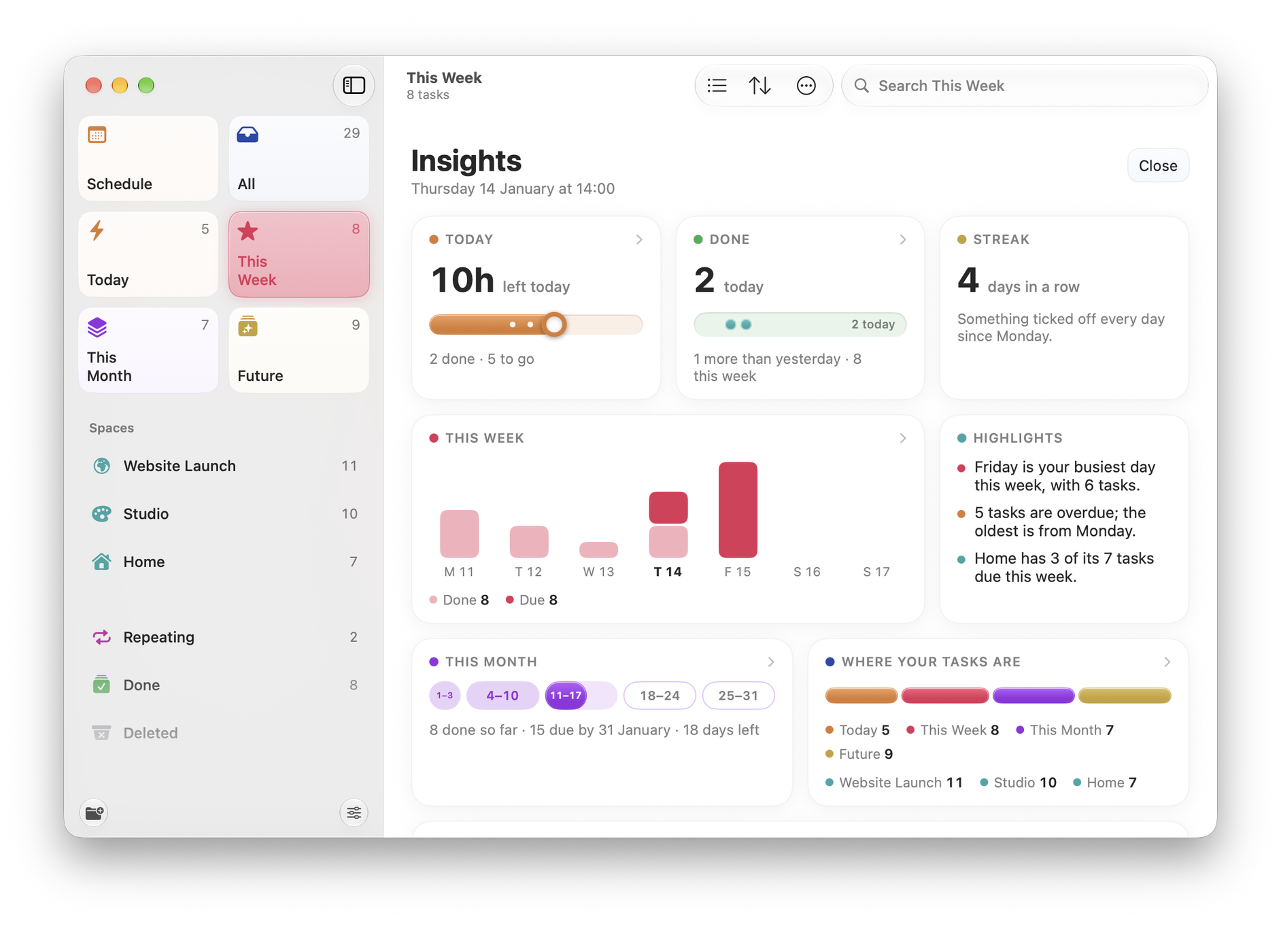
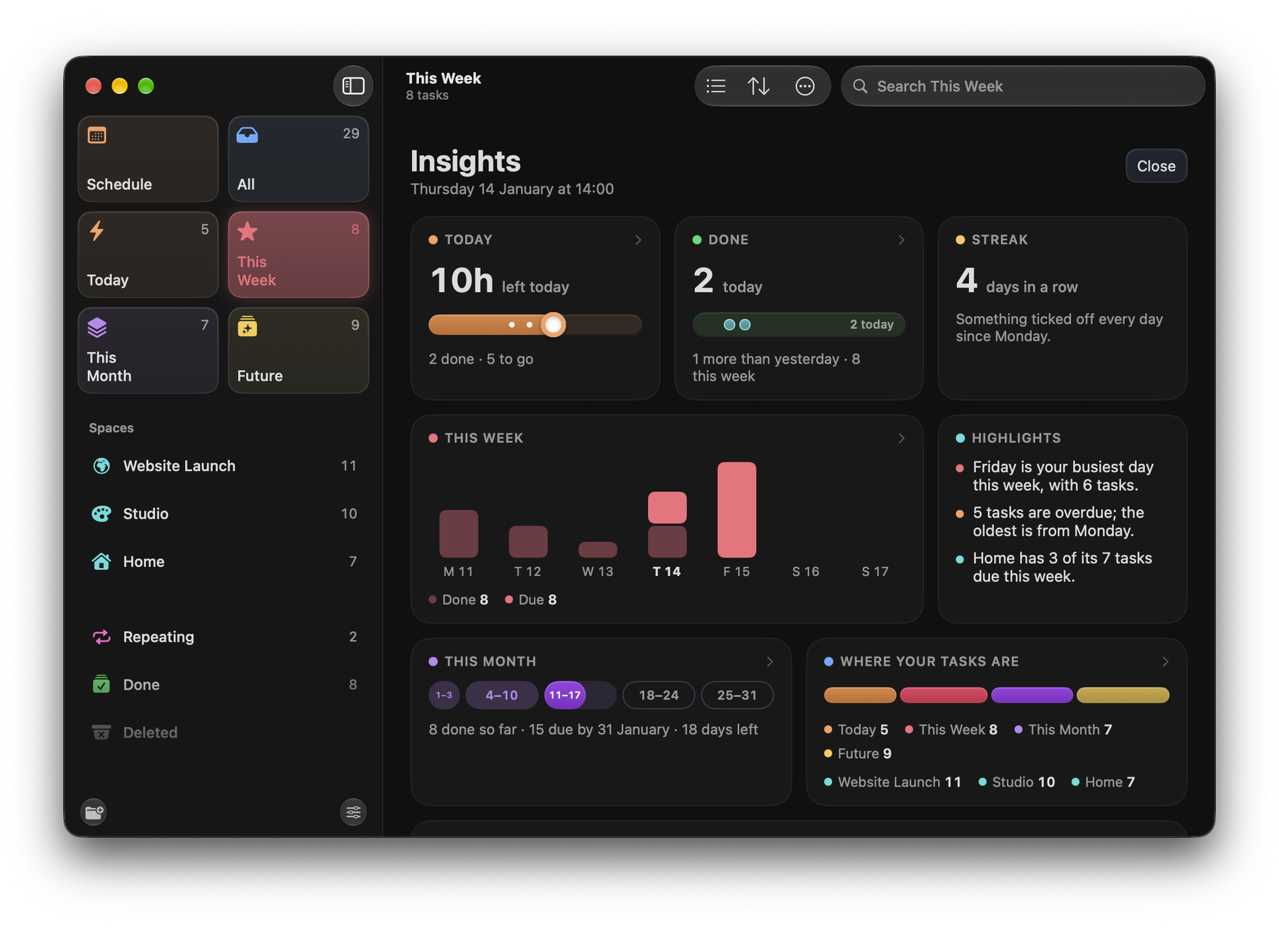
The island’s Insights button opens a fuller picture: time left today, what you have done today and this week, your streak of days with something ticked off, a chart of the week, highlights in plain words (such as your busiest day or how many tasks are overdue), this month so far, and where your tasks sit.
Choosing a companion
Tap or click the companion on the island, or go to Settings ▸ Companions ▸ Choose Companions. There are sixteen: Orbit, Zen Monk, British Butler, Karen, Gen Z Gremlin, Grandma, Therapist, The Mystic, Golden Retriever, Sad Boi, Corporate Drone, Conspiracy Theorist, Alien Observer, Chronically Unimpressed, Reluctant Coach and The Enforcer.
- Just one: the companion you pick does all the talking.
- Take turns: pick several and Orbit rotates between them, so the tone varies rather than wearing out.
These are optional in-product voices. They do not set the tone for Orbit’s interface, Wells Code support or marketing.

All sixteen companions are included during the 14-day free trial and with every payment option.
Turning parts of it off
Two switches under Settings ▸ Companions narrow what it talks about without silencing it:
- Weather messages: remarks tied to the forecast.
- Reaction messages: the response when you complete something.
Turning it off completely
Settings ▸ Sidebar & Views ▸ Show Progress Island hides the island entirely. Orbit keeps working exactly as before, just without the island and its commentary.
On the Home Screen
The Companion widget puts your companion’s line, and what is left today, on your Home Screen.